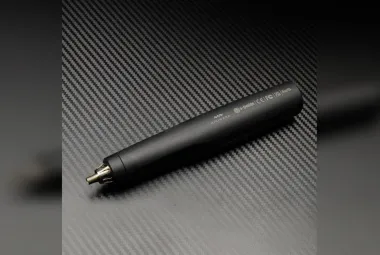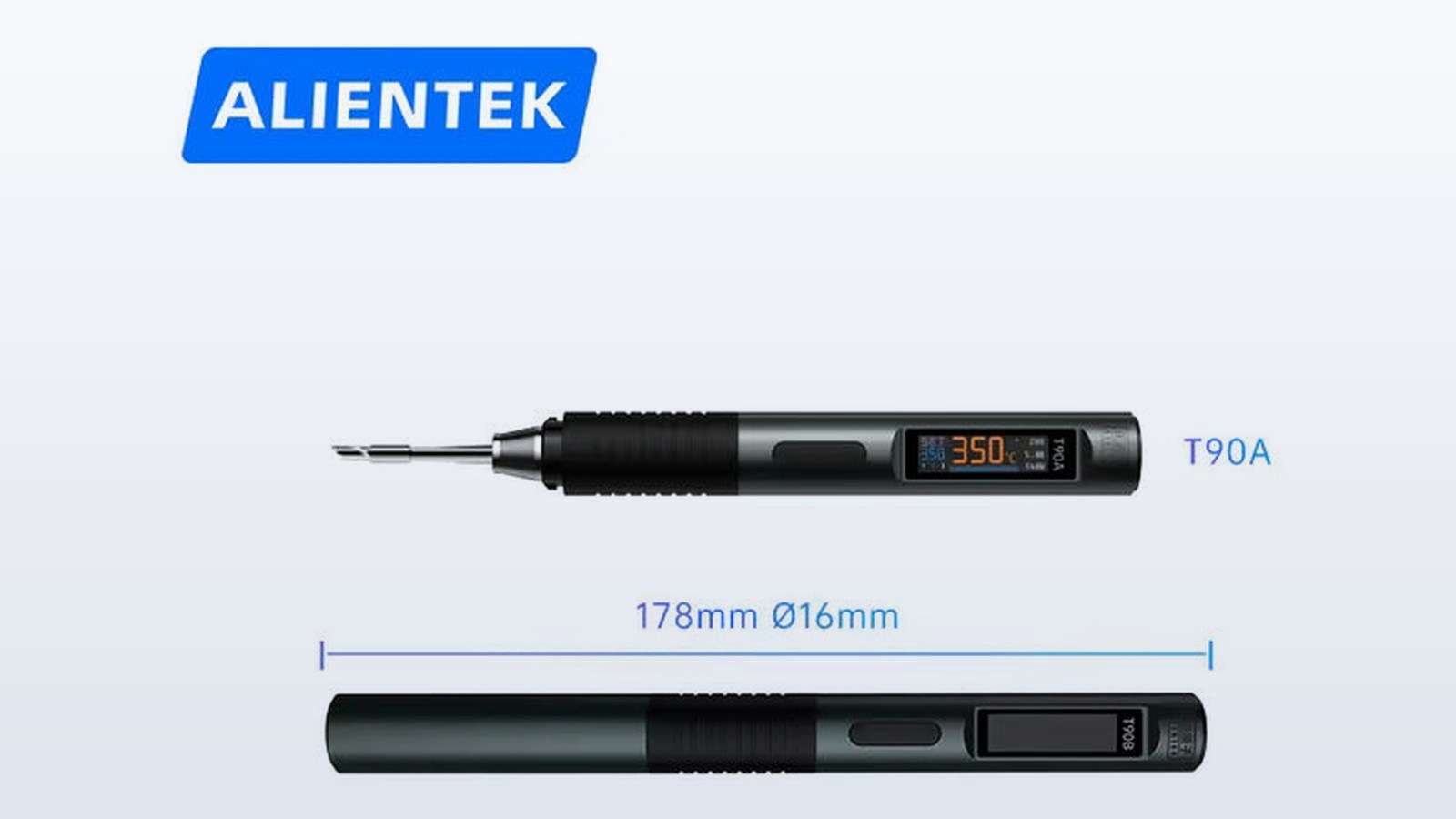
The ALIENTEK T90A went on sale at Switch Science on September 10, 2025, as the smallest-tipped of three USB-C irons launched together. It's a pen-style soldering iron that runs from a USB-C charger, and its T210 cartridge is the finest tip family in the series. TMWB hasn't used the T90A, so what follows comes from Switch Science's product listing, the September 10 press release carried by ZDNET Japan, and ALIENTEK's English page. The T90B and T90C get their own articles, and a series overview covers what the three share.
What are the T90A's specifications?
Switch Science lists the T90A with an input of DC 9 to 28 V, a temperature range of 80 to 450°C, and heating power of about 18 to 65 W. DC means direct current, the form of power a charger supplies after it converts the wall voltage. The handle is 178 mm long and 16 mm in diameter, and it weighs 55 g, about the heft of a thick marker. The tip is the T210, listed at 2.1 ohms, which is the electrical resistance of the heating element in the cartridge. For comparison, the other two models in the series also list 2.1 ohms, so the ohm figure alone doesn't separate them. Heating power does, and the T90A is the lowest of the three.
Switch Science puts the solder-melt time at about 2.5 seconds at 65 W. That's the seller's figure, and the test piece behind it isn't described, so it works better as a rough indicator than as a benchmark. The iron also lists PID control with plus or minus 2 percent temperature stability. PID stands for proportional-integral-derivative, a method for holding a setpoint by watching how far the temperature has drifted and how quickly it's changing, so the heater adjusts before the error grows.
The display is described as a 0.99-inch IPS LCD color screen on Switch Science's page, while the press release calls it an OLED. Those are different panel types, and the sources disagree. The listing also gives PD 3.1 and QC 3.0 input. PD is USB Power Delivery, the negotiation a charger and a device run to agree on a voltage and wattage, and QC 3.0 is Quick Charge 3.0, a separate method for the same job. Three temperature presets default to 200°C, 350°C, and 450°C, and the iron includes motion-based idle shutoff, protection against an abnormal tip, and short protection. The idle delay and fault thresholds aren't printed.
What is a T210 tip, and why does it matter?
A T210 cartridge is a small, fine tip. Less metal against the pad lets the tip rest on a tiny joint without touching the neighbors. That suits surface-mount work, where parts sit on pads on the face of the board and the connections don't pass through holes. Small resistors, capacitors, and fine-pitch chips are the usual targets.
The tradeoff is thermal mass. A small tip stores less heat, so it can struggle when a joint is attached to a large copper area. A ground plane is a wide sheet of copper, often an inner layer of the board, that carries heat away from the pad. A fine tip that melts a small resistor easily can stall on a connector shell tied to a ground plane, because the copper pulls heat away faster than the tip can replace it. That's the reason ALIENTEK sells larger tip families on the T90B and T90C. Switch Science says the older T80 tip designation changed to T210 with this launch, and the T90A is described as compatible with T80 tips, so anyone who already owns tips sold under the T80 name has a continuing use for them.
What's in the box, and how is the power handled?
The T90A ships with the iron, a 210-KU tip, a 1.2 m USB-C cable rated to 140 W, a manual, and a simple stand called the TH50. The cable rating describes the cable, not the iron. The T90A's heating range tops out around 65 W, and the cable rating just means the cable can safely carry far more power than this model draws.
The charger sets the ceiling. A USB-C iron can only use what the charger on the cable agrees to deliver, so a 45 W charger can't feed a 65 W heater. The press release says the iron reads the PD adapter's maximum output and adjusts its heating power to match, which is a safeguard against a charger shutting down mid-joint. The T90A's 65 W band fits a smaller PD adapter than the T90B's 140 W band does, which is part of its appeal for anyone who wants to run from a modest charger or a power bank.
How does the T90A compare with the others?
Across the series, the heating ceilings are 65 W for the T90A, 140 W for the T90B, and 130 W for the T90C, and the seller's melt times lengthen as the tips get larger: about 2.5 seconds, 3.5 seconds, and 5 seconds. The three share a 178 mm by 16 mm, 55 g handle, so the only physical choice is the tip family. In market terms, USB-C irons were already familiar by September 2025 from Miniware's TS100-class pens, Pine64's Pinecil, and SEQURE irons. The T90A's pitch is a fine, T80-compatible tip with a color display on a handle the same size as the larger models. No watt figures for those earlier pens appear in these sources, so I'm not ranking them.
What does it cost, and where can it be bought?
The September 10 press release priced the T90 irons at about $41 each, tax included. Switch Science's product page for the T90A (SKU 10677) currently lists about $42 tax included, and when I checked, 15 units were in stock. The difference between the two prices isn't explained in the sources, so I'm reporting both. Both prices are converted from Japanese yen, at roughly 147 yen to the dollar in September 2025 for the release price and roughly 158 yen to the dollar in early October 2026 for the current listing. Switch Science sells in Japan. ALIENTEK's English page points international buyers to an AliExpress store and an Amazon listing, and there's no official worldwide price or ship date.
What's missing from the announcement?
The idle-shutoff timing, the conditions that trigger tip-fault protection, the OLED versus LCD discrepancy, and any independent test of the 2.5 second melt time are all absent. The English page also offers a downloadable "T90ABC Smart Soldering Iron" file that may answer some of those questions.