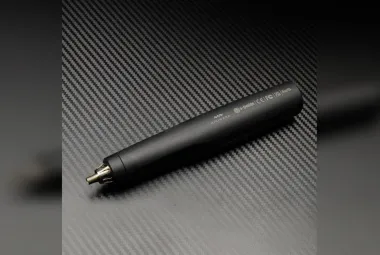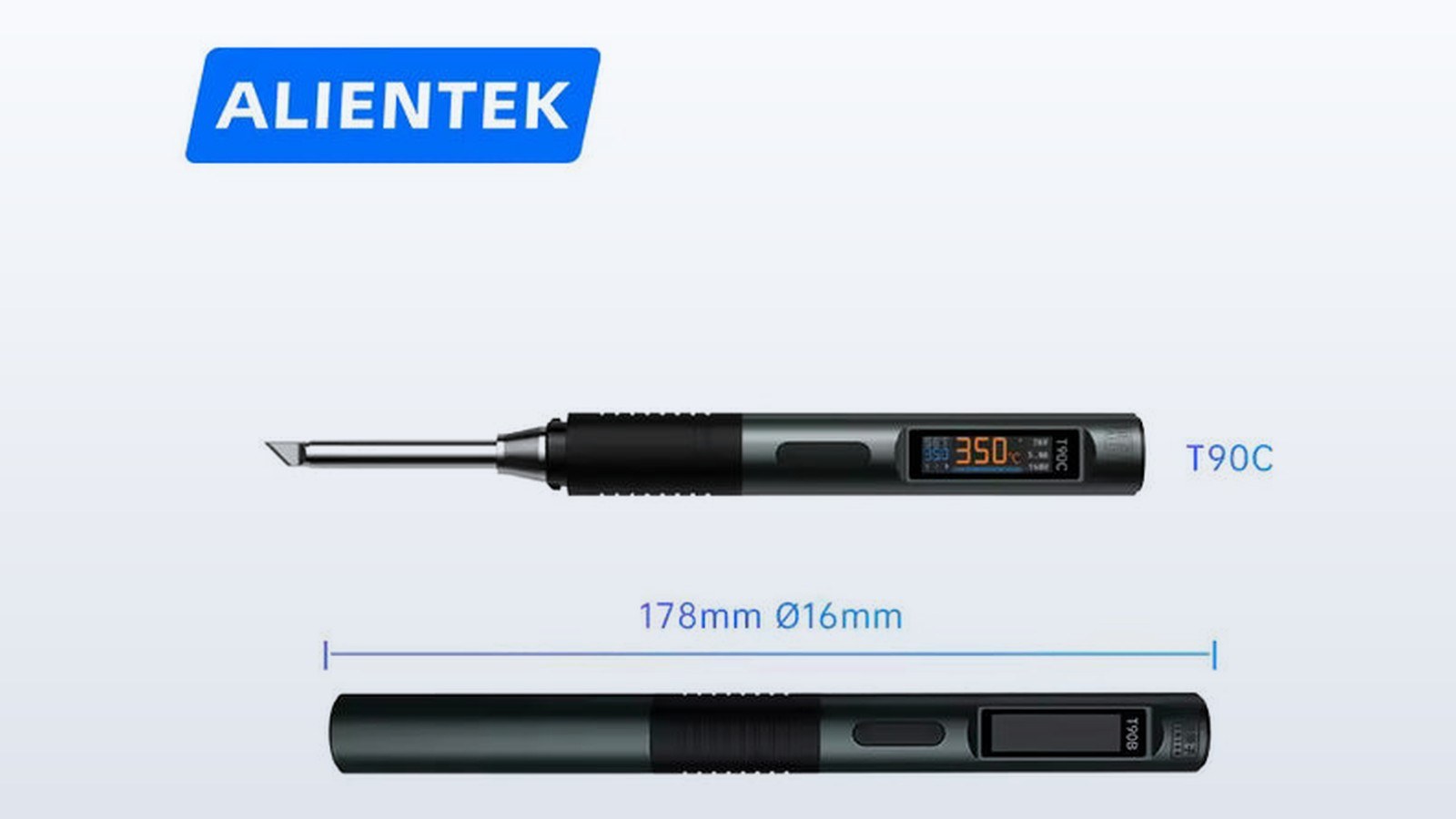
The ALIENTEK T90C is the large-tip member of the T90 series of USB-C soldering irons, and Switch Science started selling it on September 10, 2025. Its T65 cartridge is the biggest in the series, paired with a heating range of about 18 to 130 W, and it's aimed at large boards and large parts. TMWB hasn't used it, so everything here comes from Switch Science's product listing, the press release carried by ZDNET Japan, and ALIENTEK's English page. The T90A and T90B have their own articles, and the series overview covers the common features.
What are the T90C's specifications?
Switch Science lists the T90C with DC 9 to 28 V input, a temperature range of 80 to 450°C, and heating of about 18 to 130 W. The tip is the T65, called the T65-KR in the box contents, with an internal resistance of 2.1 ohms. Ohms measure the electrical resistance of the heating element, and the other two models in the series list the same 2.1 ohms, so the figure doesn't tell the three apart. The seller's solder-melt time is about 5 seconds at 130 W, the slowest of the three. The handle is 178 mm long and 16 mm in diameter, weighs 55 g, and uses a 0.99-inch IPS LCD color display on Switch Science's page. The press release calls the display an OLED, and the sources don't resolve the difference.
The listing gives PID temperature control with plus or minus 2 percent stability, three presets defaulting to 200°C, 350°C, and 450°C, a current measurement function, and PD 3.1 and QC 3.0 power input with automatic adjustment. PID stands for proportional-integral-derivative, a method for holding a setpoint steady. Idle detection with an automatic shutoff and protection for abnormal tip conditions round out the list. The box contains the T90C, a T65-KR tip, a 1.2 m USB-C cable rated to 140 W, a manual, and a TH50 stand.
What does a T65 tip do?
A T65 cartridge carries more metal than the T210 or the T245 tips on the other models. More metal means more thermal mass, which is the amount of heat a tip can store and deliver. The idea is straightforward. A fine tip heats and cools quickly but carries little energy, while a large tip takes longer to bring up to temperature and then holds a lot of heat in reserve. When a joint is attached to a big copper plane, a heavy connector, or a thick wire, the joint pulls heat out faster than a small tip can resupply it, and a large tip's stored heat covers that demand. ALIENTEK positions the T65 for large boards and large parts.
That explains the melt-time pattern across the series. The seller figures are about 2.5 seconds on the T90A at 65 W, 3.5 seconds on the T90B at 140 W, and 5 seconds on the T90C at 130 W. A larger tip has more metal to bring up to temperature before it can melt solder, so the T90C's number is longer even though its wattage is similar to the T90B's. Those figures are the seller's, with no stated test piece, so they work as indicators and not as benchmarks.
How does the T90C relate to the T90B?
On paper the two are neighbors. The T90B tops the series at about 140 W with a mid-size T245 tip, and the T90C offers about 130 W with the larger T65. The T90C gives up 10 W and trades a tip family. The choice is about tip geometry and thermal reserve, not raw wattage. Both use the same 178 mm by 16 mm, 55 g handle and the same 1.2 m cable. Neither the press release nor the listing discusses tip compatibility with other brands beyond the T80 and T80P notes for the T90A and T90B, so the T90C's tip family is treated as its own standard.
What does the charger have to deliver?
A USB-C iron can only use what its charger agrees to supply. A 130 W heater can't draw 130 W from a 65 W charger. The press release says the iron identifies the PD adapter's maximum output and limits its own heating to match, which keeps a small charger from shutting down in the middle of a joint. To use the T90C's upper range, the source has to be able to supply it, and the included cable rating of 140 W means the cable won't be the weak link. QC 3.0, listed on Switch Science's pages, is the second power negotiation method the iron supports.
What does it cost, and where is it sold?
The September 10 press release priced the T90 irons at about $41 each, tax included. Switch Science's listing for the T90C (SKU 10679) currently shows about $42 tax included, with 14 units in stock when I checked. The sources don't explain the difference between the two prices, so I'm reporting both. Both prices are converted from Japanese yen, at roughly 147 yen to the dollar in September 2025 for the release price and roughly 158 yen to the dollar in early October 2026 for the current listing. Switch Science sells in Japan. ALIENTEK's English product page points to an AliExpress store and an Amazon listing for the rest of the world, and it prints no worldwide price or ship date. The company name on the press release is Guangzhou YuanziDianzi Electronic Technology Co., Ltd., while the English site's footer uses Guangzhou Xingyi Electronic Technology Co., Ltd.
Where does it fit among USB-C irons?
By September 2025, USB-C irons were a familiar category. Miniware's TS100-class pens, Pine64's Pinecil, and SEQURE irons had already shown that a handle, a cartridge, and a charger are enough to solder with. The T90 series adds three tip families on one day under one handle design. The T90C covers the heavy end of that range. The sources give no watt figures for the earlier pens, so I'm not ranking the T90C against them.
What's missing from the announcement?
The announcement doesn't state a heat-recovery figure, the idle-shutoff delay, or the thresholds for tip-fault protection, and the OLED versus LCD wording remains unresolved. The 5 second melt time hasn't been independently tested. The English page offers a downloadable "T90ABC Smart Soldering Iron" file, a 3.9 MB archive, which is the likeliest source of the missing detail.