Before I could afford professional creative software, I pirated it. I was a poor teenager who wanted to learn Adobe Photoshop and Adobe After Effects, and the price put them out of reach. I am not defending piracy. It is simply how I gained access to tools that shaped my future.
When I began making money, I bought Adobe Creative Suite 2 for about $2,000. The purchase hurt, but I finally owned my tools and could use that version as long as my computer supported it.
Then ownership became a toll gate. Adobe lists Creative Cloud Pro at $69.99 per month with an annual commitment, or $104.99 month to month in the United States. Ten years of using the same tools means ten years of payments for permission to work.
Adobe was hardly alone. Subscriptions became the default across professional software. I now spend more on subscriptions than food, and millions of other creatives and professionals are tired of endless rent being treated as the price of staying capable.
Subscriptions fund updates, support, cloud services, and cutting-edge features. I rarely use most of them. My work depends on basics such as layers, masks, vector paths, timelines, modeling history, reliable export, and files I can reopen. The bill funds the entire sprawling product whether I need its additions or not.
The cost becomes cruelest when income disappears. Designers and editors still need current tools to maintain portfolios and practice the software named in job postings. A maker may exceed a personal license while earning too little to welcome another annual bill. Losing income makes the recurring gate harder to pass.
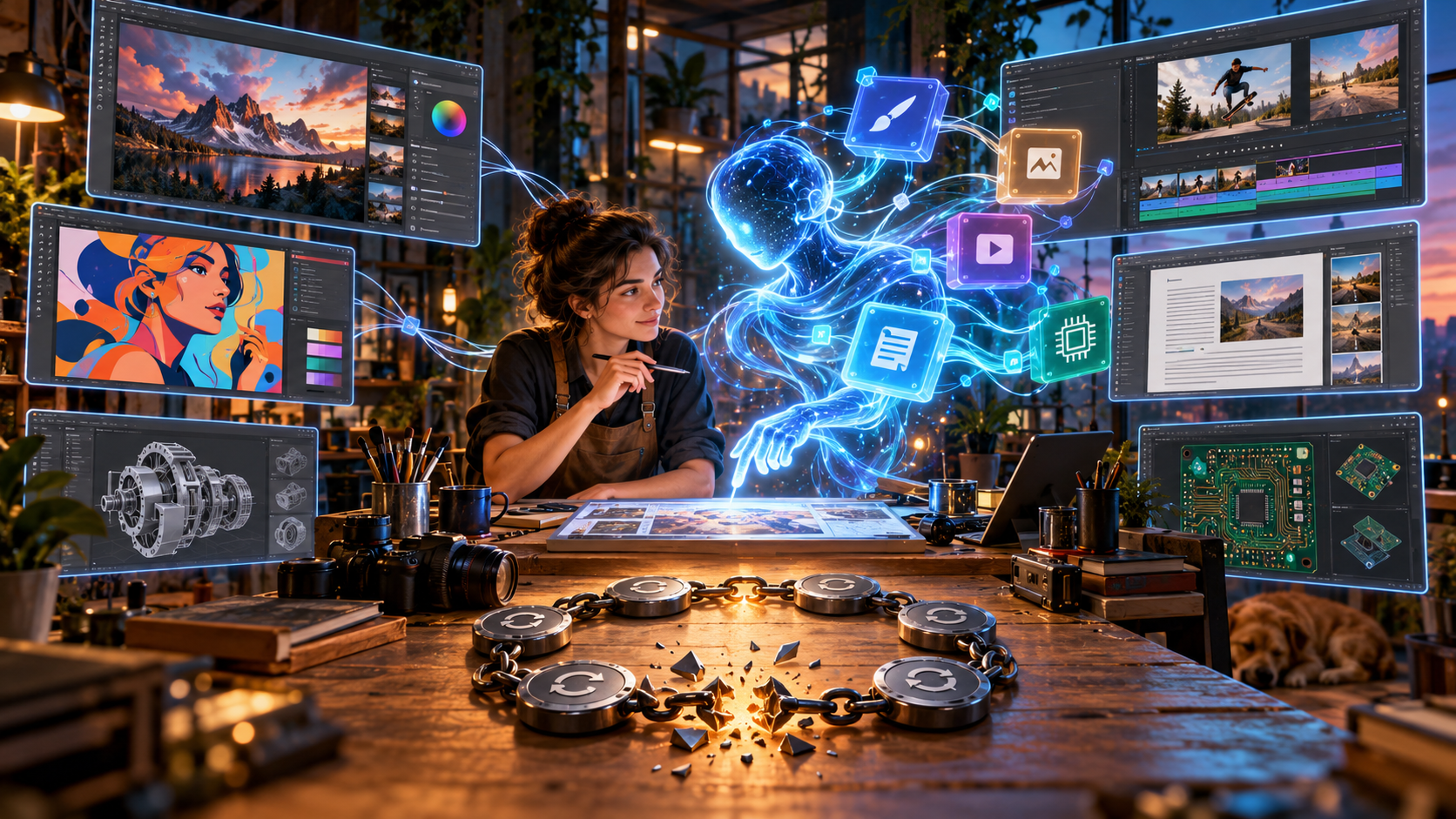
That is why the new wave of open-source, agentic-coded applications matters. It offers a way to stop asking permission from the same companies that turned our working knowledge into recurring revenue.
What agentic-coded software means
An AI coding agent is more than autocomplete. Given a well-scoped task, it can inspect a codebase, plan and edit a change, run tests, examine failures, and revise its work. A human still sets direction, reviews the implementation, and accepts responsibility for the result.
I use “agentic-coded application” for software built or expanded through that human-and-agent loop. It does not mean one prompt produced a trustworthy professional application. Architecture, design judgment, testing, documentation, packaging, security, and community feedback still matter.
What changed is scale. A determined developer, tiny team, or open-source community can attempt software that once demanded a much larger payroll. Agent assistance does not guarantee good code, but it dramatically lowers the cost of trying and iterating.
The Crafting Apps are an open-source creative suite
I initially used ArtCraft as shorthand for the whole collection, but there is an important distinction. ArtCraft is the flagship open-source studio for controllable AI image and video creation. It combines two-dimensional compositing, 3D scene staging, character posing, background removal, image editing, and connections to several image, video, audio, and 3D-generation providers.
The much broader Adobe-style replacement is the Crafting Apps family from the ArtCraft team, with its code published through the StoryTold GitHub organization. It currently contains 13 native open-source applications. Adobe users will recognize much of the territory, but the collection stretches into Microsoft, Figma, Avid, and Autodesk workflows too.
| Crafting App | What it does | Closest familiar commercial category |
|---|---|---|
| PhotoCraft | Layer-based image editing | Adobe Photoshop |
| VectorCraft | Vector illustration | Adobe Illustrator |
| FilmCraft | Nonlinear video editing | Adobe Premiere |
| LightCraft | Photo library management and raw development | Adobe Lightroom |
| PdfCraft | PDF reading, organization, combining, splitting, and security | Adobe Acrobat |
| EffectCraft | Motion graphics, compositing, and visual effects | Adobe After Effects |
| DesignCraft | Page layout and publishing | Adobe InDesign |
| FigCraft | Interface design and interactive prototyping | Figma and Adobe XD workflows |
| WordCraft | Word processing and document authoring | Microsoft Word |
| SoundCraft | Multitrack recording, editing, and mixing | Avid Pro Tools and Adobe Audition workflows |
| DeckCraft | Slide presentations | Microsoft PowerPoint and Apple Keynote |
| CADCraft | Computer-aided drafting | Autodesk AutoCAD |
| GridCraft | Spreadsheets and data analysis | Microsoft Excel |
PhotoCraft for image editing
PhotoCraft is the most direct Photoshop-style application in the collection. Its layer-based editor includes masks, adjustment layers, layer styles, type, vector shapes, brushes, smart objects, and more than 70 live filters. It also supports 8-bit, 16-bit, and 32-bit color, along with RGB, CMYK, Lab, and grayscale documents. Those details matter to anyone who needs more than a simple crop-and-resize utility.
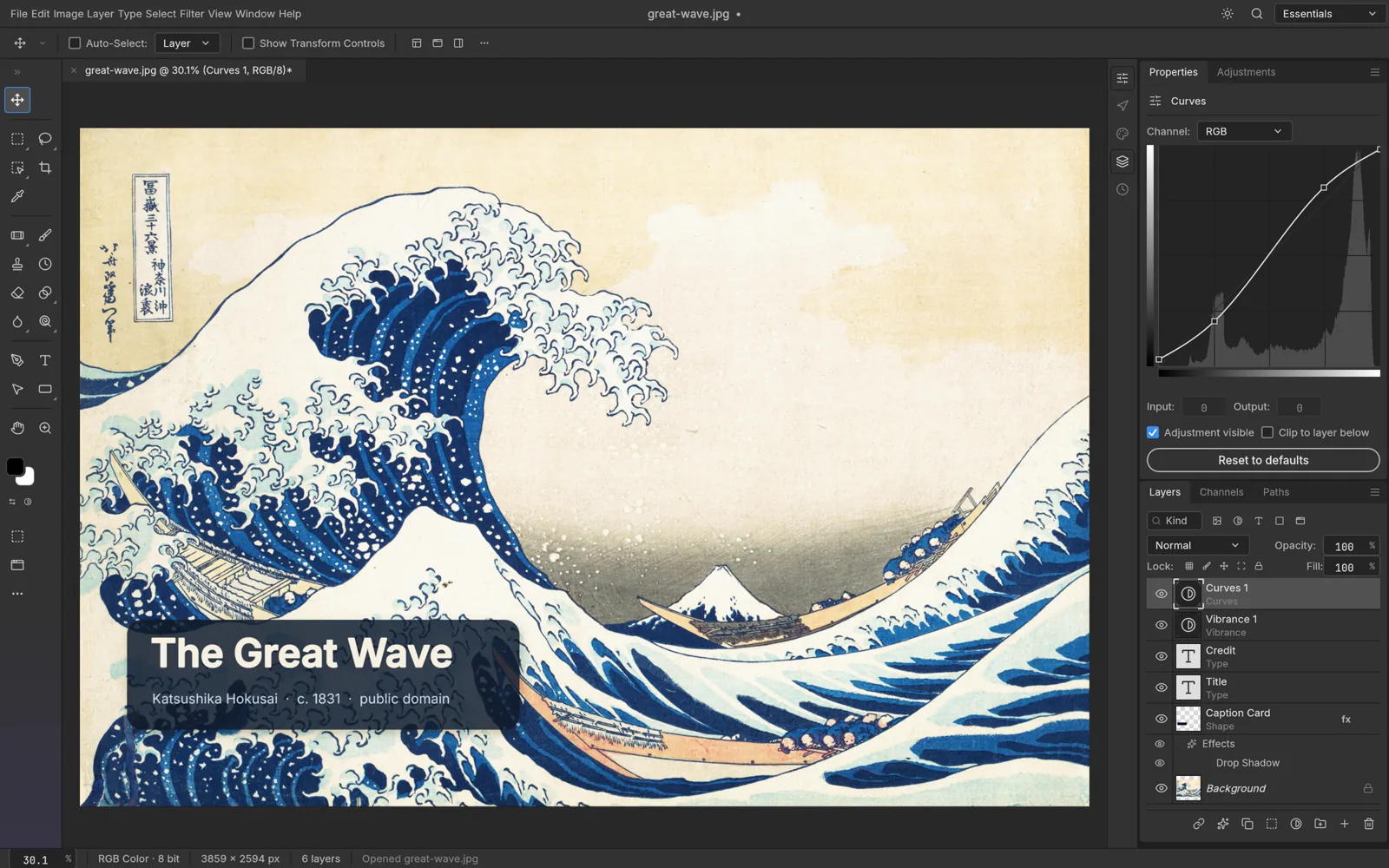
The familiar layout should shorten the adjustment period for Photoshop users. The project says PhotoCraft opens and saves layered PSD and PSB files, while its GPU-powered canvas runs through Metal, Vulkan, DirectX 12, or WebGPU depending on the platform. It is still labeled early alpha, so I would test important files carefully, but its current toolset already reaches well beyond the basics.
VectorCraft for illustration
VectorCraft covers the Illustrator side of the creative workflow. It has a Pen tool, direct selection, editable curve booleans, snapping, guides, appearance controls, blends, envelope distortion, gradient meshes, repeats, shadows, and glows. Its tracing system can convert raster artwork into vectors, and the native document format is documented rather than locked behind a proprietary specification.
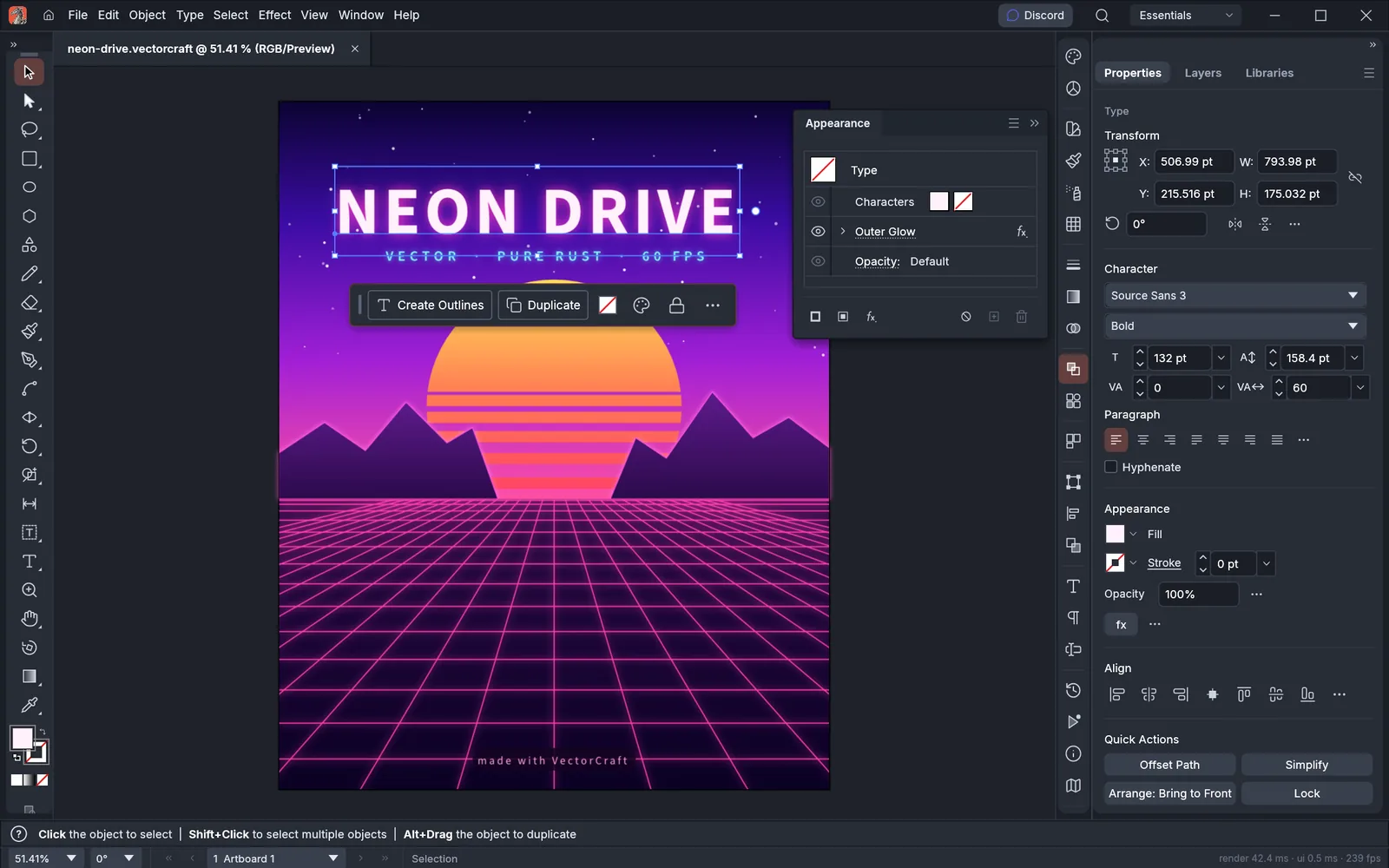
The program imports and exports SVG and PDF, then handles common raster exports such as PNG, JPEG, and WebP. Its Model Context Protocol (MCP) server, which is a standard way for an AI agent to call application tools, exposes the same commands used by the interface. That means an agent can help produce editable vector artwork instead of returning a flattened image that still needs to be rebuilt by hand.
FilmCraft for video editing
FilmCraft is the Premiere Pro-style nonlinear editor. A nonlinear editor lets you arrange and revise clips in any order without altering the original recordings. FilmCraft includes source and program monitors, three-point editing, familiar trim modes, a timeline with an exact integer timebase, color wheels and curves, scopes, roughly 55 effects, 30 transitions, and keyframe animation.
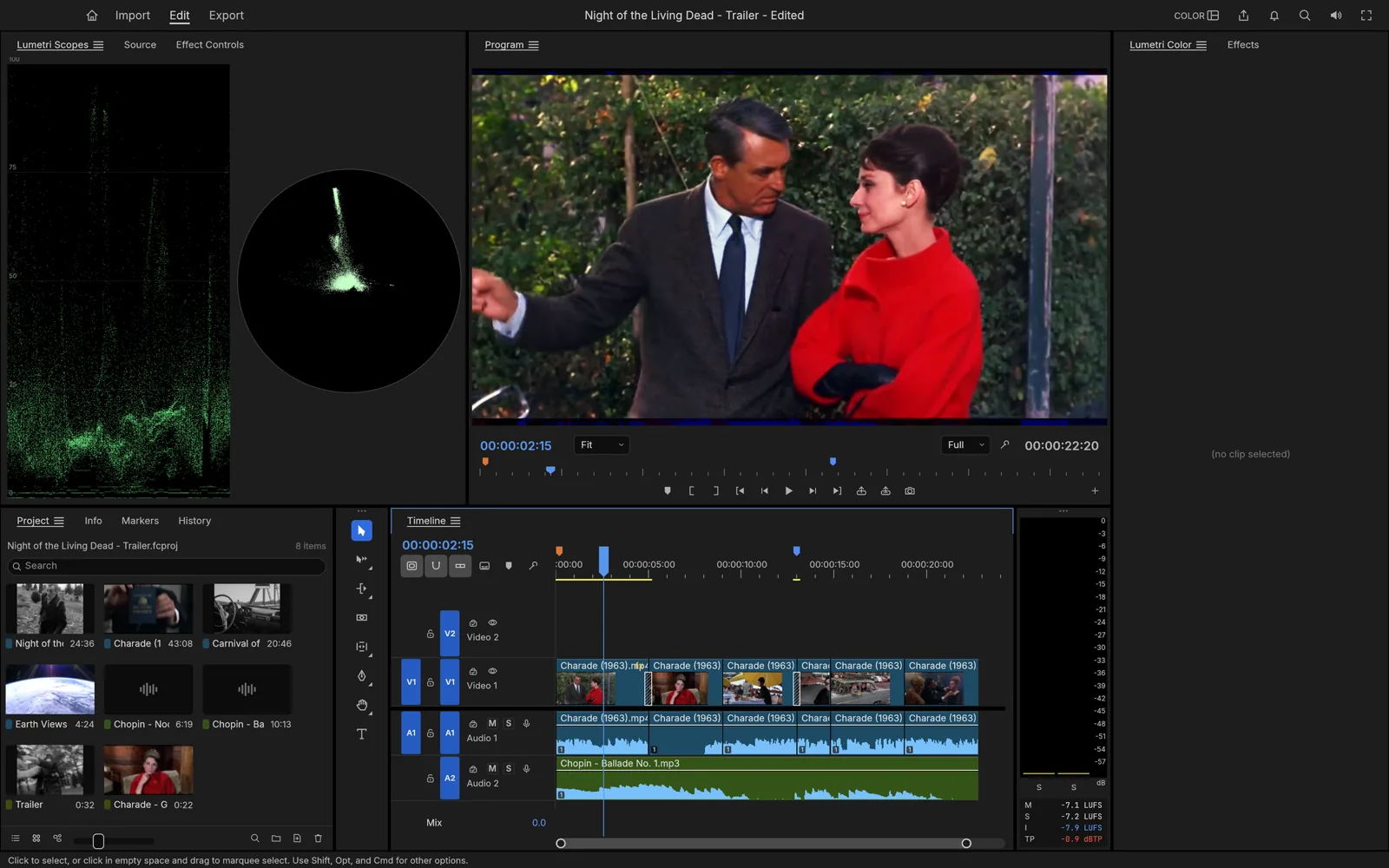
Its Rust-based media engine includes native support for codecs such as H.264, HEVC, ProRes, VP9, AAC, and Opus rather than placing FFmpeg inside the application. Audio tools include loudness metering, mixing, and native effects. FilmCraft's own download page now lists a self-hosted WebAssembly build in addition to macOS, Windows, and Linux packages, although the broader suite page still carries older wording about its web availability.
LightCraft for photo libraries and raw processing
LightCraft takes aim at the Lightroom workflow. It combines a searchable photo library with a non-destructive raw developer, meaning adjustments are saved as instructions while the original photograph remains untouched. The editing controls cover exposure and color, curves, an eight-band color mixer, three-way color grading, presets, and local masks built with brushes, gradients, luminance ranges, color ranges, and subject or sky selections.
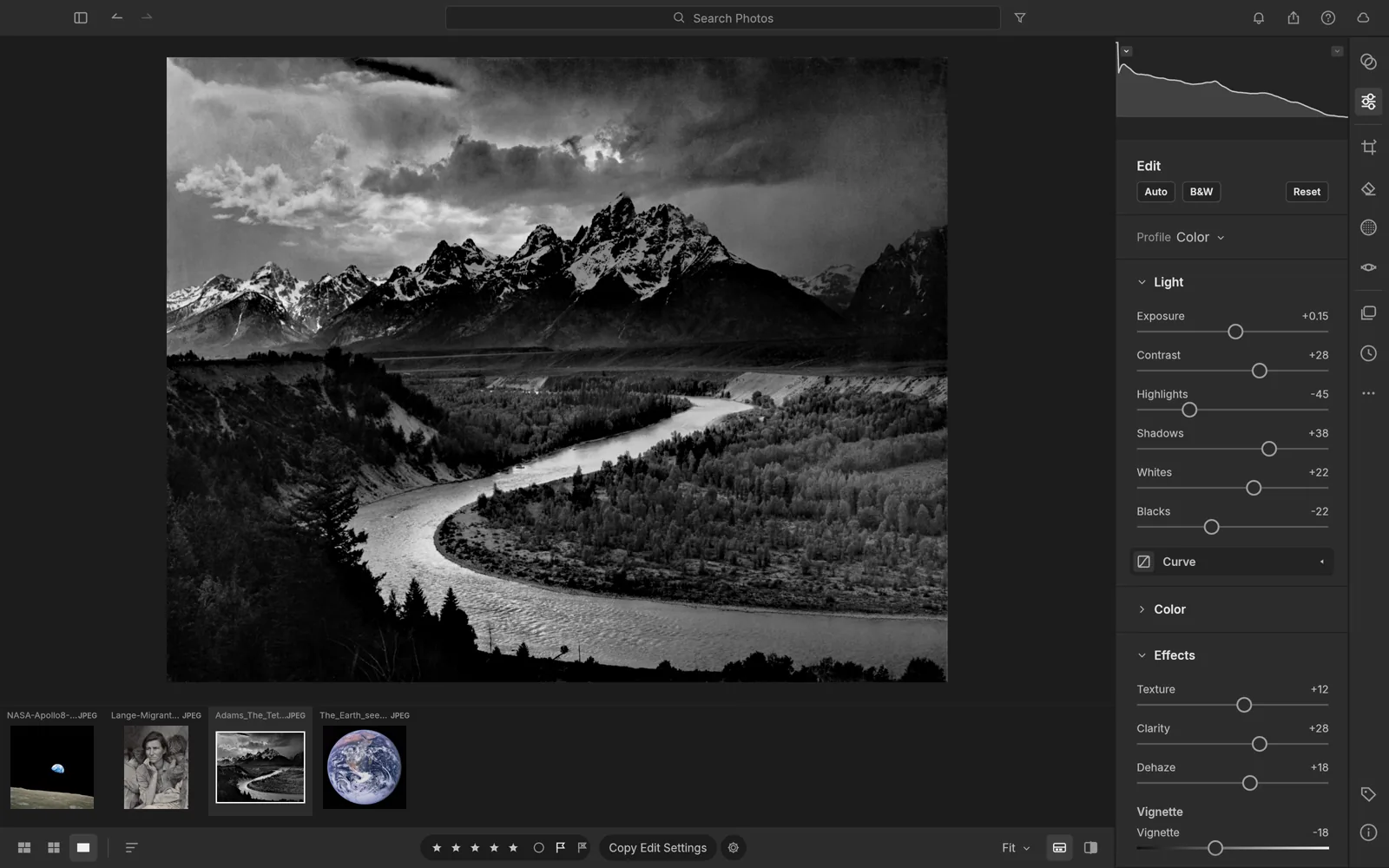
The project also lists native decoders for several major camera formats, including DNG, CR2, ARW, NEF, RAF, RW2, PEF, and ORF. Albums, ratings, flags, and field-based searches handle the library side. For photographers who dislike uploading an entire catalog to somebody else's cloud, LightCraft's offline, local-first approach may be as important as its editing controls.
PdfCraft for everyday PDF work
PdfCraft is a PDF workbench rather than a page-layout program. It reads documents, searches and selects text in the proper reading order, supports threaded comments, and lets users rotate, delete, insert, or reorder pages with deep undo. It can also combine, extract, and split files while preserving links, form fields, layers, and bookmarks.
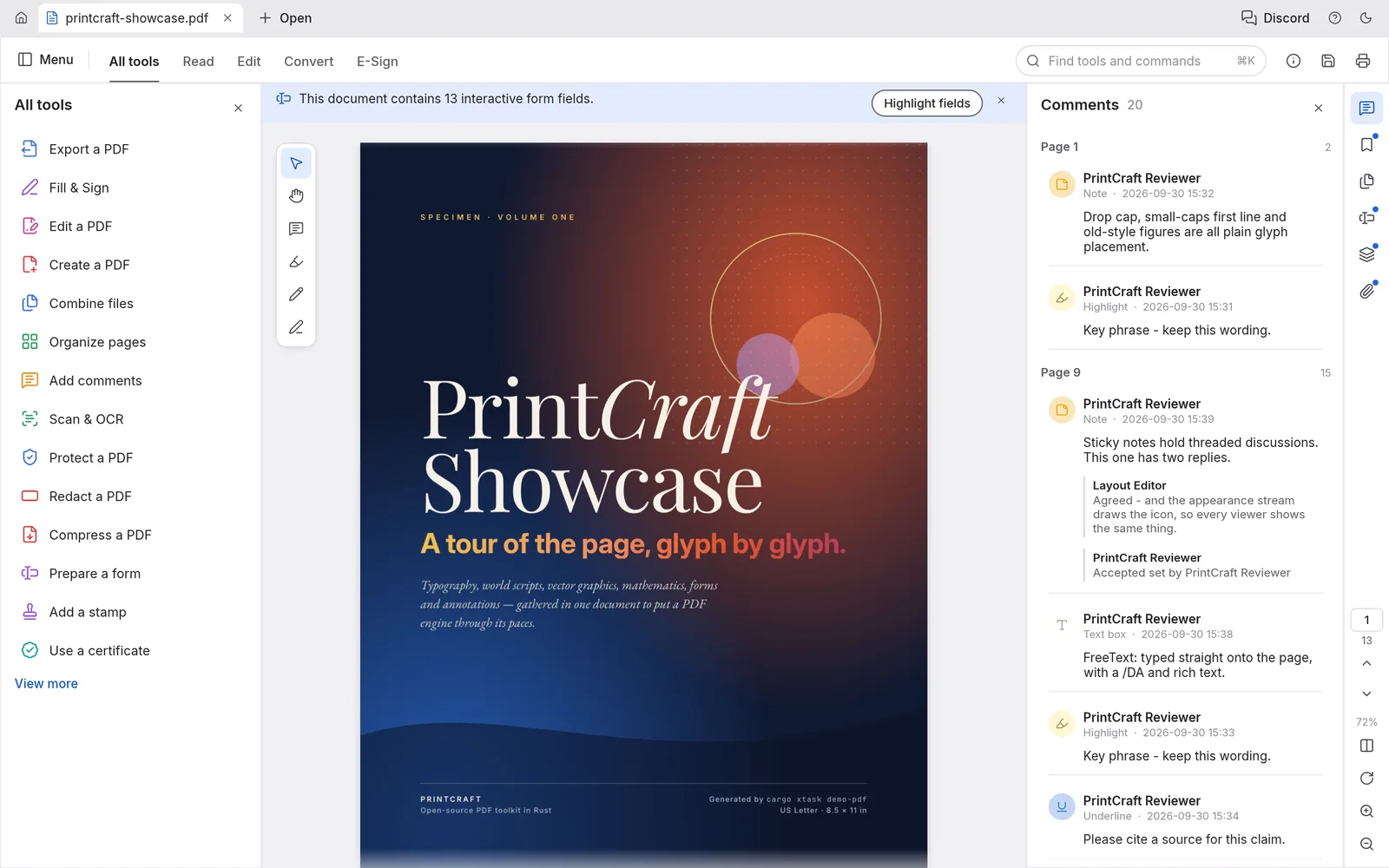
Security and reliability receive unusual attention for such a young application. The official page says it can open documents encrypted with methods ranging from RC4 through AES-256, respects author permissions, and uses atomic incremental saves with autosave and crash recovery. PdfCraft is labeled early alpha, but the practical target is clear: cover the routine Acrobat jobs that keep many people tied to a paid plan.
EffectCraft for motion graphics and visual effects
EffectCraft is the After Effects counterpart. It provides compositions, nested compositions, layers, parenting, track mattes, keyframes, a graph editor, JavaScript expressions, 3D cameras, lights, and 38 blend modes. Its 259 listed effects cover categories such as blur, color correction, distortion, keying, particles, simulation, stylizing, and time manipulation.
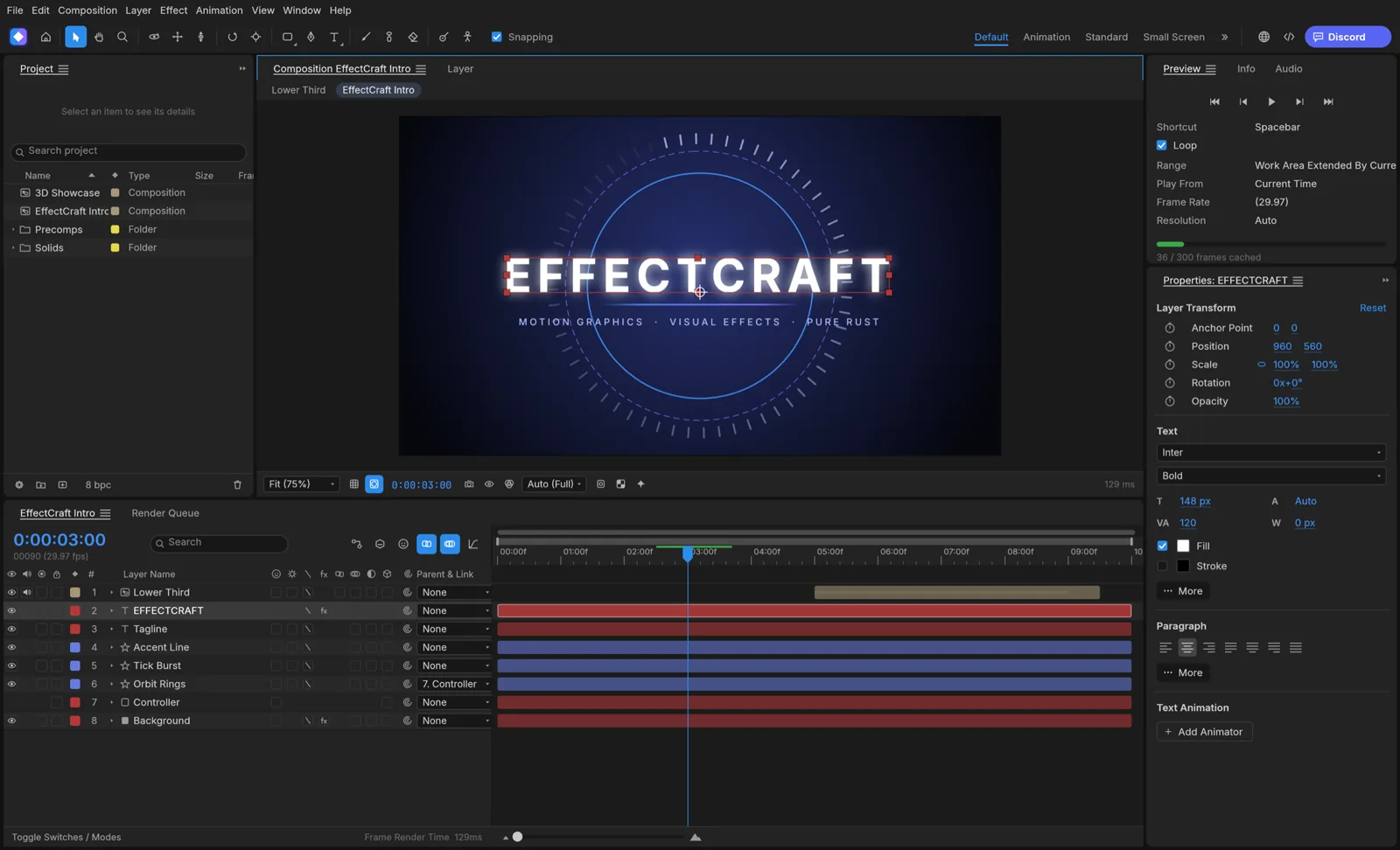
This is ambitious territory because motion graphics brings animation, compositing, effects, typography, and rendering into one workflow. EffectCraft exports H.264 and ProRes video, image sequences including 32-bit EXR, animated GIFs, and Lottie files for the web. The project describes it as young but already usable, which is the right expectation to carry into any serious production test.
DesignCraft for page layout and publishing
DesignCraft fills the InDesign role. It supports spreads, parent pages, frames, threaded stories, paragraph and character styles, swatches, text wrapping, baseline grids, hyphenation, and optical margin alignment. Its paragraph composer uses the Knuth-Plass method, which considers an entire paragraph when choosing line breaks instead of spacing one line at a time.
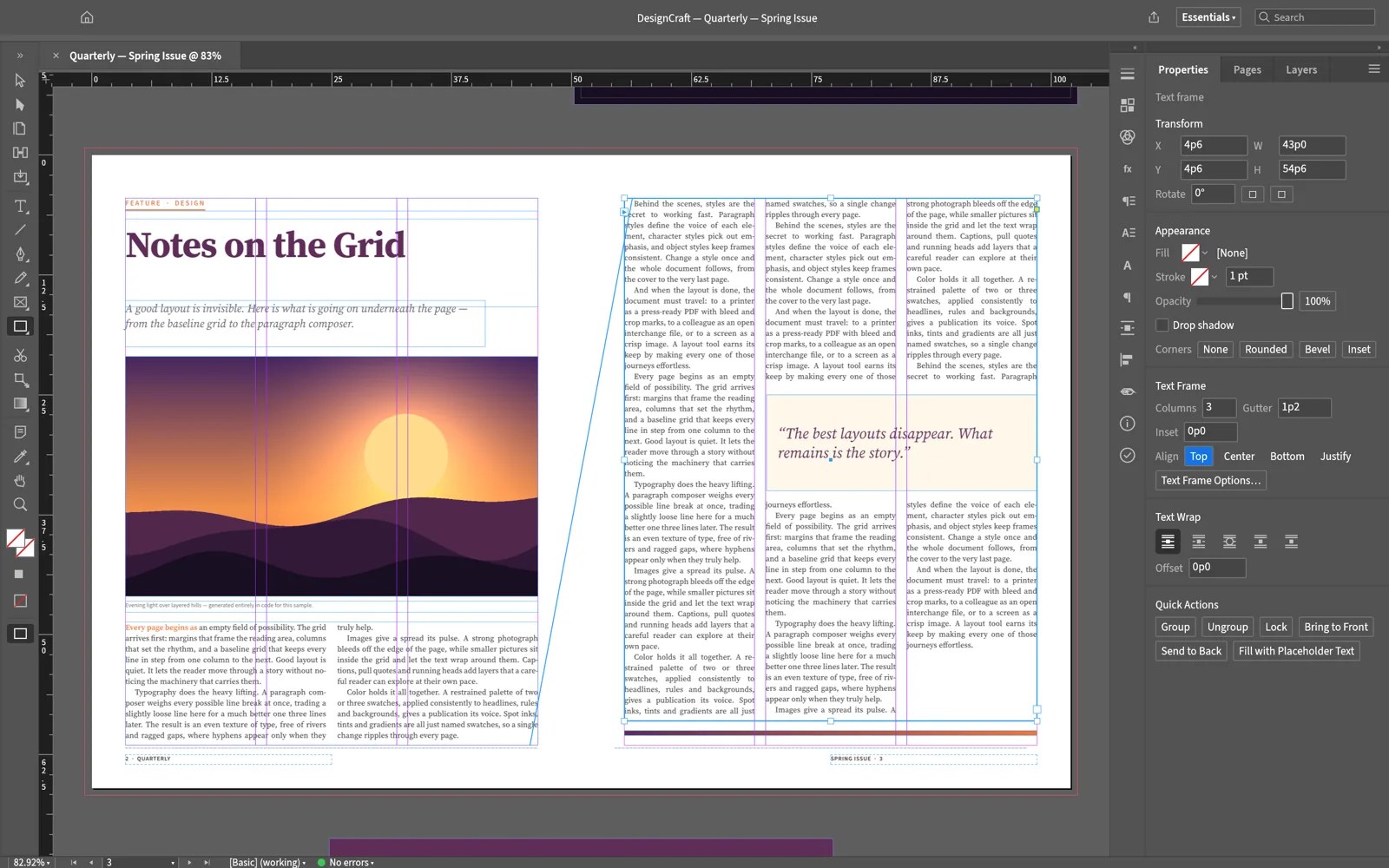
Print output includes selectable text, embedded fonts, CMYK and spot colors, bleed, crop marks, and archival PDF/A. The documented native format and layout interchange support should also make it easier to move work between tools. DesignCraft's command system can be controlled through a command line, a JSON channel, or an MCP server, opening the door to agent-assisted layout without making the finished document a disposable image.
FigCraft for interface design and prototyping
FigCraft tackles interface design with frames, auto layout, components, variants, styles, variables, vector networks, and interactive prototypes. Anyone coming from Figma should recognize ideas such as Hug, Fill, and Fixed sizing, reusable component instances, light and dark variable modes, layout grids, prototype connections, and animated transitions.
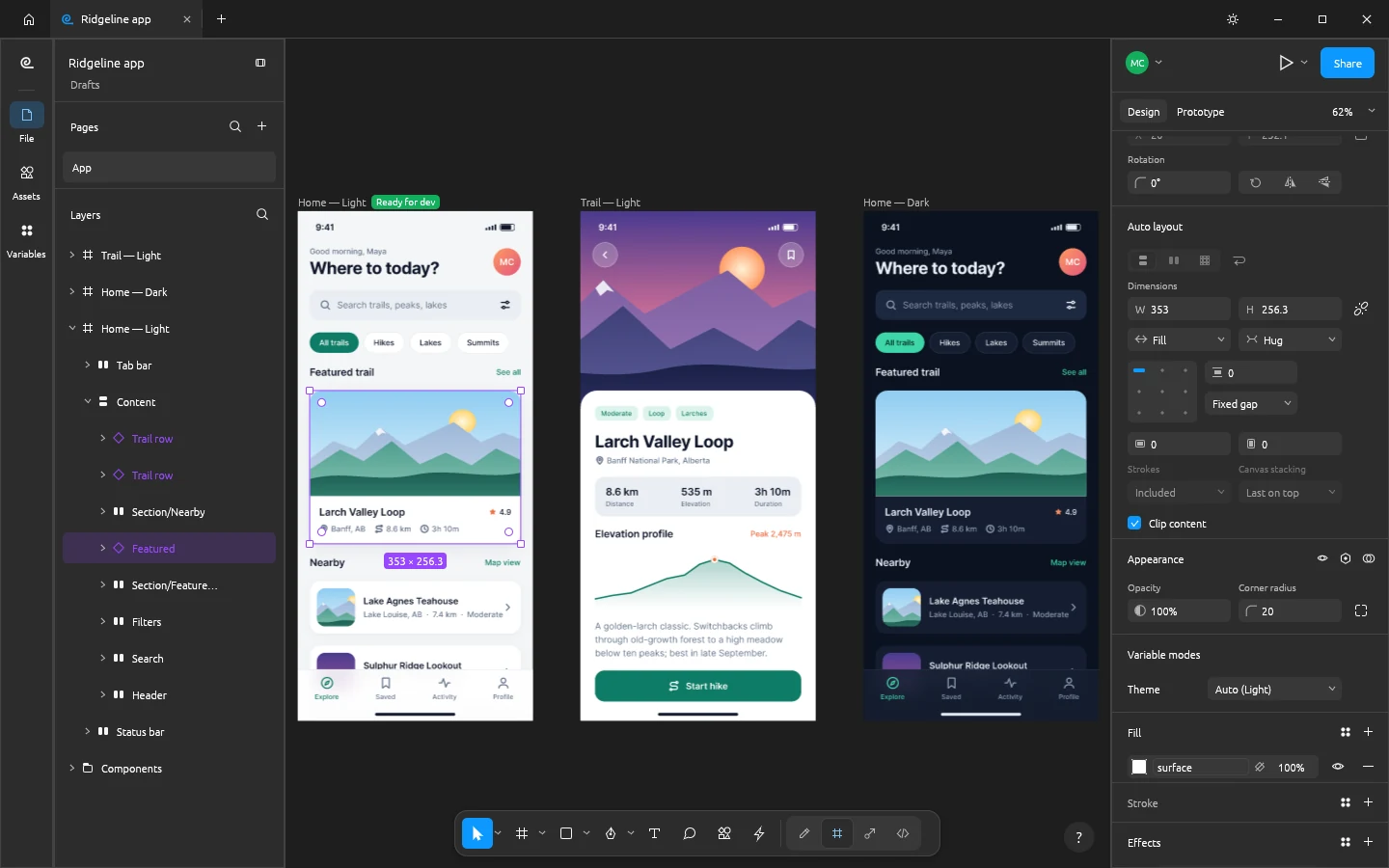
The unusual part is that FigCraft is native, works offline, and still supports live collaboration. A user can host an open file locally or on a server, share an invitation link, and collaborate with synchronized cursors and selections. Its developer handoff mode generates measurements, annotations, and code for CSS, HTML, React, SwiftUI, and Compose. The project remains early alpha, but it directly addresses the concern that collaborative design must live inside somebody else's hosted service.
WordCraft for documents
WordCraft is the application in this family that I already use daily. It looks and behaves like a traditional ribbon-based word processor, with styles, tables, track changes, comments, document comparison, references, mail merge, and offline spelling and grammar checking. It reads and writes .docx files natively, supports several other document formats, and exports PDFs with selectable text.
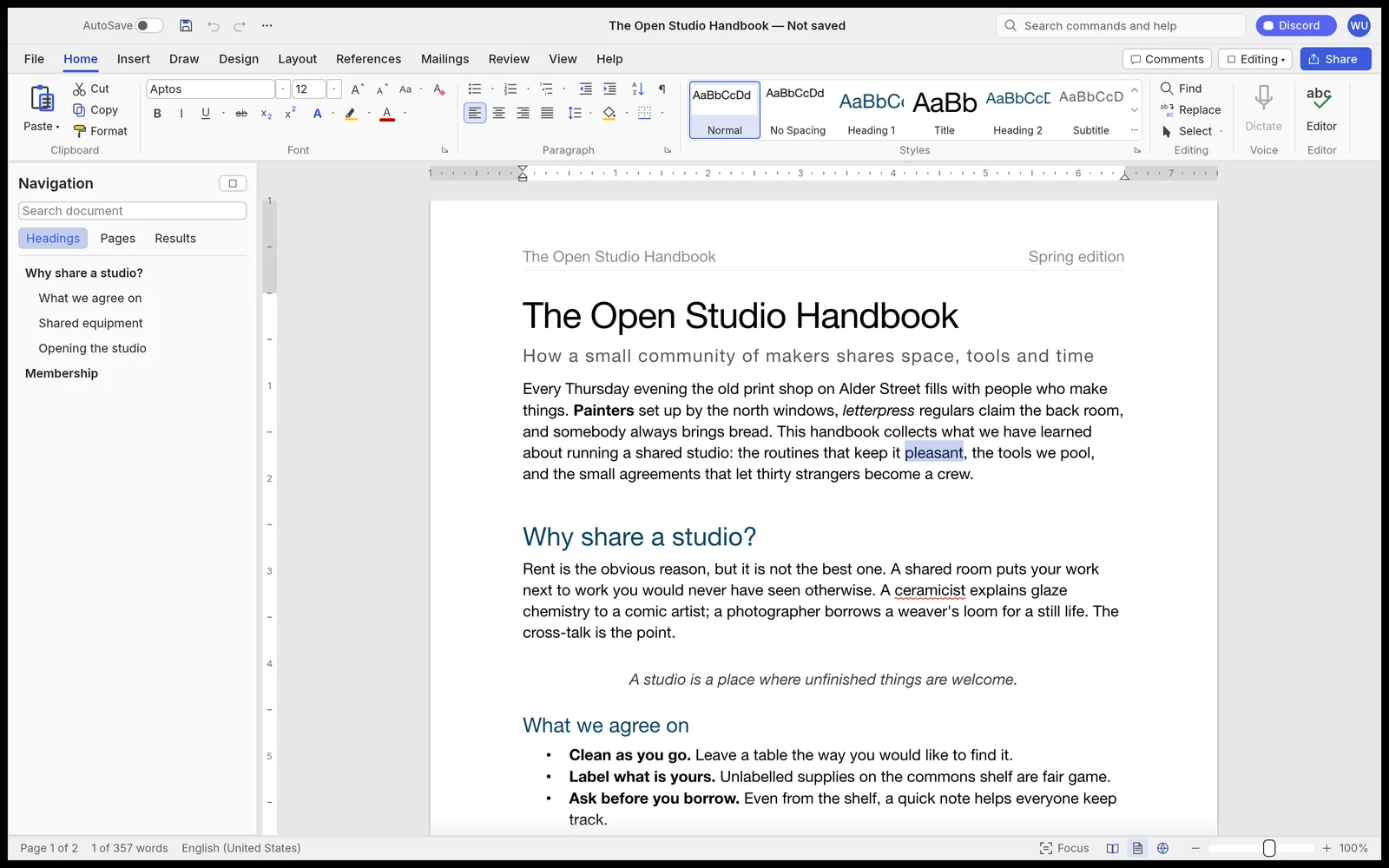
Long-form and academic tools include tables of contents, footnotes, indexes, captions, citations, and bibliographies in common styles. The interface, keyboard shortcuts, command-line tool, JSON control channel, and MCP server all draw from the same set of 389 commands. Its roadmap still describes the project as alpha and identifies remaining fidelity, stability, and printing work, but it already demonstrates how familiar software can be made agent-operable from its foundation.
SoundCraft for recording and mixing
SoundCraft is a digital audio workstation, or DAW, built around multitrack audio and MIDI recording, editing, and mixing. Its separate Edit and Mix windows will look familiar to Pro Tools users. Each track can have ten inserts and ten sends, with busses, auxiliary inputs, routing folders, voltage-controlled amplifier groups, plugin delay compensation, and live automation modes.
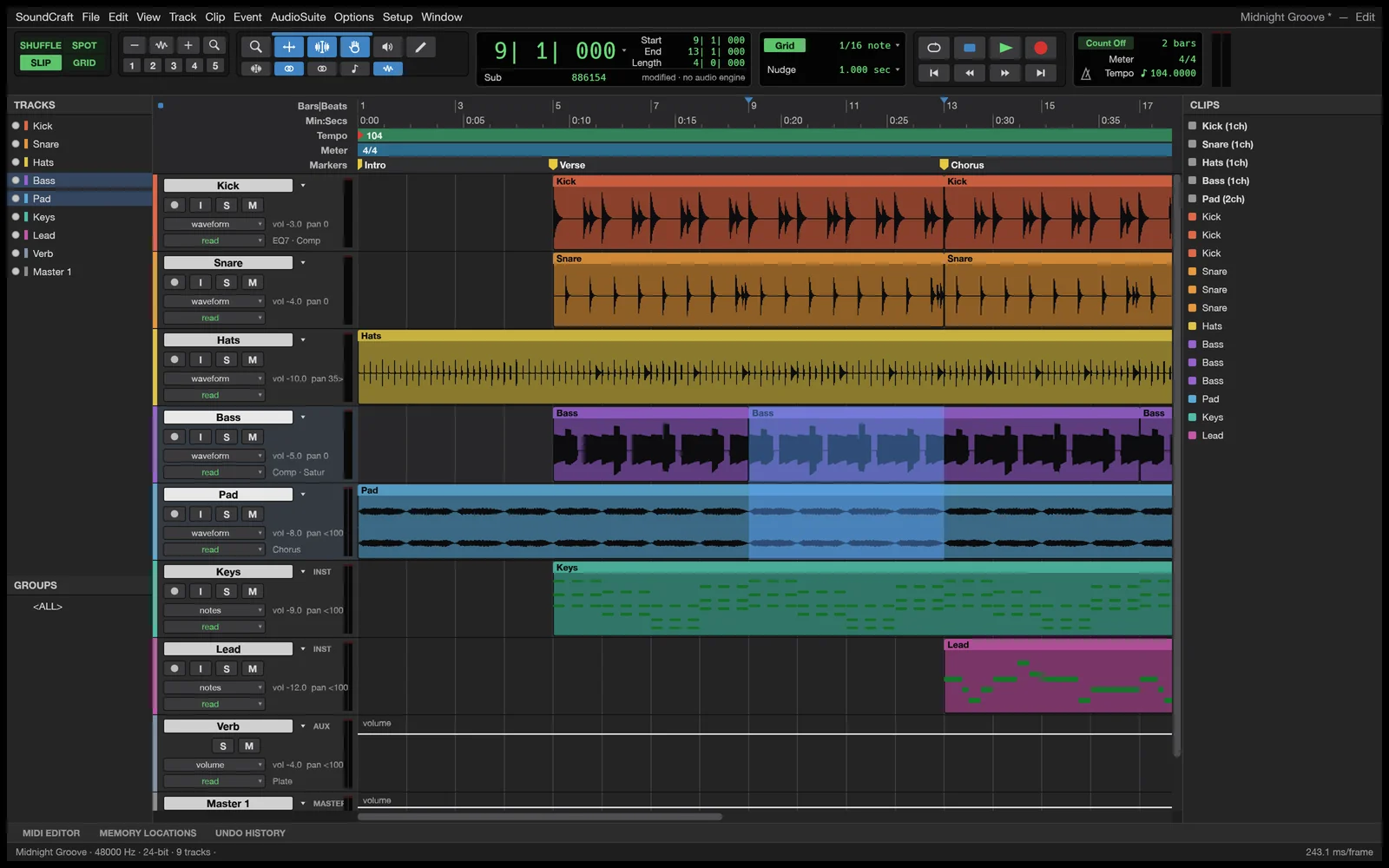
The program includes original equalization, dynamics, reverb, delay, modulation, and synthesizer plugins, plus support for external CLAP plugins. MIDI tools include a piano roll, velocity editing, step entry, quantization, score notation, and audio-to-MIDI pitch detection. It even lists synchronized video playback and surround panning up to 9.1.6, showing that the goal extends well beyond a basic podcast editor.
DeckCraft for presentations
DeckCraft brings the same approach to slide presentations. It includes master slides, themes, more than 150 adjustable vector shapes, connectors, gradients, sections, notes, transitions, motion-path animations, and paragraph-by-paragraph builds. Presenter View supplies speaker notes, an upcoming-slide preview, an elapsed timer, rehearsal timings, and on-screen pen drawing.
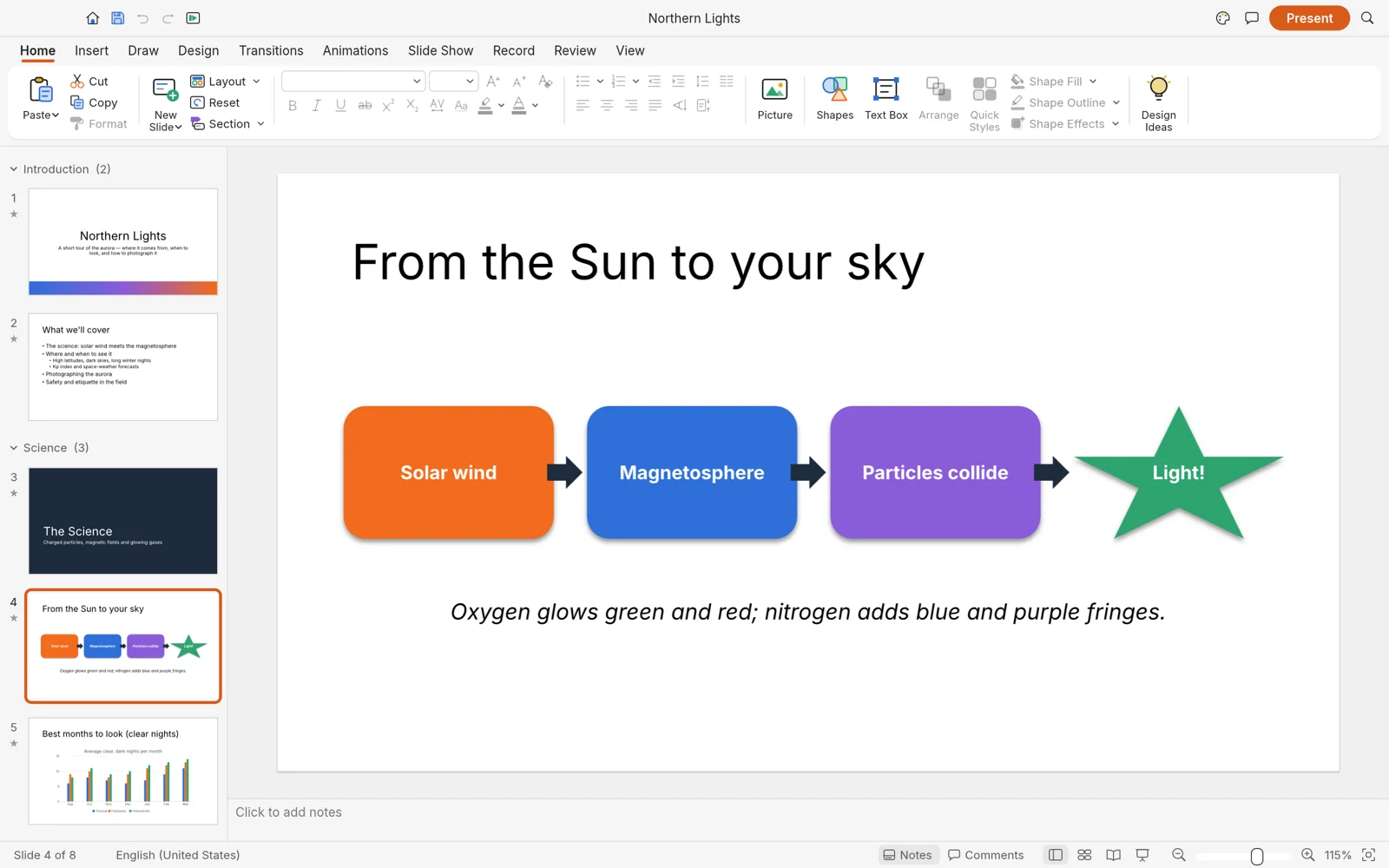
PowerPoint compatibility is central rather than an afterthought. DeckCraft opens and saves .pptx presentation files, exports vector PDF slides and handouts, and renders slide images. More than 200 commands are available to its command-line and agent interfaces. That combination could let an agent assemble a first draft while leaving the user with ordinary, editable slides instead of a static presentation that is difficult to revise.
CADCraft for two-dimensional drafting
CADCraft is aimed at AutoCAD-style drafting, which is different from the parametric three-dimensional modeling covered by SolidCraft. CADCraft includes a typed command line, direct-distance entry, object snaps, polar tracking, orthographic drawing, grips, layers, dimensions, leaders, tables, hatching, reusable blocks, paper-space layouts, and scale-accurate plotting.
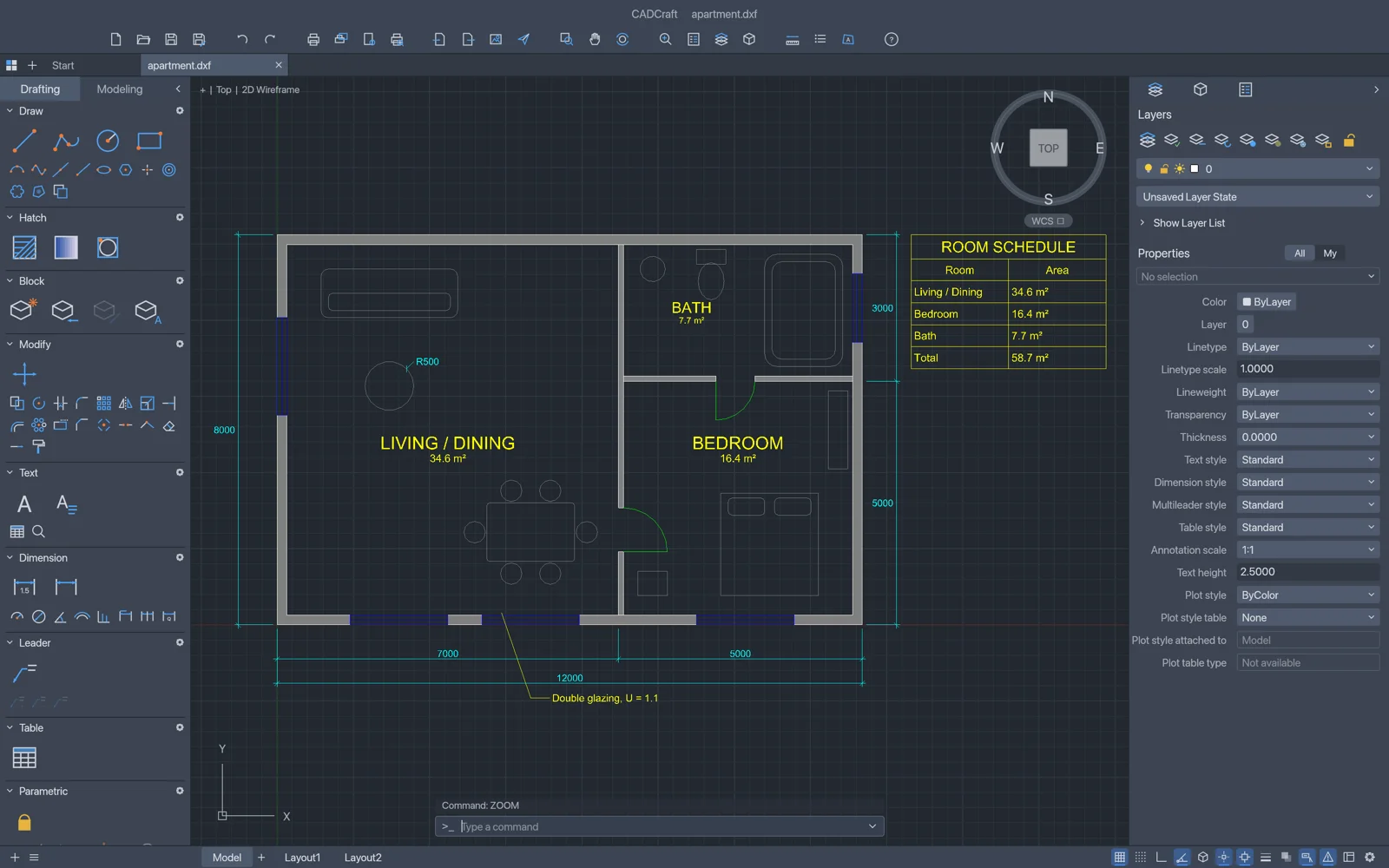
It reads and writes DXF drawings, opens several generations of DWG files, and exports PDF, SVG, and PNG. Associative dimensions follow the geometry when it moves, while geometric and dimensional constraints can automatically re-solve a drawing after a change. Makers who prepare shop drawings, laser-cut profiles, floor plans, or CNC reference geometry may find this just as useful as the more glamorous 3D tools.
GridCraft for spreadsheets
GridCraft rounds out the collection with an Excel-style spreadsheet application. It has the expected ribbon, formula bar, name box, sheet tabs, fill handle, colored references, conditional formatting, tables, validation, comments, sparklines, PivotTables, and charts. Its calculation engine supports more than 500 functions, including newer tools such as dynamic arrays, LET, LAMBDA, MAP, and REDUCE.
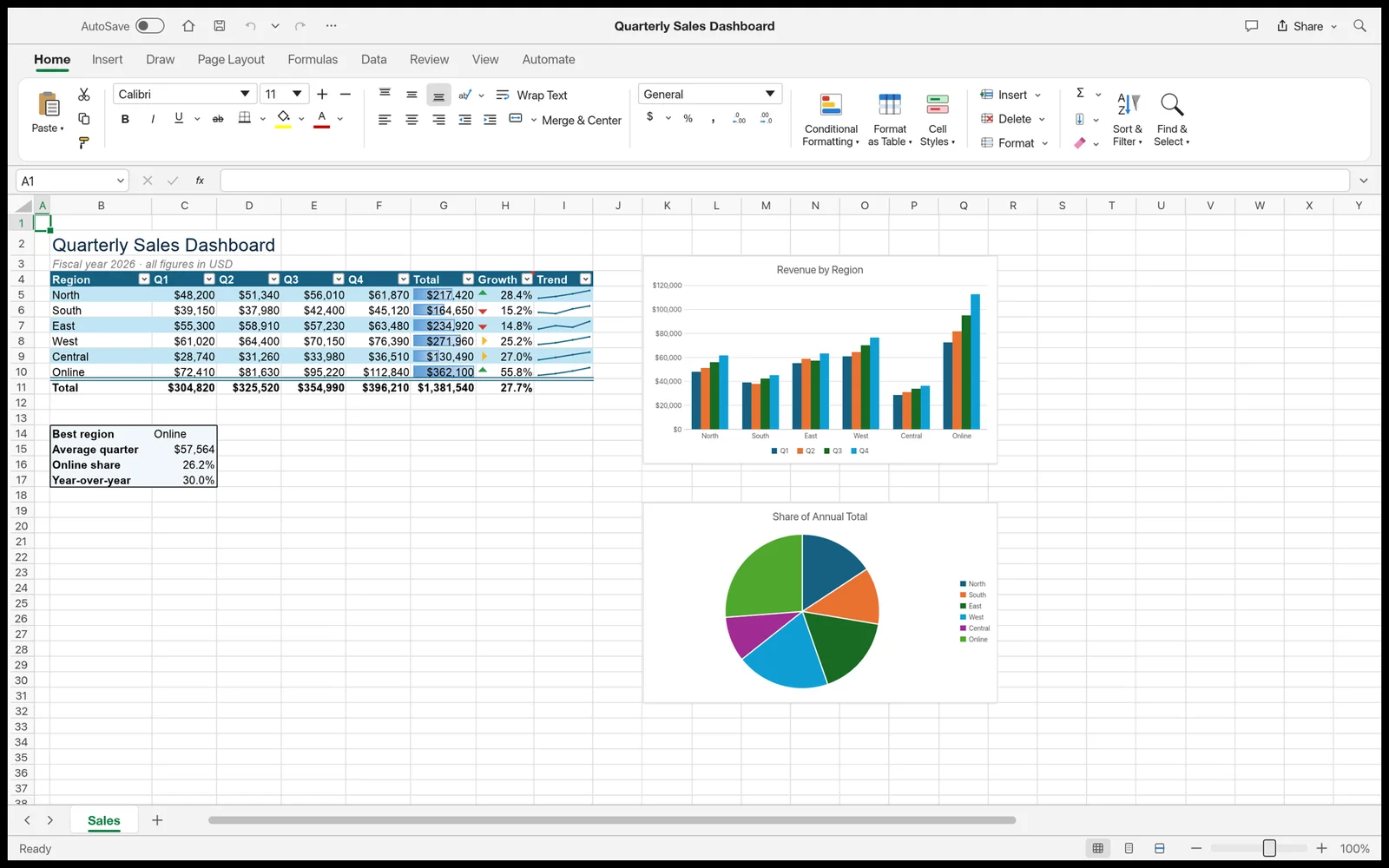
The official page says .xlsx workbooks can retain styles, themes, formulas, dynamic arrays, and other common features through an edit-and-save cycle. Seventeen chart types and full PivotTable controls cover a great deal of normal analysis work. Like the rest of the family, GridCraft exposes its interface to agents, so an AI system can work inside an editable spreadsheet instead of merely describing which formulas the user should type.
All 13 images above are official interface screenshots from the ArtCraft team, collected October 21, 2026.
Each Crafting App is a focused Rust program with its own installers, also available through the ArtCraft Launcher. They share familiar layouts, local files, permissively licensed source, native desktop builds, and control interfaces for command-line tools and AI agents. The individual product pages currently offer self-hosted WebAssembly packages across the collection, including FilmCraft, although the faster-changing download pages and the suite overview do not always agree.
“Released” and “replacement” need some restraint. Installers are available, but PhotoCraft, PdfCraft, and FigCraft are labeled early alpha, while the other ten are in development. These are public builds and serious replacement efforts, not mature substitutes for every production workflow. Their breadth is still remarkable.
ArtCraft's official character-posing preview shows the project's emphasis on controlling composition before generating the final image. Credit: ArtCraft Team and contributors, MIT OR Apache-2.0.
This is not theoretical for me. WordCraft is already part of my daily work, even though its public roadmap still calls the project alpha and lists the fidelity, stability, and printing work needed before beta. Using it now gives me a realistic view of both sides of this movement: these applications can already be useful, and they still need people who are willing to test them, report problems, and help them mature.
SolidCraft applies the pattern to parametric 3D CAD. It already offers constrained sketches, solid features, parameters, a feature timeline, assemblies, sheet metal, desktop packages, a private browser build, a command-line interface, and an MCP server that lets compatible AI agents operate the model. It does not yet replace Fusion's CAM, simulation, electronics, or drawing workflows. For the parts I have modeled during my first few days, however, it feels far closer to Fusion and Onshape than I expected from such a young open-source project. Readers can also browse TMWB's existing CAD & Design, 3D Printing, and CNC and laser sections for the workflows these tools support.
SolidCraft is a separate Tangency Labs project, not part of the ArtCraft Crafting Apps. Together, however, they show the same broader pattern: open source, familiar workflows, Rust-heavy codebases, public roadmaps, and interfaces designed so both people and agents can operate them.
The subscription problem is larger than one company
I still like Fusion. I have used it since Autodesk released a free maker version, and it changed how I design and manufacture things. In the beginning, I was comfortable with a commercial price around $400 per year because the value was clear. Autodesk currently lists the base Fusion plan at $680 per year. Paying month to month costs $85, or $1,020 across twelve months. Higher Fusion plans and extensions cost considerably more.
Fusion's free personal-use edition still exists for qualifying non-commercial users. It also carries limits. Autodesk documents restrictions around editable documents, import and export formats, advanced manufacturing, drawings, simulation, and other features. Some capabilities have been removed from the personal tier over the years, including automatic tool changes and rapid moves in CAM.
None of this makes Fusion bad software. It explains why a free, open-source alternative can attract attention before it reaches complete parity.
The same frustration appears in photo editing, motion graphics, PCB design, office software, cloud storage, streaming video, and almost every other corner of digital life. Each individual bill may sound manageable. The full stack becomes permanent overhead. You can finish paying off a lathe, camera, or workstation. The subscription column on the spreadsheet never reaches zero.
That model has been normalized so thoroughly that objecting to it can sound unreasonable. I do not accept that framing anymore. Companies chose recurring revenue because it is extraordinarily good for them. Customers were left with an ever-growing pile of payments and the knowledge that years of loyalty still do not buy ownership. Subscription fatigue is not ingratitude. It is the predictable response to being bled a little more every month for tools we need to remain employable.
Ownership changes how improvement is funded
Open-source development still costs money for hosting, testing, code signing, documentation, support, and review. Agentic development also has a meter. Claude Code, Codex, Grok Build, Google Antigravity, and other hosted agents may require subscriptions or paid usage. Local models consume hardware and electricity. More TMWB coverage of these tools and their results lives in the site's AI section.
The obvious counterargument is that I am shifting payments to AI companies such as Anthropic and OpenAI. That is partly true, but the utility differs. Photoshop edits images, Illustrator handles vectors, and After Effects creates motion graphics. Each payment buys a narrow category of work.
A capable AI agent can help me build across categories. I can use one to add a CAD feature, create a small business application, diagnose code, organize information, help manage a calendar, assemble a shopping list, and, with the right integrations and my explicit permission, help order what is on it. Tomorrow I can point the same agent at a completely different problem. To me, that utility is millions of times broader than a subscription tied to one application.
The difference is also where the money can go. If SolidCraft lacks a feature I need, I can fund model usage and spend my own time building that feature. I can contribute it upstream, keep a private fork, or hire someone to finish it. Open-source applications often already cover the basic tools I actually use, and agentic development gives me a practical route to add what is missing. The result can become part of the tool instead of disappearing into another year's access fee.
That option will not suit everyone. Many professionals need supported, tested applications because downtime costs more than a license. Large teams need predictable deployment, security, training, and accountable support. Open-source control comes with responsibility.
For an independent maker, small shop, or creator with strong technical skills, the calculation can be different. I would rather spend money on tokens, testing, or a contributor who can improve the tool I use every day. At the end of that work, the improvement still exists. My payment purchased progress, not one more month of permission.
Access to skills is an economic issue
The strongest case for these applications is not saving a successful studio a few hundred dollars. It is keeping the tools available when someone's income drops.
A laid-off designer should not have to choose between groceries and maintaining the software skills needed for the next job. A student should be able to learn the structure of a professional workflow without starting a collection of recurring bills. A maker should be able to open a five-year-old design without discovering that access now depends on a plan they no longer carry.
Open formats and local files help. Source code helps more. If a project disappears, the community still has something it can inspect, build, and preserve. That is not a guarantee that volunteers will maintain it forever. It is a much better starting point than an account screen that says the subscription has expired.
The job question deserves an honest answer
When I talk to friends about agentic development, some are excited and some are frightened. The fear is reasonable. If smaller teams build capable alternatives, established vendors may lose subscribers and jobs may disappear. Agentic tools will also change the work of developers, designers, testers, writers, and support teams.
Pretending nobody will be displaced is dishonest. New tools have always changed which skills are scarce and which tasks require fewer people. That has never made the transition painless or fair.
It also does not mean human expertise stops mattering. These open-source projects need maintainers who can set direction, reviewers who recognize a dangerous change, designers who understand real workflows, writers who can explain them, and users who can describe failures precisely. Faster code generation increases the value of judgment because it increases the amount of code that can be produced.
The people most likely to benefit are those who learn where agents are strong, where they fail, and how to verify the result. Adaptation is not a cheerful slogan when someone's job is on the line, but the tool change is already underway.
Early software still carries real tradeoffs
ArtCraft, WordCraft, and SolidCraft are impressive and young. A familiar interface can hide missing depth. Files may not round-trip every feature, geometry may fail on complicated parts, installers may be unsigned, and documentation may lag behind releases.
There are sustainability questions too. Popular open-source software creates a support burden. AI-assisted contribution can increase the number of pull requests faster than maintainers can review them. Generative-media applications still depend on models that may charge for inference, impose usage rules, or change their own terms. “No subscription required” does not mean every connected service is free.
Those limitations are reasons to test carefully, keep backups, and avoid pretending alpha software is ready for every production pipeline. They are not reasons to ignore the larger shift.
My migration will be gradual
I am not cancelling every commercial subscription tomorrow. I have thousands of designs in Fusion, years of muscle memory in established creative tools, and clients who may require specific file formats. Compatibility and history have real value.
I am changing how I decide where new work begins. I will use SolidCraft more for new printable parts. I will use the ArtCraft tools more often. I already use WordCraft daily. I have also started listing the paid programs and services I depend on most, then asking which ones I could replace with an open-source tool or an agentically developed application of my own.
The important change is that replacement no longer feels theoretical. Coding agents have lowered the cost of turning a specific frustration into working software. Open-source communities can take that software farther than one person could. Creators gain another option besides accepting the next price increase or abandoning the skill.
The subscription era is not ending tomorrow. For the first time in a long time, though, it has meaningful competition from people who can build the tools they wish they owned. Part 2 of this series covers what that new leverage has meant inside my own shop, games, and interactive electronics laboratories.
Disclosure
Disclosure: This article is not sponsored by ArtCraft, StoryTold, Tangency Labs, Autodesk, Adobe, Microsoft, or any other company named here. Charles uses several of the products discussed and pays for some commercial software and AI services. Prices and project status were checked on October 21, 2026 and may change.