

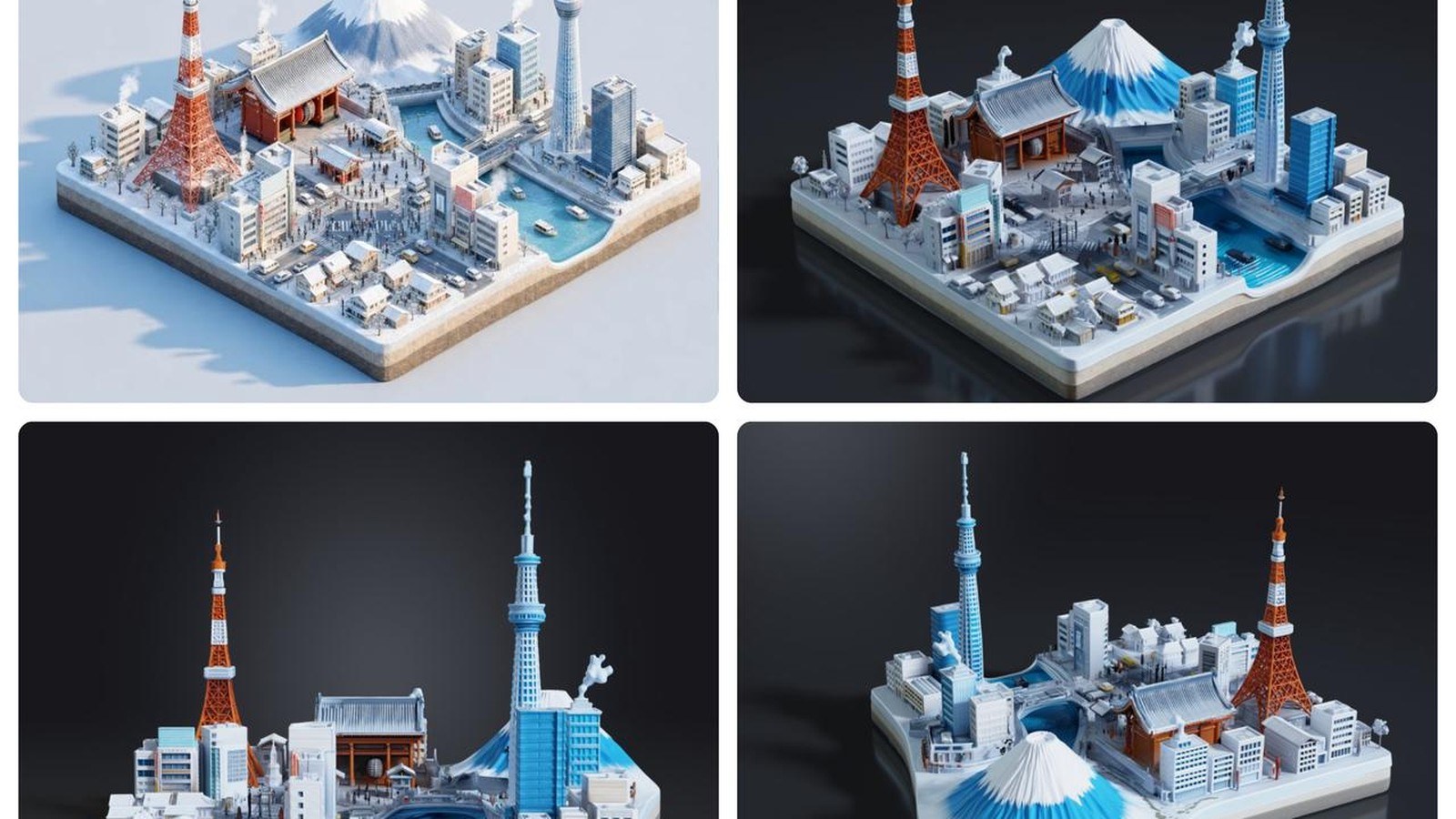
The last shell I tried to print from an AI mesh had screw bosses melted into the wall. A mesh is the triangle surface a slicer, a game engine, or a renderer can use. Ribs that should have been separate had fused, and the engraved label was soft. Fixing that in an editor took me about an hour before a fit check. That hour is mine, on older soft output. It is not a Hi3D measurement.
Hi3D is the AI 3D platform from Math Magic. It is not a printer brand. It is also not hi3d.pro. The site in the release is hi3d.ai. On August 18, 2026, datelined Beijing, Hi3D announced V3.0 and called it the first commercially available AI 3D model at 2048 cubed voxel resolution. A voxel is a little cube of 3D sample data, the way a pixel is a square of a picture. A grid of 2048 on a side is 2048 x 2048 x 2048 samples.
Free access runs from August 19, 2026 at 00:00 UTC through August 20, 2026 at 24:00 UTC. This piece is dated August 19, the day the window opens. During those 48 hours, annual plans are an additional 70% off. No lasting price is stated. I will not invent one.
What actually changed?
Hi3D's stated previous standard was 1536 cubed. V3.0 goes to 2048 cubed, which they say is 2.37 times the voxel count. The arithmetic matches those two sizes. 2048 divided by 1536 is 4/3, and cubing 4/3 gives 64/27, about 2.37. That is a cube count, not a picture-quality test.
Textures rise to what they call 8K. They do not give a pixel width, so I will not either. They also updated cross-view structural reasoning and a proprietary UV completion algorithm. A UV map is the flat layout that says which part of an image lands on which part of the surface. U and V are its axes, as X and Y are on a drawing. Completion fills seams, stretches, and blanks in that layout.
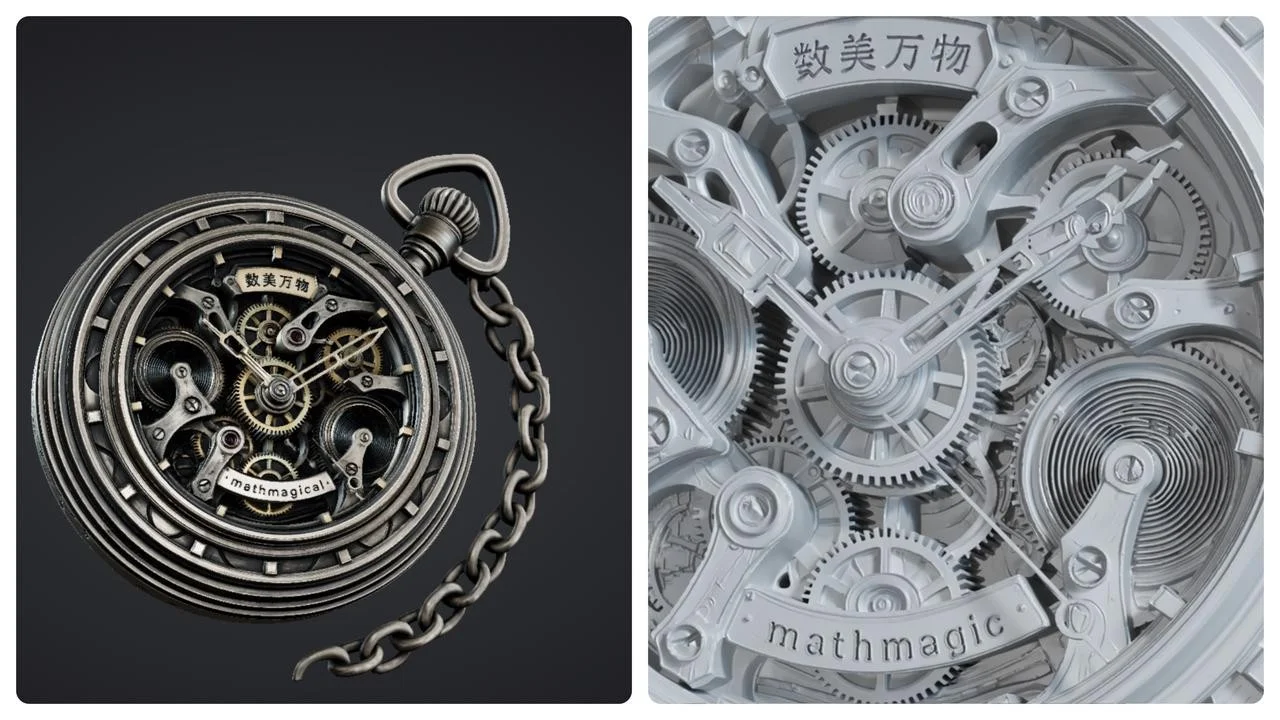
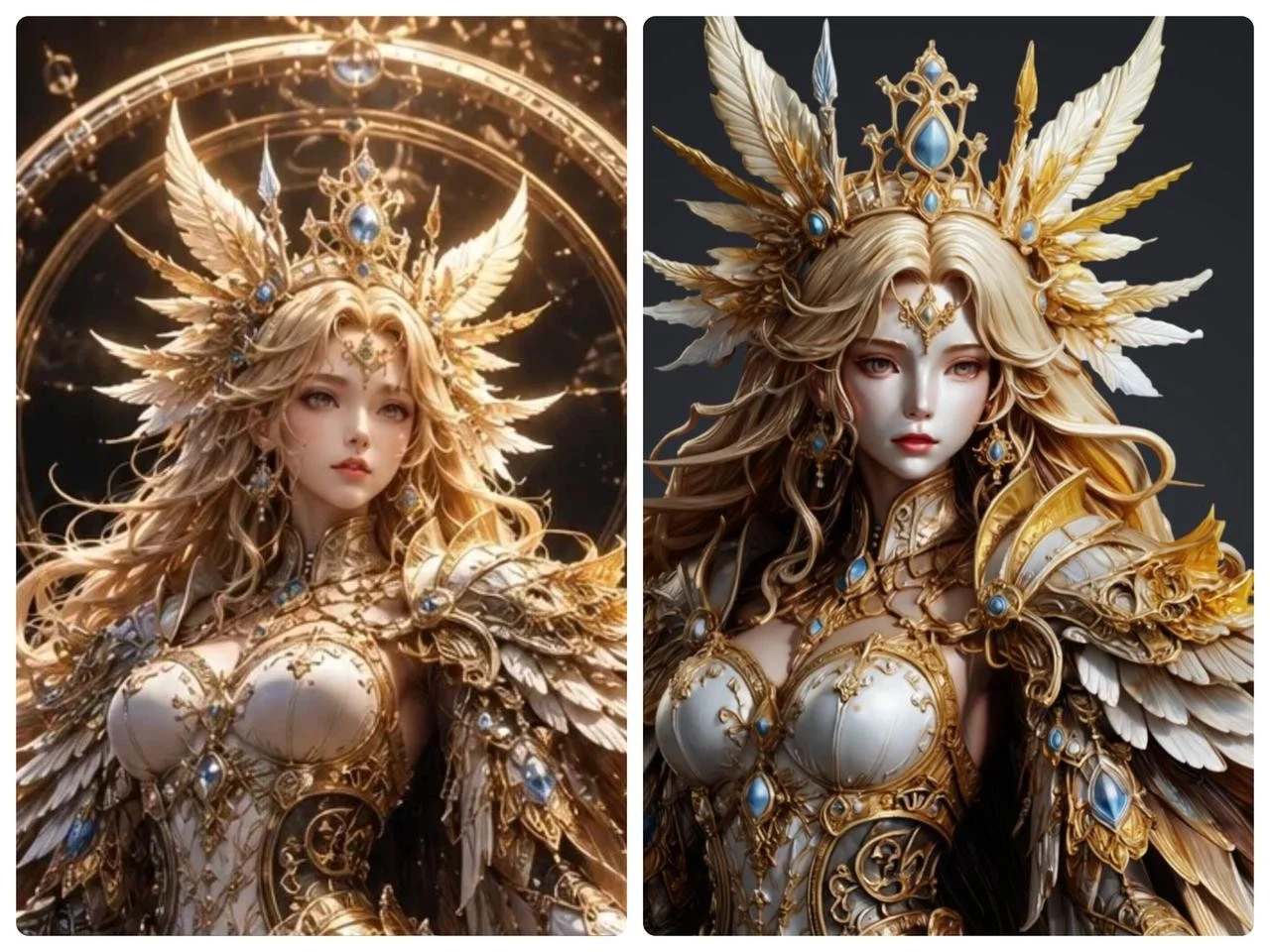
Hi3D says the denser grid holds feathers, scales, lettering, logo edges, junctions, engraving, thin walls, and overhangs, and keeps neighboring parts from fusing. Cross-view reasoning is supposed to hold the hidden back side. Textures are supposed to clean edges and ornament. They say that cuts manual mesh repair before games, film, printing, and industrial design. "Highest-precision," in the about section, is their superlative.
The workspace they describe includes image-to-3D, AI texturing, splitting, and multi-format export. Image-to-3D takes a reference picture and returns a model. Split for 3D Printing, they say, cuts a model into pieces and adds connectors. Multicolor printing separates texture into color regions. Auto-Plating is named and not explained, so I will not invent the clicks. No file extension is listed.
How does the new piece work?
More cubes along an edge means a smaller cube, which is how a gear tooth survives. The 2.37 figure counts cubes. It does not promise your screw boss will print. Repair is holes, fused ribs, and walls that are barely a few samples thick. Occluded means hidden from the camera, such as the back of a housing. They say the new reasoning keeps a plausible structure there.
If a UV seam cuts a logo, the color swims even when the shape is sharp. Hi3D ties cleaner edges to 8K textures and UV completion. I would still zoom the mark. The documented path is image-to-3D from a 2D reference. I will not describe a text box they do not document. Background only, and not from this release: Hi3D's developer docs describe the platform as powered by Math Magic's Sparc3D and Ultra3D models. The August 18 announcement does not say V3.0 replaced either name.
What does this look like on a real project?
Use a shell or a small part you can measure: a meter cover, an engraved knob, a clip that must clear a connector. Those are the jobs where melted edges used to cost the hour. A known outside dimension is the score.
Photograph it on a plain background, including the engraving or the thin wall. Generate with V3.0 during the free window and orbit it. Lettering, separate ribs, thin walls, and a required lip are what Hi3D says 2048 cubed should hold, with less hand repair. Their claim. Your orbit.
Zoom any logo until a soft map would show. If the flat art is fine and the wrap is not, suspect the UV map. For a printer, their split tool is supposed to divide the model and add assembly connectors. Multicolor prep is for machines that can lay down more than one color. Export with whatever multi-format choice the workspace shows, open it in the editor you trust, and measure. A slightly large shell will not snap on, however crisp the letters look.
I did not generate a model for this article. If the hour comes back, the calipers will show it.
How does it compare with the previous version?
In the same release, V1.0 was their first commercial image-to-3D model at 1536 cubed. V2.0 added unified geometry and texture, mapping of occluded structure, and texture de-lighting, which means pulling the photo's shadows out of the color so a renderer can light the object again. V3.0 is the jump to 2048 cubed, 8K textures, updated cross-view reasoning, and updated UV completion, plus split, multicolor, and Auto-Plating. They say repair demand is much lower. There is no hole-count table, no named rival, and no side-by-side of one shell at both grids. Feathers, logos, thin walls, and fused neighbors are what to compare by eye. They are not a score.
Where does it sit next to other tools a maker already uses?
Games and film want a mesh and a texture. Printing wants a solid a slicer can turn into toolpaths, the layer instructions a printer follows. Hi3D also names industrial design, jewelry, tourism, education, and e-commerce. The shared demand, in their words, is complete geometry, a clean texture, and a file you can keep editing.
The bench neighbors are still the mesh editor, the slicer, and the printer. Hi3D says a model can go from generation to print and assembly without more modeling. I would still open a fit-critical shell and measure it. The release does not say the workspace replaces the editor you already use. Sparc3D and Ultra3D stay a docs aside. They are not features named on August 18.
What does it cost, and who can use it today?
From August 19 at 00:00 UTC through August 20 at 24:00 UTC, Hi3D says V3.0 is free for everyone at hi3d.ai. Annual plans are an additional 70% off in that window only. "Additional" means off a price they never print. I will not guess it, and I will not treat the discount as valid after the window. They mention low credit use per generation and do not say what V3.0 spends, or what a credit costs on August 21. The stated offer is 48 hours of access at no charge.
They aim it at pros and casual users, including people with no modeling background, across printing, games, film, and industrial design.
What is still unproven?
"First commercially available" at 2048 cubed, and "highest-precision," are Hi3D's claims. The release surveys no other vendor. The 2.37 figure checks out as arithmetic. It does not un-melt a boss. There is no independent comparison and no measured cleanup time. My hour was a shop story, not their benchmark. 8K has no stated pixel width. Auto-Plating has no stated steps. Formats are only "multi-format." A sharp picture can still be the wrong size.
I did not generate V3.0 while writing this, on the morning the window opens. If you try a shell, keep the photo and measure one real dimension before you decide the hour was saved.
Disclosure
Disclosure: The company covered in this article has not sponsored The Makers Workbench or paid for this coverage. Companies interested in having The Makers Workbench evaluate or cover an AI model, product, or service, or incorporate it into a future Makers Workbench project, may contact us for sponsorship rates and terms. Sponsored content and partnerships are disclosed as such.
Sources and image credits
- Hi3D announcement (www.prnewswire.com)
- Images: published by Hi3D with the announcement.


