

A connected sensor is useful, but a connected sensor you can understand at a glance is much easier to live with. That difference is what makes Adafruit's June 2023 experiment with display support in WipperSnapper worth a look. It moves the platform beyond invisible data collection and simple on-off controls toward devices that can present information locally.
WipperSnapper is firmware that connects supported microcontroller boards to Adafruit IO without requiring the user to write a conventional program. Firmware is the software stored on a device that tells its processor how to behave. Adafruit IO is the company's cloud service for receiving data, building dashboards, and controlling connected hardware.
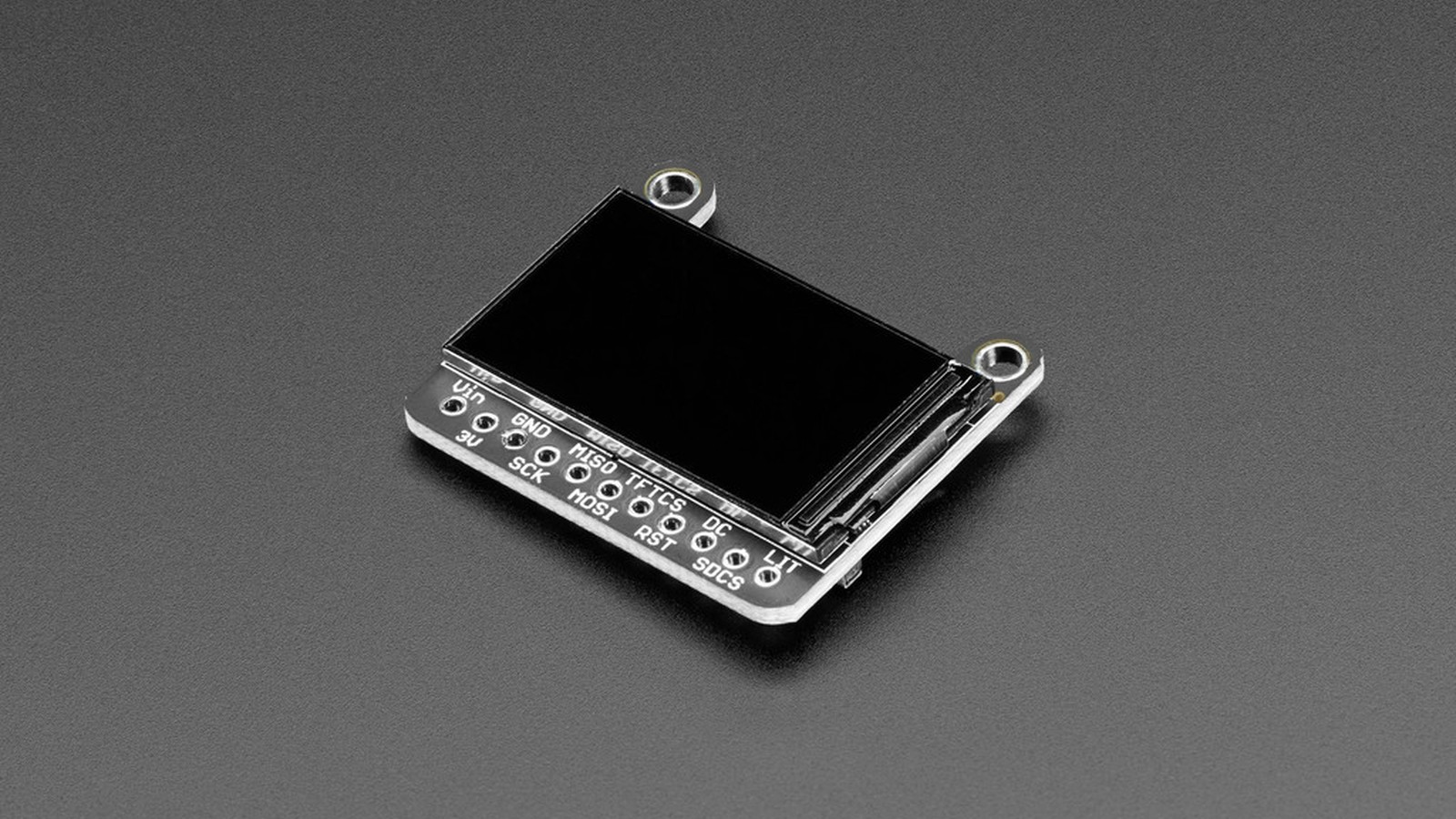
Before display support, the basic WipperSnapper pattern was easy to picture. Install the firmware, connect a board to Wi-Fi, choose a sensor or output in a browser, and let the platform handle the communication. A temperature reading could appear on a web dashboard. A virtual switch could control an LED. Adding a TFT screen (short for thin-film transistor, the small color display technology found on most maker-friendly breakouts) created a new possibility: the device itself could show status, instructions, or measurements without a phone or computer beside it.
What does no-code mean here?
No-code does not mean no configuration and it certainly does not mean no electronics. You still have to choose compatible hardware, wire it correctly, provide power, and tell WipperSnapper which pins or communication bus the component uses.
The part you avoid is writing and maintaining the device program. In a traditional project, you would install display and networking libraries, initialize the screen, connect to Wi-Fi, authenticate with a cloud service, retrieve data, format it, and decide when to redraw the display. You would also need to reconnect after a network interruption and prevent the program from freezing while it waited for data.
WipperSnapper moves much of that repeated work into maintained firmware and a browser interface. The user selects a component and fills in its settings. The service then creates the relationship between that physical component and an Adafruit IO feed. A feed is a time-ordered stream of values, such as temperature readings or messages, stored by Adafruit IO.
That is the real value of no-code hardware. It does not remove the need to understand what a sensor or display does. It removes a large amount of glue code that every connected project otherwise has to recreate.
Why are displays harder than sensors?
A temperature sensor may deliver one number every few seconds. A color display may require hundreds of thousands of pixel values to produce a single image. Even when the screen only shows text, the software must choose a font, convert characters into pixels, place those pixels in memory, and transfer the result using the display's communication protocol.
Many small maker displays use SPI, or Serial Peripheral Interface. SPI is a short-distance digital connection in which a controller sends clocked data to one or more peripheral devices. It is fast enough for compact screens, but the firmware still needs a driver for the exact controller chip built into the display.
Adafruit's early WipperSnapper display work used LVGL underneath. LVGL, short for Light and Versatile Graphics Library, is an open-source graphics framework for embedded devices. It provides the drawing, text, and interface machinery that would otherwise need to be built separately for each project.
Using LVGL did not automatically make every display compatible. WipperSnapper still needed definitions that described supported controller chips, dimensions, connections, and options. The important architectural choice was that the visible interface could be handled by a graphics layer already designed for memory-constrained hardware.
What could makers do with the early support?
The first practical use was straightforward text and status output. A workshop monitor could show the latest temperature alongside the value stored online. A remote device could display its connection state. A simple message board could receive text through an Adafruit IO feed and place it on the screen.
Local output earns its place because cloud-connected products still exist in physical spaces. If a greenhouse controller only exposes its state through a web page, anyone standing beside it must pull out another device. A built-in display gives immediate feedback that power is present, the network is connected, and the latest reading makes sense.
Displays also make setup failures less mysterious. An LED can blink an error code, but a screen can say which stage failed. That does not eliminate troubleshooting, but it can turn an unexplained red light into an actionable message.
There is a limitation worth understanding up front: this is the beginning of display support, not a universal visual application builder. The feature works with selected hardware and a narrower set of display behavior than a custom CircuitPython or Arduino program can provide. Anyone needing animated menus, unusual fonts, rapid graphics, or a highly specific interaction still has good reason to write code.
How does the hardware fit together?
A typical setup needs a supported Wi-Fi board, a compatible display, and the correct physical connections. Power and ground must match. SPI displays also need clock and data lines, plus control signals such as chip select and data/command. Chip select identifies which SPI device should listen, while data/command tells the display whether a transferred byte is an instruction or visible data.
The most common gotcha is assuming that two displays with the same size use the same controller or pin arrangement. They may look identical and still require different software. Follow the exact WipperSnapper component entry and the display's own guide. Do not guess from the number of pins.
Voltage deserves a check too. Many modern microcontroller boards use 3.3-volt logic. Connecting a signal designed for 5 volts can damage hardware that lacks level shifting, which is circuitry that safely translates between voltage standards. Adafruit breakouts often include supporting circuitry, but the guide for the exact product is the authority.
Why this is an important direction for Adafruit IO
So far, WipperSnapper has made the most sense as a quick route from sensors to a cloud dashboard. Display support changes the shape of the platform. It suggests that the same no-code workflow could build a complete physical interface, with inputs, outputs, cloud data, and local feedback managed together.
The feature also connects several parts of Adafruit's ecosystem. A maker can use an Adafruit board, a display breakout, WipperSnapper firmware, an Adafruit IO feed, and the Learning System documentation as one supported path. Each part exists separately, but the value comes from making them work as a recognizable system.
That system still has boundaries. Cloud services require an account and network connection. No-code configuration can expose common features, but it cannot anticipate every project. A display consumes power and processor time that a sensor-only node might avoid. These tradeoffs should be part of the design decision, not surprises discovered after assembly.
The June 2023 release is important because it widens the question WipperSnapper can answer. The platform is no longer limited to getting a value into the cloud or toggling a pin from a browser. It has started helping connected hardware explain itself to the person standing in front of it.
For a quick monitoring project, I'd try the display support early. Seeing the reading on the device itself saves a surprising amount of pulling out a phone.
Sources and image credits
- WipperSnapper TFT display announcement, Adafruit, June 27, 2023.
- Adafruit TFT display guide, Adafruit Learning System.
- Source image by Adafruit, asset 82763, Attribution-ShareAlike Creative Commons.
- Square and vertical crops are edited from the same source image.


