

The first version of a connected hardware project often feels easy. Read one sensor, send one value to a dashboard, and switch one LED from a web page. The difficulty arrives when the prototype grows. Every new device brings another driver, configuration structure, error path, and block of code that must coexist with the rest.
By December 2023, Adafruit IO WipperSnapper supported 82 component types and introduced a searchable component picker covering buses and devices such as I2C sensors, UART hardware, PWM outputs, servos, NeoPixels, and displays. That catalog changed WipperSnapper from a convenient firmware demo into the beginning of a real no-code hardware platform.
The word “platform” is important. A platform does more than support one board or one sensor. It provides a repeatable way to discover hardware, configure it, connect it to data, and manage it over time.
How does WipperSnapper work?
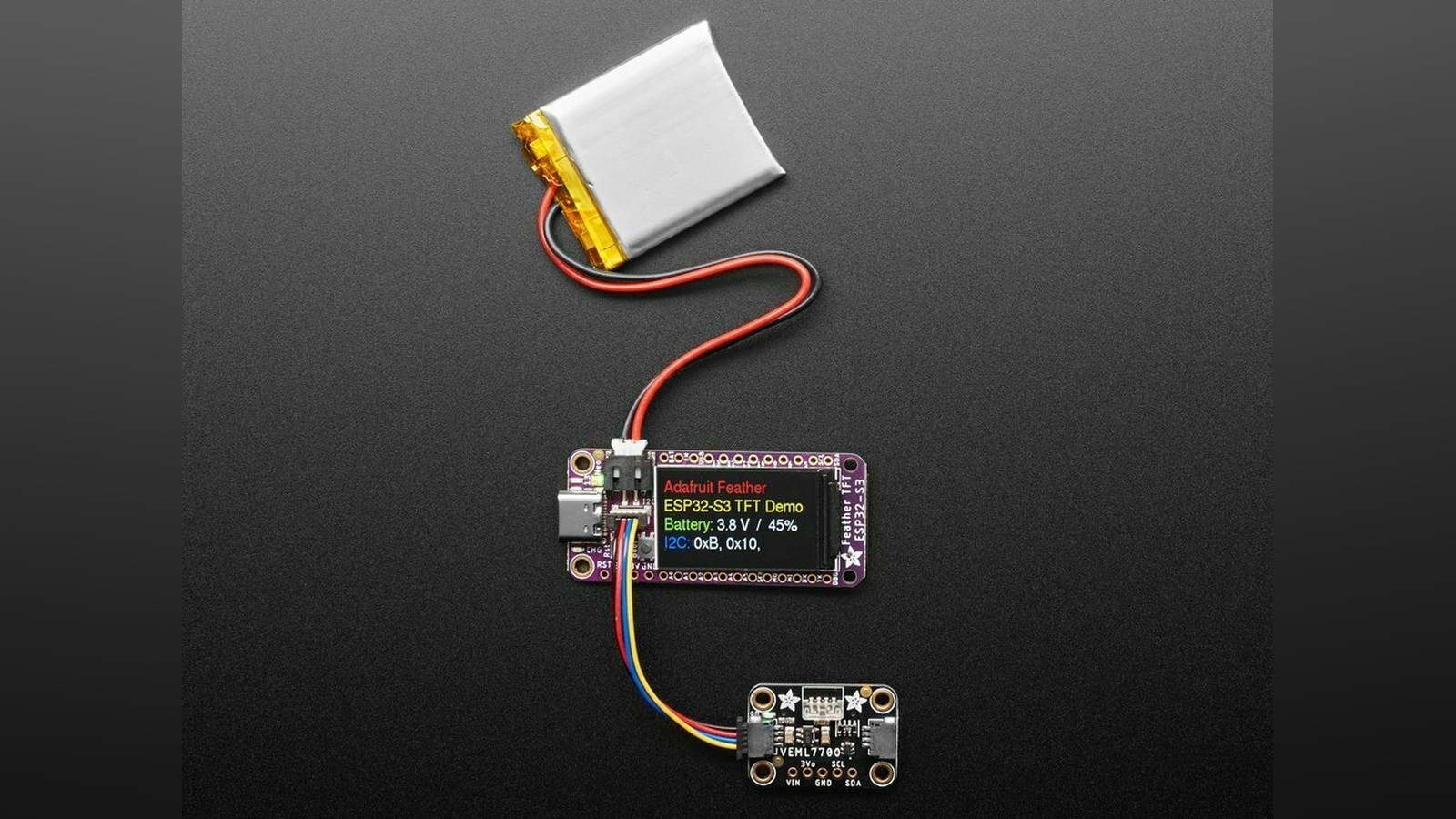
WipperSnapper is firmware installed on a supported Wi-Fi development board. Once the board connects to Adafruit IO, the user adds components through a browser. A component is the platform's software description of a physical part, such as a button, temperature sensor, servo, or RGB LED.
The user chooses the part, identifies its pins or bus connection, and selects relevant options. Adafruit IO sends that configuration to the board. WipperSnapper creates the hardware interface and links its value to an Adafruit IO feed.
A feed is the channel through which one stream of data travels. A temperature feed might receive a new number once a minute. A switch feed might carry true or false. The same feed can drive a dashboard chart, trigger an automation, or provide a value to another connected device.
Without WipperSnapper, a developer has to assemble this path manually. That means selecting libraries, initializing peripherals, managing Wi-Fi credentials, authenticating with the cloud, sending data in the expected format, reconnecting after failures, and updating the program whenever the hardware changes.
No-code configuration moves those common tasks into a maintained system. It does not abolish engineering, but it lets the user spend more time deciding what the device should do.
Why do 82 component types matter?
A short compatibility list can support a demonstration. A broad catalog can support combinations.
The searchable picker introduced in late 2023 makes those combinations easier to navigate. Instead of reading a long table and guessing which name matches the part on the bench, users can search by device or category. That sounds like a small interface improvement, but discoverability is a major part of whether no-code software feels approachable.
The catalog also spans several kinds of electrical interface. GPIO, or general-purpose input/output, covers basic digital pins. I2C connects addressed devices over a shared two-wire bus. UART is a serial connection that sends bytes between two devices. PWM, or pulse-width modulation, rapidly switches an output to control an average level, commonly used for LED brightness and servo position.
Supporting all of these through one configuration model is harder than adding many sensors that use the same bus. Each category behaves differently. A button produces an input state. A servo consumes timed control pulses. A NeoPixel accepts a precisely timed stream of color data. A display may need text, layout, and font settings.
What projects became practical?
Environmental monitoring is the clearest starting point. A supported board can read temperature, humidity, pressure, air-quality, or light sensors and send their values to Adafruit IO. The browser dashboard can show current readings and history without custom server code.
Add outputs and the project becomes interactive. A relay can switch a low-voltage load, a servo can move a vent, and NeoPixels can turn measurements into visible status. A display can present a reading locally while the cloud keeps the longer record.
That mix is useful in greenhouses, workshops, equipment closets, classrooms, and art installations. It also makes WipperSnapper a good prototyping tool. A team can test whether a particular sensor and dashboard are useful before investing time in custom firmware.
There is an important safety boundary. A relay module may be capable of controlling mains electricity, but a no-code interface does not make high voltage beginner-safe. Projects involving household wiring require suitable enclosures, fusing, strain relief, isolation, and qualified electrical work. Start with low-voltage loads unless you already understand those requirements.
What are the limits of no-code hardware?
WipperSnapper exposes features that its component definitions and firmware know how to configure. If a sensor has an unusual operating mode or a display needs a custom animation, the browser may not provide that control. A hand-written CircuitPython or Arduino program can use the full library API and combine behavior in ways a generic component form cannot predict.
Timing is another limit. Cloud control involves Wi-Fi, Internet routing, and service processing. It is appropriate for monitoring, commands, and automation measured in fractions of a second or longer. It is not a replacement for local real-time control. A motor safety interlock, for example, should not depend on a cloud round trip.
Network availability is a limit too. A device that loses Wi-Fi may continue some local behavior, but cloud feeds and remote dashboards cannot work until communication returns. Projects should have a sensible failure state. A greenhouse controller should not leave a pump running forever because it missed an off command.
Finally, supported hardware is specific. Two sensors may measure the same quantity while using different chips and drivers. Search for the exact part number, confirm the required wiring, and check the board definition before buying parts.
Why Adafruit is well positioned to build this
WipperSnapper benefits from work Adafruit has already done across its ecosystem. The company sells development boards and breakout modules, maintains Arduino and CircuitPython libraries, documents wiring, runs Adafruit IO, and publishes detailed Learning System guides.
That vertical integration makes a component catalog more than a list of names. A sensor can have a known pinout, a tested driver, a product guide, and a cloud representation developed by teams working in the same ecosystem. Problems can be diagnosed across the full path instead of stopping at the boundary between unrelated vendors.
The platform also builds on standardized connectors. STEMMA QT and compatible Qwiic cables carry I2C power and signals through a four-pin plug. They reduce wiring mistakes and make it easier to rearrange prototypes. A no-code interface is much more convincing when the physical assembly is also close to plug-and-play.
What changed in late 2023?
WipperSnapper does not suddenly become finished now that it has reached 82 components. It remains beta software, and users still need to pay attention to firmware versions, compatibility, and changing features. The milestone is meaningful because the system has gained enough breadth to support projects rather than isolated demonstrations.
The searchable picker makes that breadth usable. Support for sensors, outputs, servos, pixels, and displays means a connected device can sense its environment, act on it, and explain what it is doing. Adafruit IO provides the shared data layer, while WipperSnapper handles the repeated embedded work.
For beginners, this shortens the path to a meaningful result. For experienced makers, it offers a fast way to validate hardware before writing production code. And for Adafruit, it connects boards, breakouts, firmware, documentation, and cloud services into one increasingly coherent development platform.
I think WipperSnapper is at its best as a way to test a sensor-and-dashboard idea in an evening, before you decide whether the project deserves custom firmware.
Sources and image credits
- WipperSnapper component-picker update, Adafruit, December 5, 2023.
- WipperSnapper setup guide, Adafruit Learning System.
- Source image by Adafruit, asset 114053, Attribution-ShareAlike Creative Commons.
- Square and vertical crops are edited from the same source image.


