

The hardest part of a first laser project often happens before the beam turns on. The maker has to assemble the frame, focus the head, measure where the material sits, select settings, and decide whether the smoke-control setup is adequate. A low machine price is less comforting after each of those steps becomes another accessory or troubleshooting session.
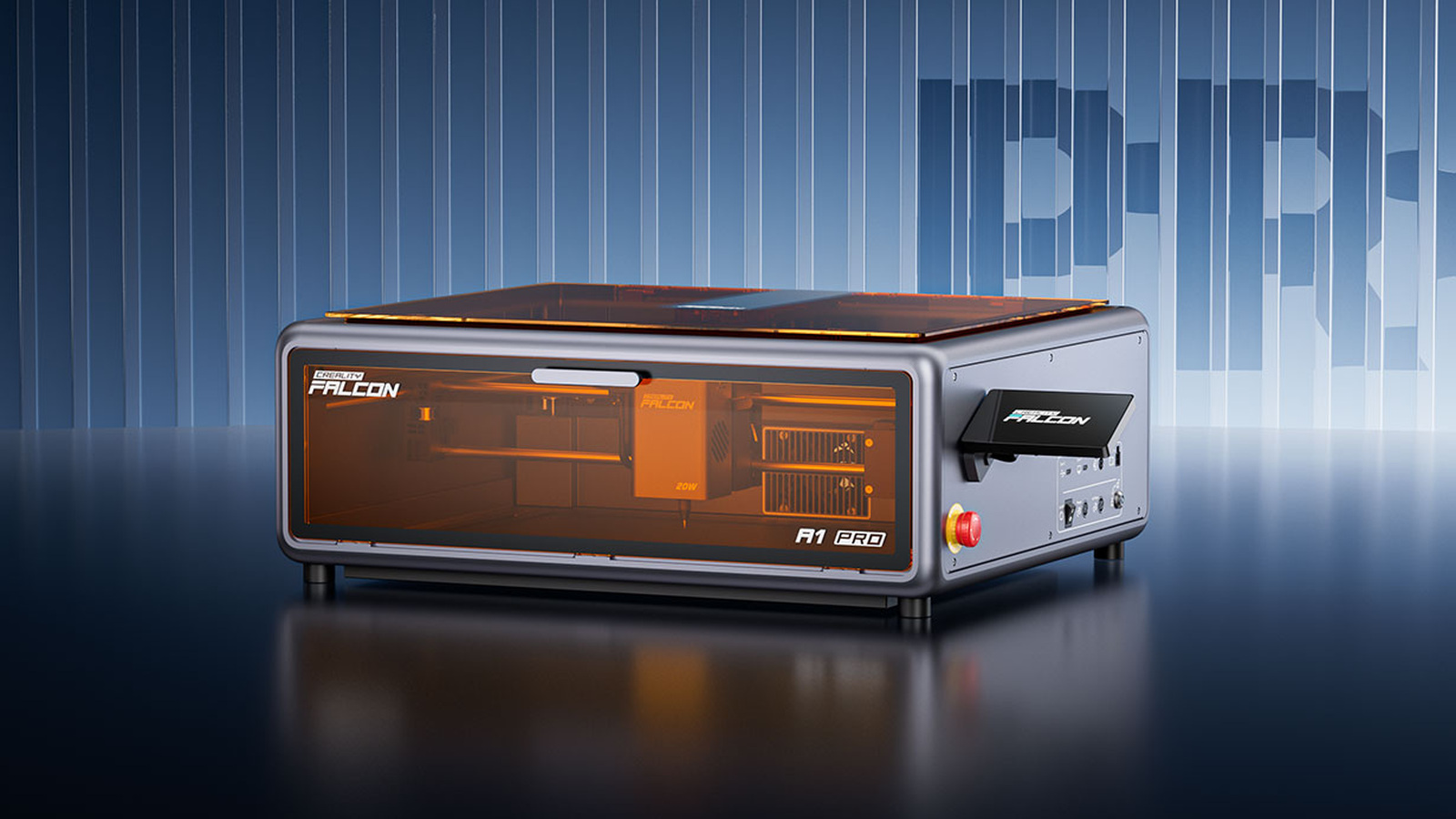
Creality's Falcon A1 Pro takes the opposite approach. Introduced in August 2025, it arrives as an enclosed, preassembled 20-watt diode laser with a camera, autofocus, air assist, touchscreen, and wireless controls. An optional 2-watt infrared module extends the machine to bare metal and additional plastics.
The result is a home and small-studio machine aimed at people who want the guided experience of a modern desktop cutter. TMWB has not tested the A1 Pro, so the performance and safety claims below come from Creality Falcon's published material.
What can the two laser modules do?
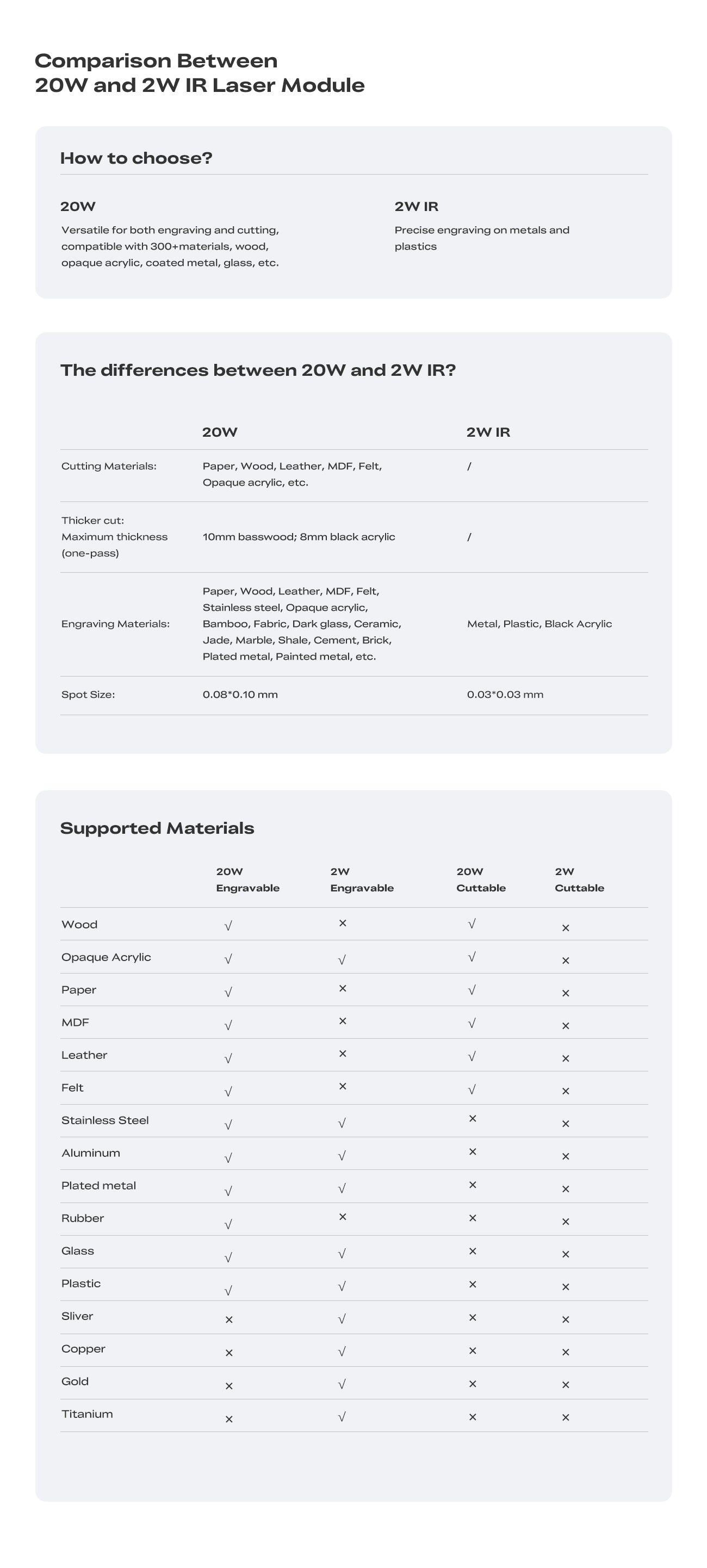
The standard 20W module produces visible blue light at approximately 455 nanometers. It is intended for cutting and engraving familiar craft materials such as wood, cardboard, leather, fabric, rubber, and dark acrylic. Creality lists a focused spot around 0.08 by 0.10 millimeter, which is small enough for detailed artwork while retaining enough optical power for cutting.
The optional infrared module operates at approximately 1,064 nanometers and supplies 2W of optical power. Infrared light is outside the range human eyes can see. At this wavelength, the module can mark many metals and plastics that do not respond well to the blue source.
The distinction is important. The 2W module marks metal surfaces, but it is not a metal cutter. It can personalize jewelry, tools, anodized aluminum, plastic housings, and coated products. Removing deep material or cutting sheet metal belongs to a much more powerful fiber-laser class.
Switching modules also means switching expectations. A setting that produces a dark mark on plywood with the diode source says nothing useful about stainless steel under infrared light. The material, wavelength, power, speed, and number of passes work together.
How does the camera change setup?
The A1 Pro's camera shows the bed in Falcon Design Space, Creality's laser design and control software. The maker can place artwork over the image of the actual material rather than measuring its location from the machine's origin.
That is especially useful when engraving an existing object. A coaster, notebook, tag, or phone case rarely lands at a perfect coordinate. Camera placement makes the workflow feel more like arranging a page on screen.
Creality also advertises batch recognition. The software can identify several similar objects and repeat a design across them. A small business could fill the bed with tags or coasters and prepare one run instead of framing each item separately.
Camera systems still need calibration. The lens sees the work area from above, and software must correct perspective and lens distortion before screen coordinates match the bed. If a design begins landing off-center, calibration should be checked before wasting more material.
The autofocus system measures material height and moves the laser to the correct working distance. Working distance is the gap needed between the focusing optics and the material. Correct focus concentrates the beam into its smallest practical spot. That improves detail and puts more energy into a narrow cut.
What fits inside the machine?
Creality specifies an engraving area of 268 by 358 millimeters. That is enough for letter-size projects, signs, notebooks, cutting boards, and batches of smaller objects. It is less suitable for makers who routinely start with large plywood sheets.
The enclosed body measures about 567 by 468 by 211 millimeters and weighs 16.8 kilograms. An extension accessory can increase the length available for long material, and a rotary accessory turns cylindrical objects such as tumblers. Buyers should confirm how those accessories affect the enclosure and exhaust arrangement before planning a permanent bench location.
Creality lists a maximum working speed of 600 millimeters per second. Like any maximum speed, that figure describes the motion system under favorable conditions. Cutting thick material needs slower travel or multiple passes. Fine engraving may use a lower speed to reach the desired contrast.
The machine supports Falcon Design Space, LaserGRBL, and LightBurn. LaserGRBL is a free Windows program for machines using the common GRBL motion-control protocol. LightBurn is paid third-party software with broader drawing, layout, and device-control tools. Software choice matters because it determines how quickly a beginner can move from an image to a safe, repeatable job.

What does Class 1 mean at home?
Creality describes the A1 Pro as a Class 1 laser product when it is fully assembled and operated with the enclosure closed. Class 1 is a safety classification for accessible radiation during normal use. The laser source inside is still powerful enough to cause permanent injury.
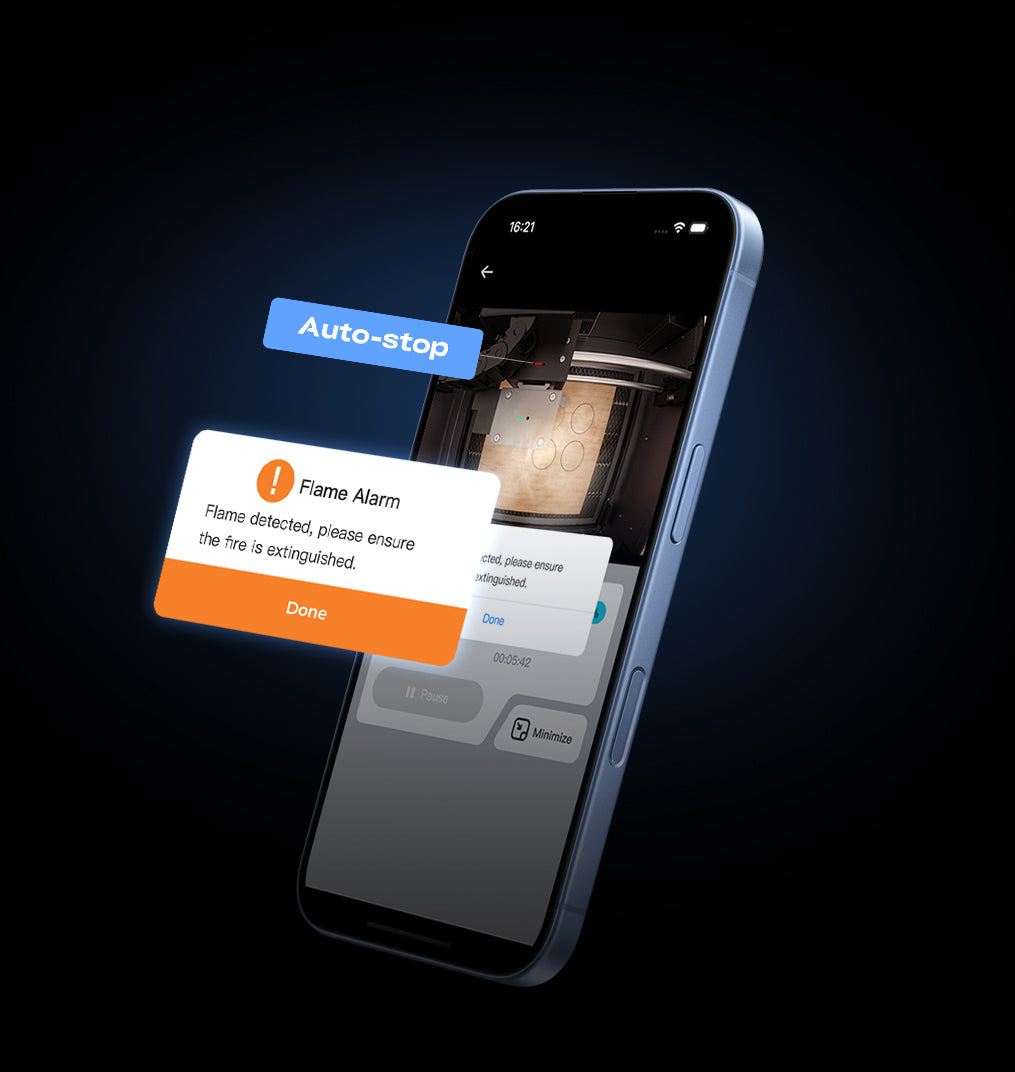
The enclosure uses laser-filtering panels and an interlock that stops work when the lid opens. Creality also lists flame monitoring and an emergency-stop control. Those protections reduce risk, but they do not turn a laser into an appliance that can run unattended.
Wood, paper, leather, and acrylic are combustible. Air assist can reduce flaming and improve a cut, yet a dirty honeycomb bed or a poorly chosen setting can still start a fire. Stay with the machine, keep the bed clear of scraps, and have an appropriate extinguisher nearby.
Ventilation is equally important. An enclosure keeps the beam inside. It does not make fumes safe. Smoke should be exhausted outdoors where permitted or passed through a purifier designed for laser particles and gases. Never process PVC, vinyl, or another unknown plastic. Chlorine-containing materials can release corrosive and dangerous gases.
Creality's claim that normal Class 1 operation does not require goggles should be read narrowly. It applies to the intact, closed system used as instructed. Service work, defeated interlocks, open accessories, or a damaged window change the hazard assessment.
Who is the Falcon A1 Pro for?
The A1 Pro is a strong paper match for a new laser owner who values enclosure, camera alignment, and a short setup process. The 20W diode source covers the projects many hobbyists begin with, while the infrared option gives a path into metal and plastic marking without buying a separate machine.
It also suits a small personalization business that produces batches of modestly sized items. Camera placement, app control, a local touchscreen, and repeatable presets address time spent setting up each job rather than simply increasing laser power.
The limitations are just as clear. The work area is smaller than many open-frame machines. The infrared module marks metal but does not provide the speed, depth, or cutting ability of a higher-power fiber laser. Accessories, filtration, and replacement filters also increase the total cost.
Creality's A1 Pro reflects the direction of hobby laser hardware in 2025: fewer exposed frames, more cameras, more automation, and a second wavelength for materials a blue diode struggles to mark. Those changes remove several beginner frustrations. They do not remove the need to understand the material under the beam or to build a safe ventilation plan around the machine.
Sources and image credits
- Falcon A1 Pro 20W dual-laser engraver launch, Creality Falcon, August 9, 2025.
- Creality Falcon A1 Pro press release, Creality via PR Newswire, July 28, 2025.
- Falcon A1 Pro product specifications, Creality Falcon.
- Falcon A1 Pro FAQ, Creality.
- Images supplied by Creality Falcon on its official launch and product pages. Used for editorial reporting with credit to Creality Falcon.


