Portable engravers began as tools for putting a small mark on wood, leather, or coated metal. They were easy to carry, but the low-power laser and small work area limited the jobs that made sense. LaserPecker's LP5 moves that format into a different performance class.
Launched on July 10, 2024, the LP5 combines a 20-watt fiber laser and a 20-watt blue diode laser in one compact head. Galvanometer mirrors scan the beam at advertised speeds up to 10,000 millimeters per second. The head can mount on an electric stand for desktop work or move to a supported handheld setup for objects that cannot fit under a conventional enclosure.
LaserPecker aims the LP5 at makers and small businesses working across metal, wood, leather, acrylic, plastic, and finished products. TMWB has not tested the LP5, so material capacities and performance numbers in this article come from the manufacturer.
Why pair a fiber laser with a diode laser?
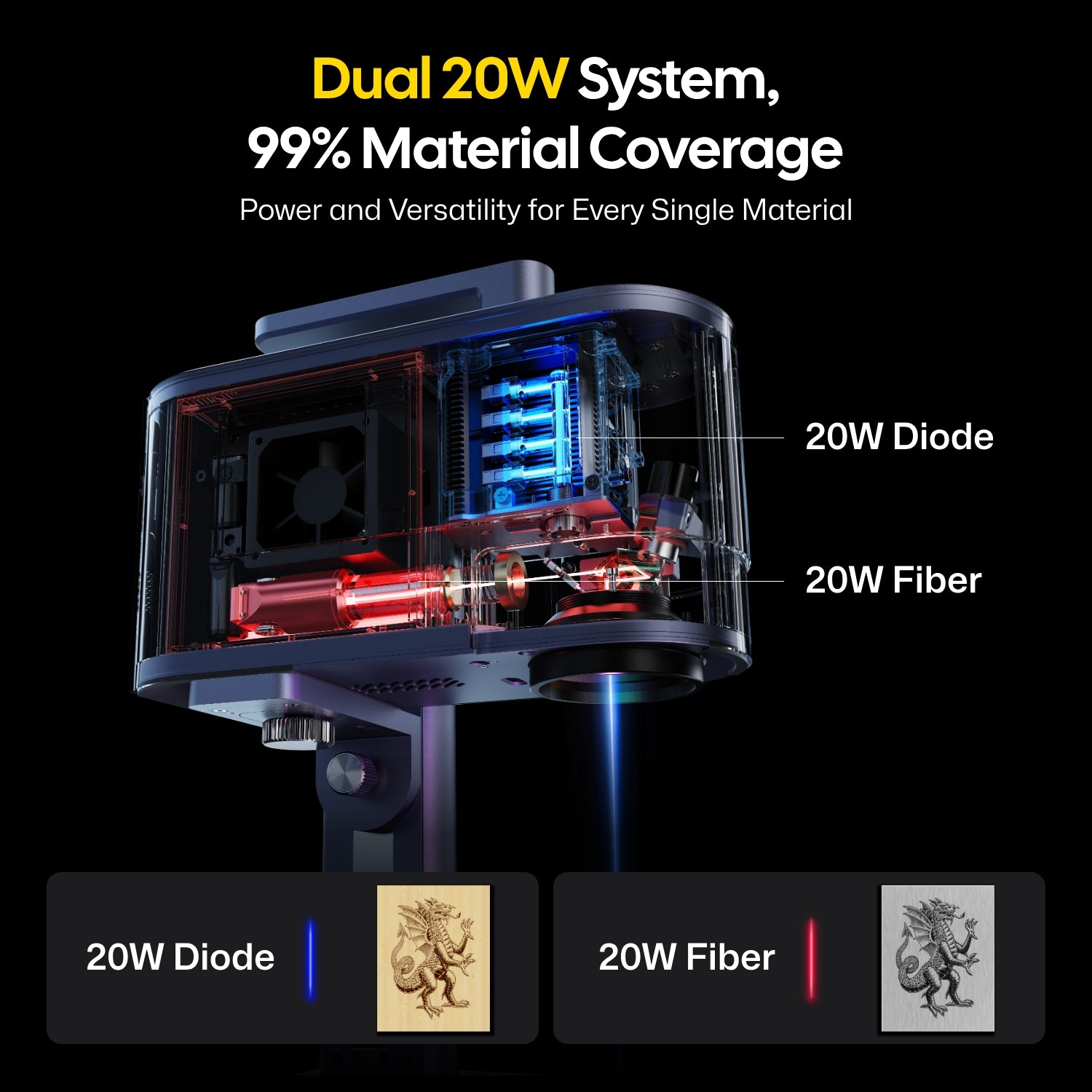
No common desktop wavelength is best for every material. The LP5's blue diode source operates near 450 nanometers. Its visible light is readily absorbed by wood, leather, paper, fabric, slate, coated surfaces, and dark opaque acrylic. LaserPecker says it can cut up to 20 millimeters of basswood and 15 millimeters of dark acrylic under suitable conditions.
Those maximum depths should be treated as best-case manufacturer figures. Thick cutting usually means slow travel, several passes, effective air assist, and a material that lies flat. Glue layers and density changes in plywood can stop a cut that worked on solid basswood.
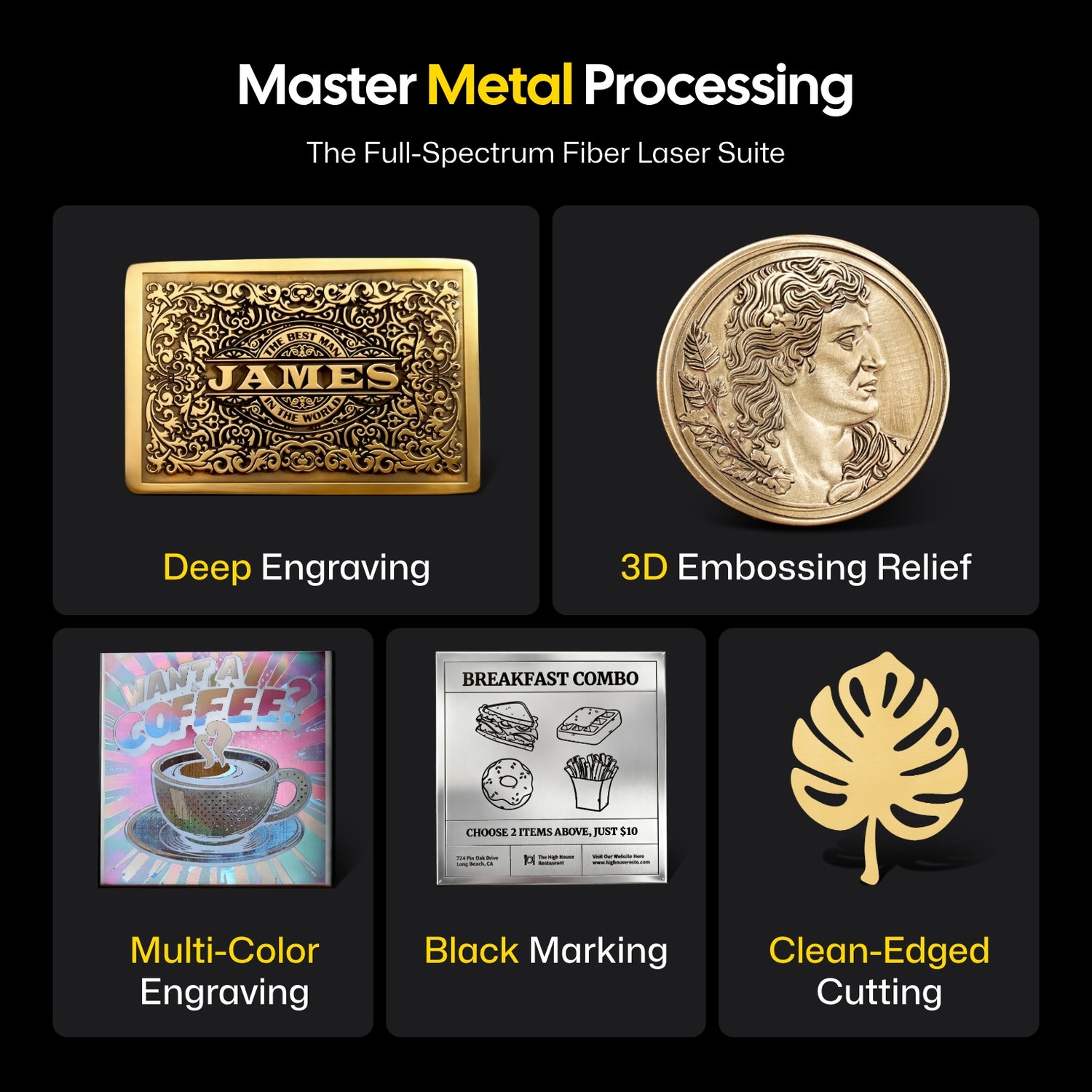
The 20W fiber source operates near 1,064 nanometers. That infrared wavelength is better matched to bare metals and many plastics. It can engrave stainless steel, aluminum, brass, copper, titanium, precious metals, and coated or uncoated parts.
LaserPecker also claims thin-metal cutting up to about 1 millimeter for some brass, stainless steel, aluminum, and titanium sheets. Alloy and setup matter. A 20W marking laser should not be confused with the hundreds or thousands of watts used by fabrication shops to cut structural sheet quickly.
The dual-source design is most useful when a business receives mixed products. A maker could engrave a wooden presentation box with the diode source, switch to fiber for the metal item inside, and keep both jobs in the same software environment.
How does the LP5 move the beam?
The LP5 is a galvo engraver. Instead of carrying the laser head along rails, it turns two small mirrors to steer the beam. Galvo is short for galvanometer, the mechanism that controls those precise mirror movements.
Moving a mirror takes less effort than moving an entire head, which supports the LP5's claimed 10,000-millimeter-per-second scanning speed. That speed is valuable when marking text, barcodes, filled logos, and repeated products. Deep engraving and cutting still require more energy on each section of the path, so they run more slowly or use multiple passes.
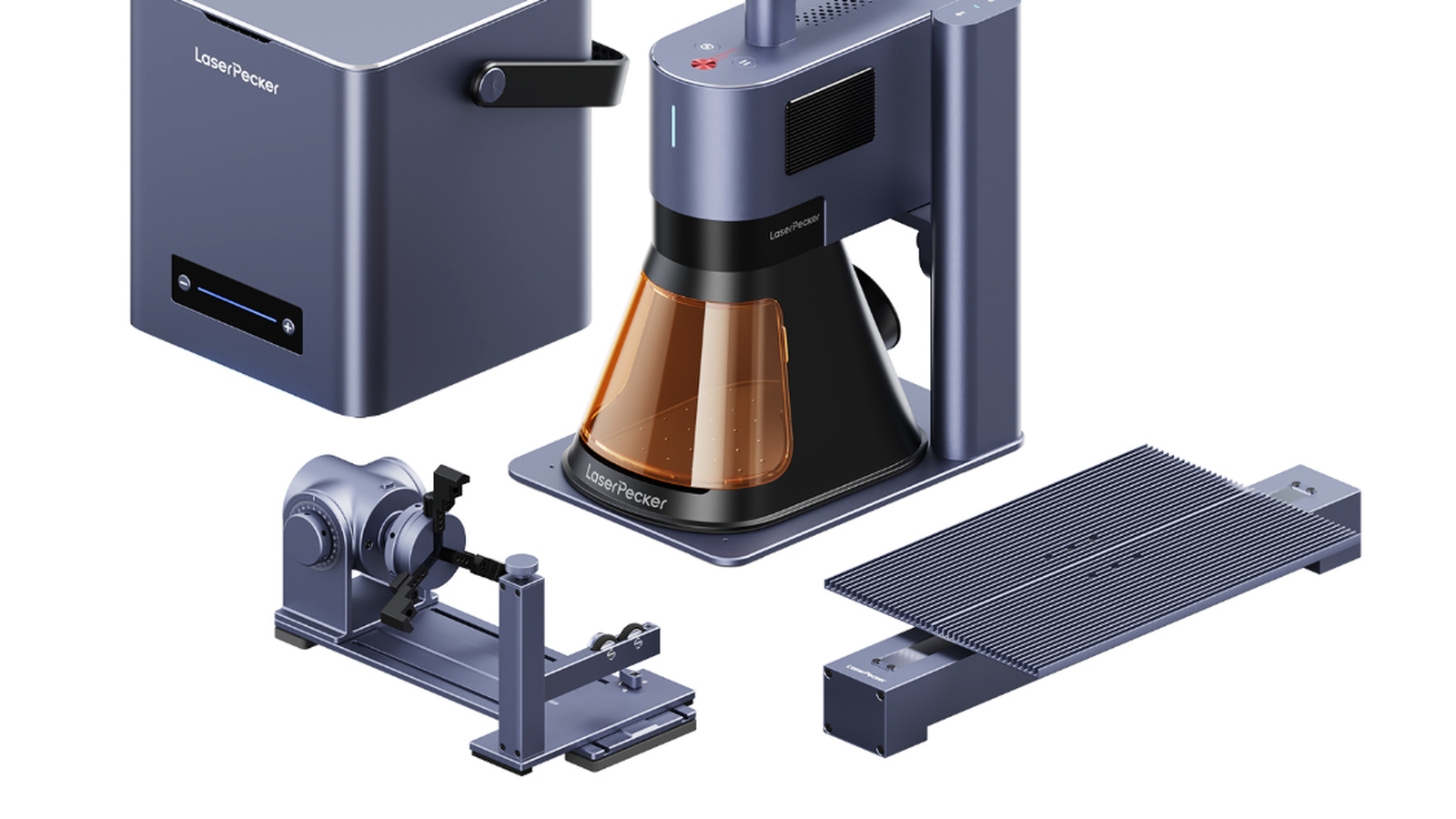
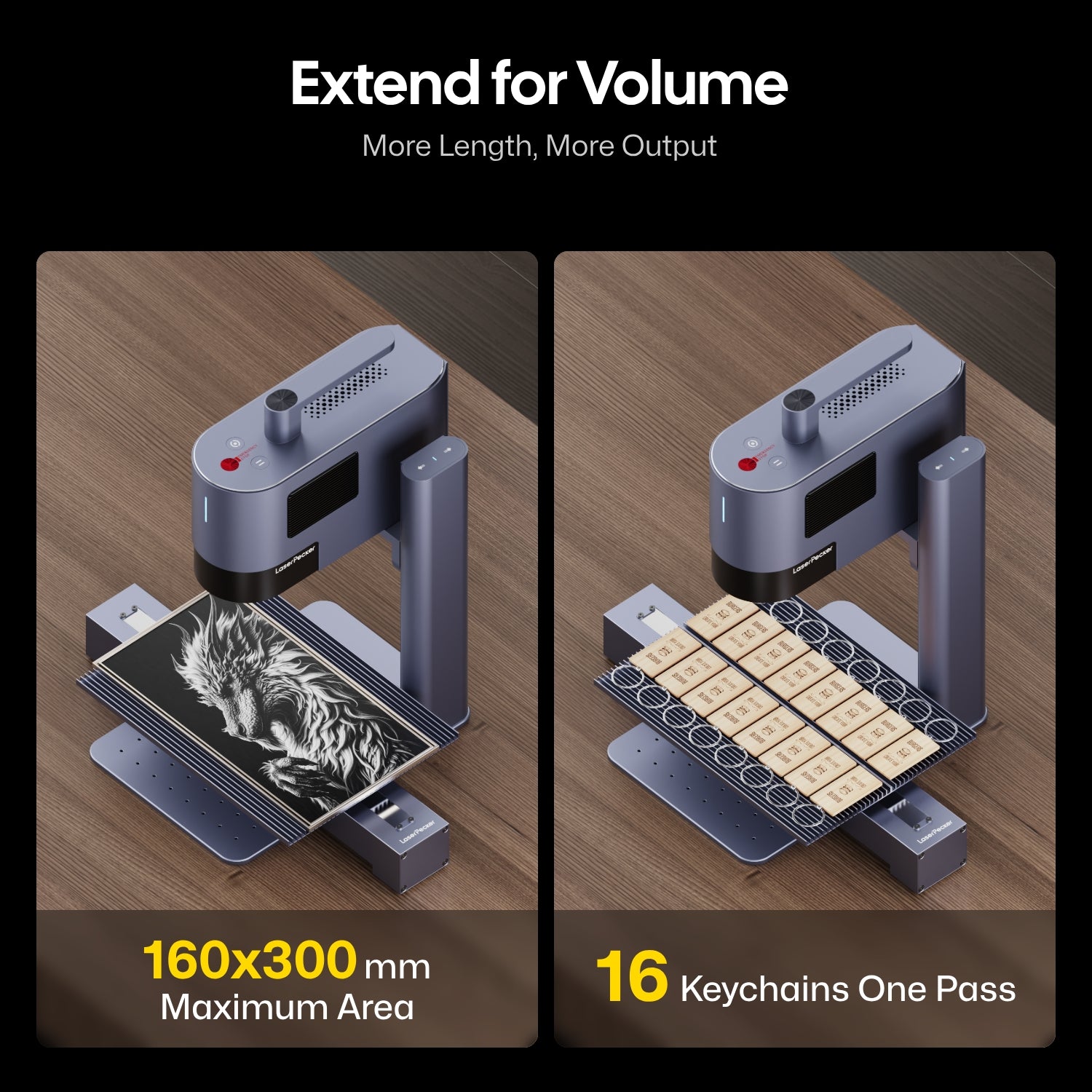
The standard field is approximately 120 by 160 millimeters in its elliptical mode, with a 100 by 100 millimeter square option. The slide extension increases the work area to 160 by 300 millimeters. A rotary attachment turns rings, cups, pens, bottles, and other cylindrical objects under the beam.
These dimensions tell buyers what the LP5 is. It is a fast marker and compact cutter for small objects, not a sheet-processing machine. Large signs and furniture panels belong on a gantry laser with a broad bed.

What does portable mean here?
The LP5 laser unit and stand weigh about 6 kilograms according to LaserPecker's comparison data. That is portable in the workshop-equipment sense. It can travel to an event or move over an object that is too large for a fixed bed, but it is not a pocket engraver.
Portable use creates a safety question. The standard open stand does not provide the same containment as a closed machine. LaserPecker sells a separate LP5 safety enclosure and air purifier, and its current product material describes a Class 1 enclosed configuration. Buyers should confirm exactly which bundle includes that protection.
An open or handheld setup can expose people to direct or reflected laser energy. The invisible 1,064-nanometer fiber beam deserves particular caution because the eye cannot use brightness or a blink response as a warning. Appropriate wavelength-rated eyewear, a controlled work area, beam barriers, and the manufacturer's operating procedure are essential. Bystanders and customers should never be allowed to wander into the hazard area at a live event.
A battery accessory can make the system independent of a wall outlet for some jobs. Power independence does not remove the need for extraction. Engraving still produces smoke, particles, and chemical vapors wherever the machine is used.
What software and positioning tools are available?
LaserPecker Design Space runs on desktop and mobile devices and provides layout, parameter control, image processing, and machine operation. The LP5 also supports LightBurn, a widely used third-party laser design program.
The machine uses dual red dots to indicate the focus position. These guide lights are visible aiming aids, not the working beam. When the dots overlap as instructed, the material should be at the correct focal distance.
Unlike some larger competitors, a camera is not included in the standard LP5 bundles. LaserPecker's own FAQ calls this out directly. That means routine placement depends on the preview outline, guides, fixtures, or an optional camera system rather than a built-in overhead view.
This is a purchasing detail worth catching early. A product photo may show a complete workstation with a rotary, slide, purifier, enclosure, or camera, while the base package contains fewer parts. Compare the bundle list line by line instead of assuming every pictured accessory is included.
What should a new owner plan for?
Start with ventilation and material identification. Wood smoke is not healthy simply because it smells familiar. Plastics and coatings can release much worse substances. PVC and vinyl should not go under the laser, and an unknown plastic should be treated as unsuitable until its composition is verified.
Next, plan fixtures. Small products must sit flat and repeatably. A fiber laser can put a permanent mark in the wrong place just as quickly as the right one. Simple corner jigs and test outlines are often more valuable than another few percent of processing speed.
Finally, build a settings library from test pieces. Manufacturer presets are starting points. Wood species, anodized finishes, metal alloys, paint, and leather treatments vary. Record power, speed, frequency, line spacing, focus, and number of passes with a sample you can keep.
Who is the LP5 for?
The LP5 fits a personalization business that works on many small materials and may need to travel. Jewelry, tags, knives, tools, drinkware, leather goods, phone cases, and wooden boxes all match its strengths. The combination of fiber and diode sources reduces the need to maintain separate engraving stations.
It is less attractive for someone whose main goal is cutting large sheets. The galvo field is compact, and accessories raise the price of a fully enclosed production setup. Buyers who only engrave wood may not benefit enough from the fiber source to justify the premium.
LaserPecker's 2024 launch showed how quickly portable systems were approaching desktop industrial markers. The LP5 offers real power and material range in a movable package. Its flexibility is the selling point, but safe containment, extraction, and careful bundle selection determine whether that flexibility works in a real home shop.
Sources and image credits
- LaserPecker LP5 launch livestream, LaserPecker, July 10, 2024.
- LaserPecker LP5 official product page, LaserPecker.
- LP5 support center, LaserPecker.
- LaserPecker product FAQ, LaserPecker.
- Images supplied by LaserPecker on its official product page. Used for editorial reporting with credit to LaserPecker.