Desktop laser buyers have traditionally made an early choice. A blue diode machine handles wood, leather, and dark acrylic. A fiber laser is the more useful tool for bare metal. Buying one usually means accepting what it cannot do or finding room and money for a second machine.
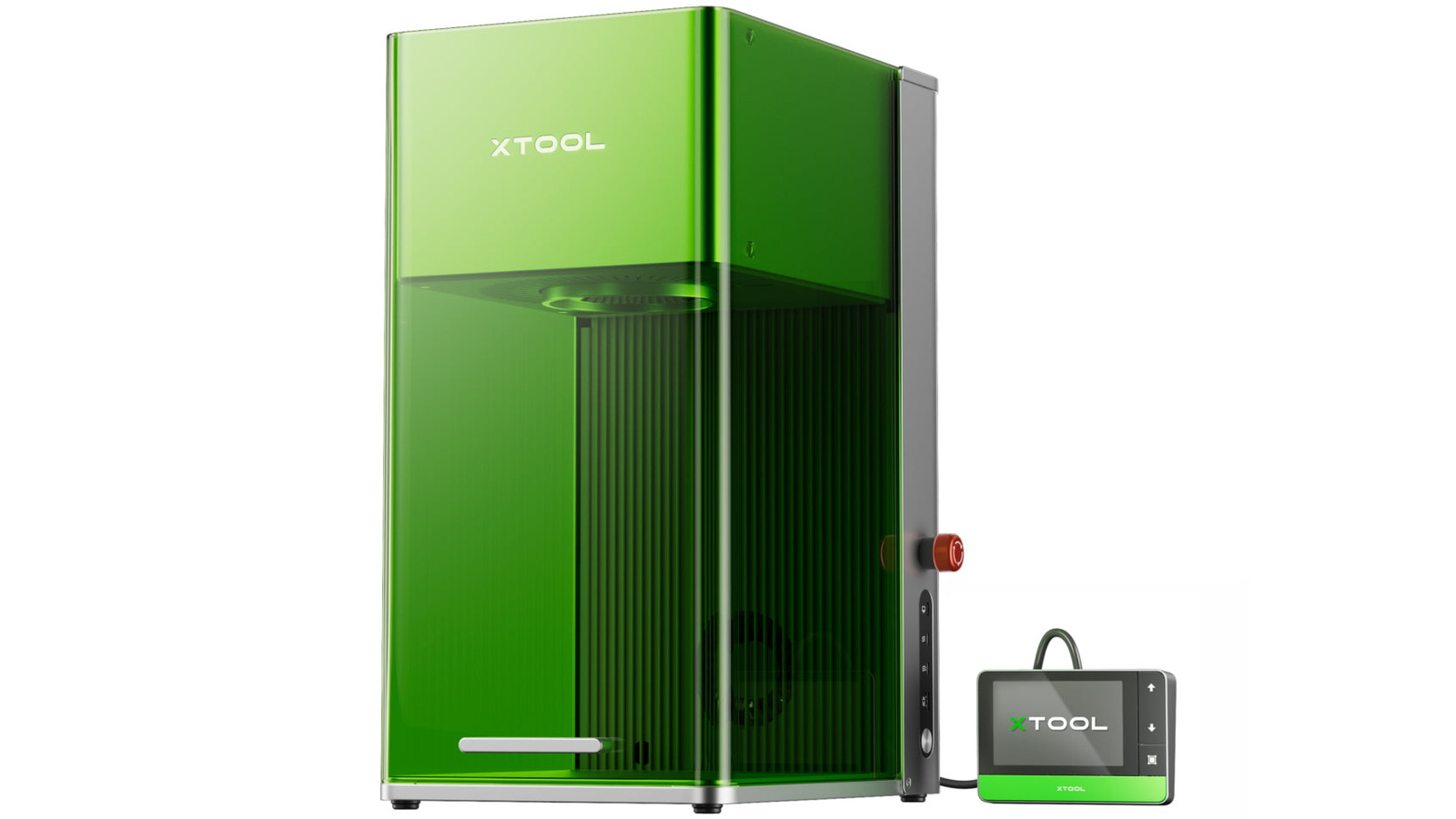
xTool's F1 Ultra puts both light sources into one enclosed engraver. Announced on May 29, 2024, it combines a 20-watt blue diode laser with a 20-watt fiber laser. A high-speed galvanometer, camera-assisted positioning, optional conveyor, and self-contained control panel aim the machine at makers who personalize many different objects rather than cut large sheets.
TMWB has not tested the F1 Ultra. The speeds, material limits, and safety features discussed here are xTool's published specifications. Real results depend on the material, finish, focus, settings, and ventilation.
Why does the F1 Ultra need two lasers?
A material absorbs some wavelengths of light better than others. Wavelength is the distance between repeating peaks in a light wave, and it helps determine how the beam interacts with a surface.
The F1 Ultra's blue diode source operates around 455 nanometers. A nanometer is one billionth of a meter. This visible blue light works well on many familiar craft materials, including wood, leather, paper, rubber, slate, and dark opaque acrylic. Clear acrylic is a common gotcha because visible blue light can pass through it instead of being absorbed efficiently.
The fiber source produces infrared light around 1,064 nanometers. Fiber describes the laser design, which uses an optical fiber as part of the beam-generating system. That wavelength couples far better with many metals and plastics. It can mark stainless steel, aluminum, brass, copper, titanium, gold, and silver without the coating that a lower-power diode system may require.
The two sources do not combine into a single 40W beam. The machine selects the source suited to the job. xTool Creative Space, the company's design and control software, can assign different parts of one design to different lasers. A project could use the fiber laser for a metal component and the diode source for a wooden insert without moving to another machine.
What makes it different from a moving-head cutter?
Most flatbed diode cutters move the entire laser head along X and Y rails. The F1 Ultra uses a galvanometer, usually shortened to galvo. A galvo system turns small mirrors very quickly to steer the beam across the work area. Because the mirrors weigh far less than a complete laser head, the beam can move at high speed.
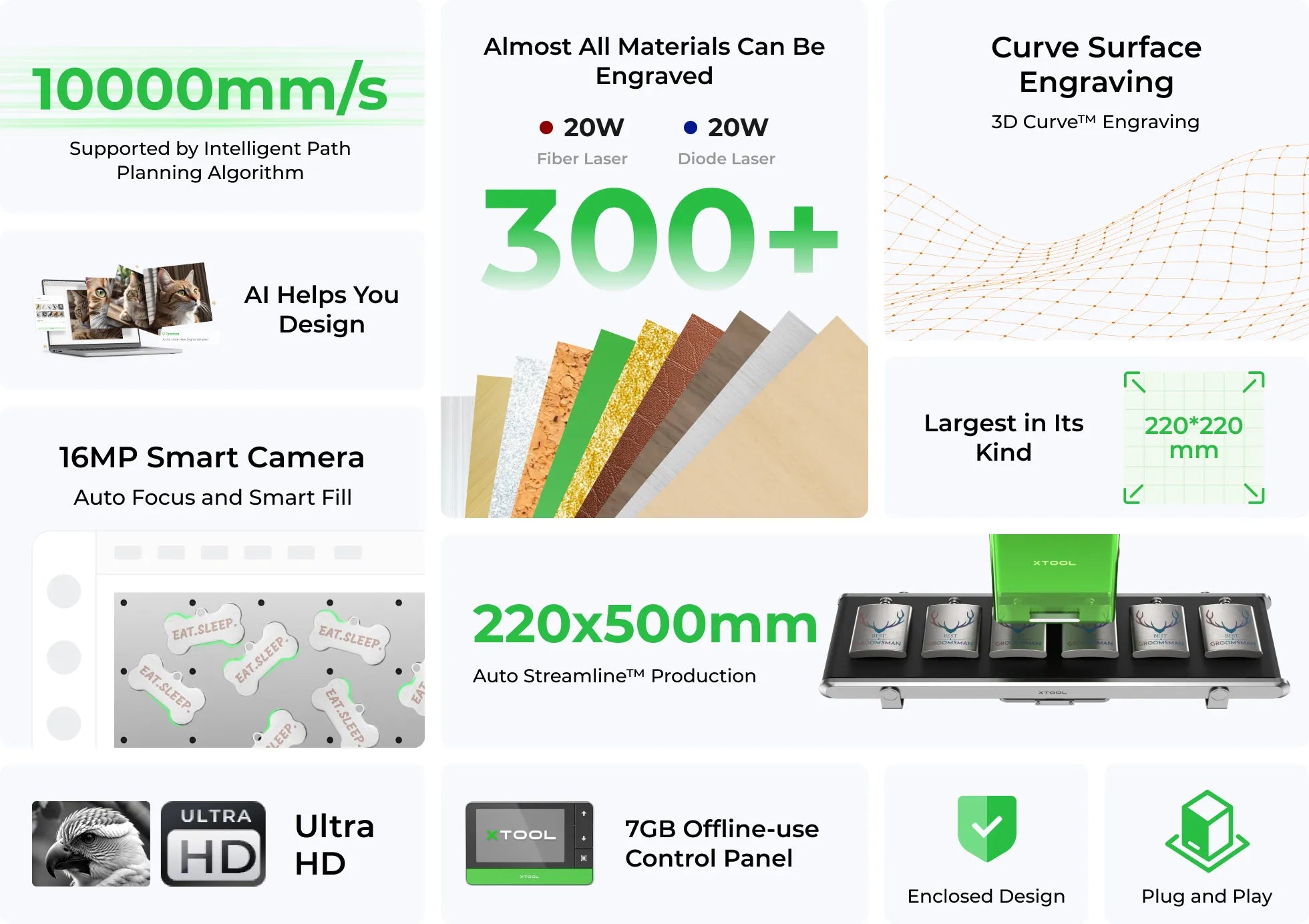
xTool advertises engraving speeds up to 10,000 millimeters per second. That maximum does not mean every job should run at that speed. Deep engraving, cutting, fine detail, and heat-sensitive materials all need different combinations of power, speed, line spacing, and repeated passes. The number is most relevant to shallow marking and batch personalization where the beam travels across many small features.
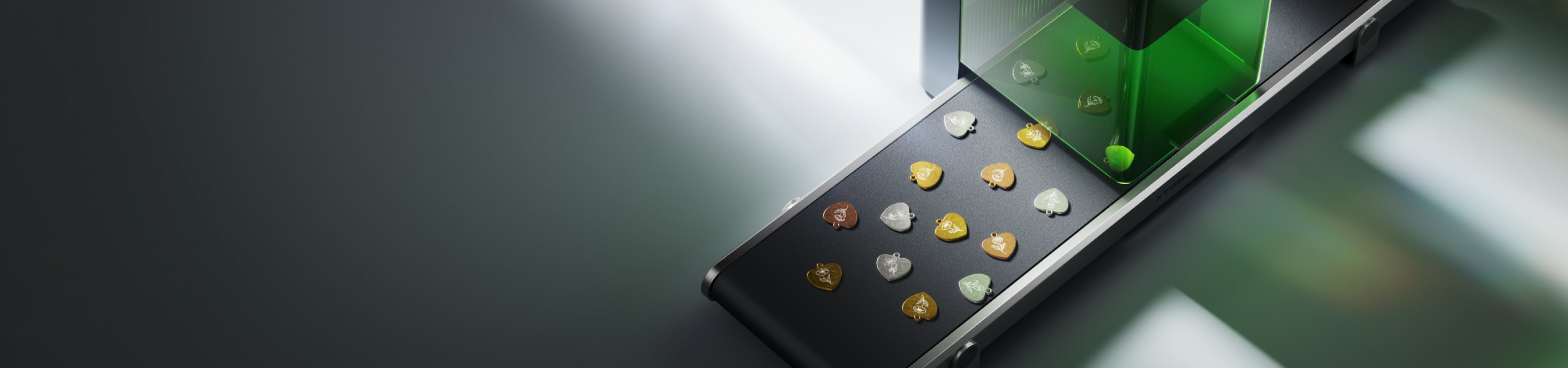
The standard work area is 220 by 220 millimeters. That is generous for a galvo engraver but small beside a flatbed sheet cutter. The optional conveyor extends the processing length to 500 millimeters and can move a row of objects through the machine. A camera identifies their shapes so the software can place a design on each one.
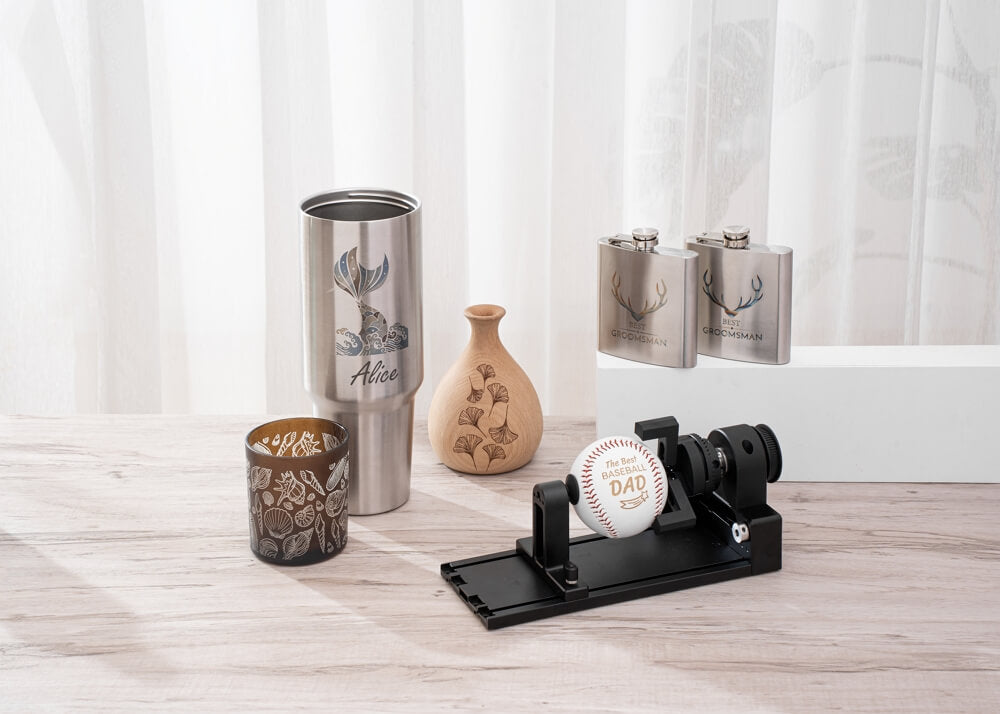
This is the F1 Ultra's clearest use case. It is built for tags, tumblers, jewelry, tools, business cards, and small products. A maker mainly cutting large plywood signs should look at a different class of machine.
Can a 20W fiber laser cut metal?
xTool says the F1 Ultra can cut thin metal sheet. Its published examples include approximately 0.3 millimeter stainless steel, 0.4 millimeter brass, and 0.2 millimeter aluminum. Those are useful thicknesses for jewelry, inlays, labels, and decorative details, but they are far from structural sheet metal.
The wording matters. This is metal-cutting capability inside a compact engraver, not a substitute for a high-power industrial fiber cutter. A job may need multiple passes, a carefully prepared surface, and settings tuned to the alloy. Heat can also warp a tiny part or leave a rough edge.
The fiber source is likely to spend more of its life engraving, deep marking, and creating relief. Deep engraving removes material through repeated passes. Relief engraving varies that depth to create a three-dimensional surface. xTool also promotes color marking on some metals, a process that uses controlled heating to create oxide layers. The exact color is sensitive to the alloy and settings, so it should not be treated like selecting a paint swatch.
How does positioning work?
Small products leave little room for alignment error. The F1 Ultra uses a camera to show the 220 by 220 millimeter workspace in xTool Creative Space. The maker places artwork over that view, focuses the machine, and previews the outline before engraving.
The system can also scan the contour of a curved or uneven object and adjust focus during the job. That is useful for a shallow dish or a surface that is not perfectly flat. It does not remove every geometric limit. A camera cannot give the beam a clear path around a steep sidewall, and a galvo lens still has a defined focus range.
xTool includes a touchscreen controller with local storage. Frequently used jobs can be saved and run without leaving a computer beside the machine. That feature is particularly relevant at markets or in retail personalization, where an operator may repeat a small set of designs.
What does the safety enclosure change?
The F1 Ultra surrounds the work area with a filtered cover and uses an interlock that lowers laser output if the cover is opened. That physical enclosure is valuable, but it should not be confused with a Class 1 certification. xTool's current F1 Ultra specifications list the product as Class 4, the highest laser-hazard class. Owners should follow the supplied safety instructions, use the required wavelength-rated protection, and control access to the work area even though the cover limits normal exposure.
Fumes remain a separate hazard. Engraving plastic, coated metal, leather, and painted products can produce gases and particles that should not be breathed. The machine needs effective extraction or a suitable purifier, and the operator must know the composition of the item being engraved. Unknown plastics are poor test material.
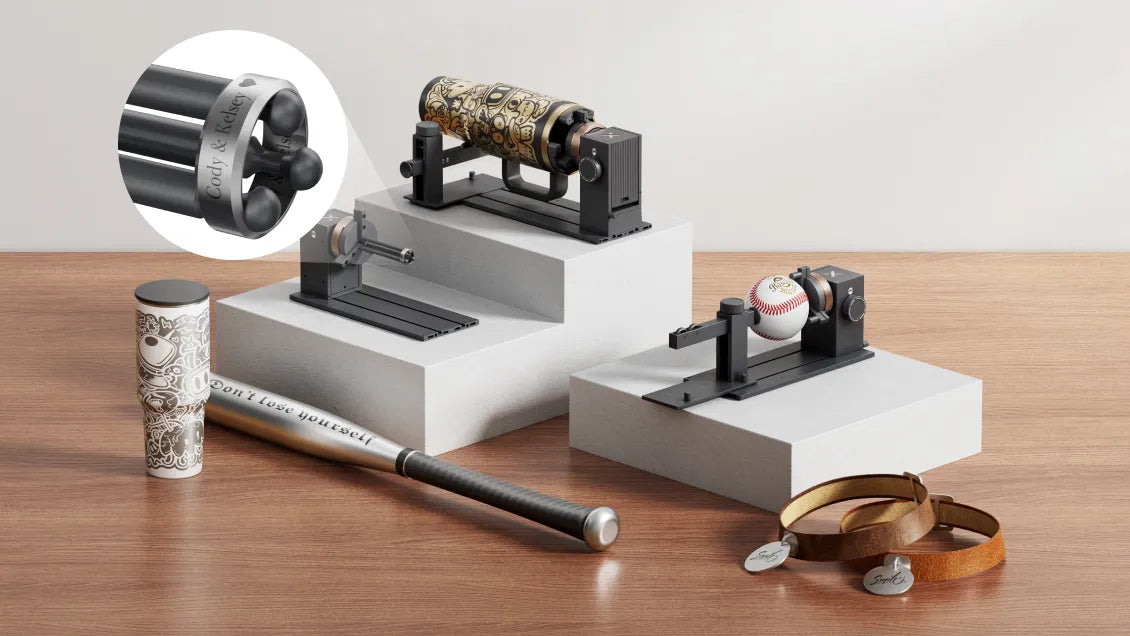
The optional conveyor and rotary accessories also change the enclosure arrangement. Buyers should confirm which safety covers, guards, eyewear, and extraction parts are required for the exact setup they intend to run.
Who is the F1 Ultra for?
The F1 Ultra is most compelling for a small shop that moves constantly between organic materials and metal. A wedding business might engrave wooden place cards, stainless favors, acrylic signs, and rings. A repair shop could mark tools and equipment tags. A maker at an event could personalize a product while the customer waits.
It is a more difficult choice for a beginner who only wants to cut wood. Two laser sources, galvo optics, and batch accessories add capability, but they also add cost and setup decisions. A conventional enclosed diode cutter offers a larger sheet area for simpler craft work.
xTool's real contribution is the pairing of desktop fiber power with the approachable workflow of its craft machines. The F1 Ultra gives home workshops access to metal processes that once demanded a dedicated industrial marker. That access is valuable, provided buyers judge it by the size and depth of the work it can really perform, not by the broadest possible reading of the phrase metal cutting.
Sources and image credits
- Introducing xTool F1 Ultra, xTool, May 29, 2024.
- xTool F1 Ultra official product page, xTool.
- xTool F1 Ultra support resources, xTool Support Center.
- Images supplied by xTool on the official announcement and product pages. Used for editorial reporting with credit to xTool.