

On May 19, 2026, Google started rolling out Gemini Omni Flash, the first model in a new Omni family. The output at launch is video. You can give it text, images, video, and audio, ask for a clip, and keep editing that clip in ordinary language. Koray Kavukcuoglu's post says Google AI Plus, Pro, and Ultra subscribers get it in the Gemini app and in Google Flow. YouTube Shorts and the YouTube Create app get it at no extra cost starting this week.
Audio references are voice only for now. Google says other audio inputs come later. Image output and audio output are later as well. The developer API is not part of this morning. Google places that access in the coming weeks.
I want this for a build video, the phone clip of a finished object with a label the hand keeps covering. Omni Flash is a storyboard tool for that demo. It is a poor fit, and the wrong request, if the plan is to put someone else on camera without consent.
What actually changed?
Last year Nano Banana brought Gemini into still images. Omni is a new family, and the first model makes video. Google says each later instruction builds on the last, characters stay consistent, and the scene remembers what came before.
Their violinist example is the clearest picture of that loop. A clip of a player moves into a new setting, then the violin is removed, then the camera shifts over the shoulder. Other samples change a material, time lights to music, or try a short explainer. They show range. They are not a recipe to paste.
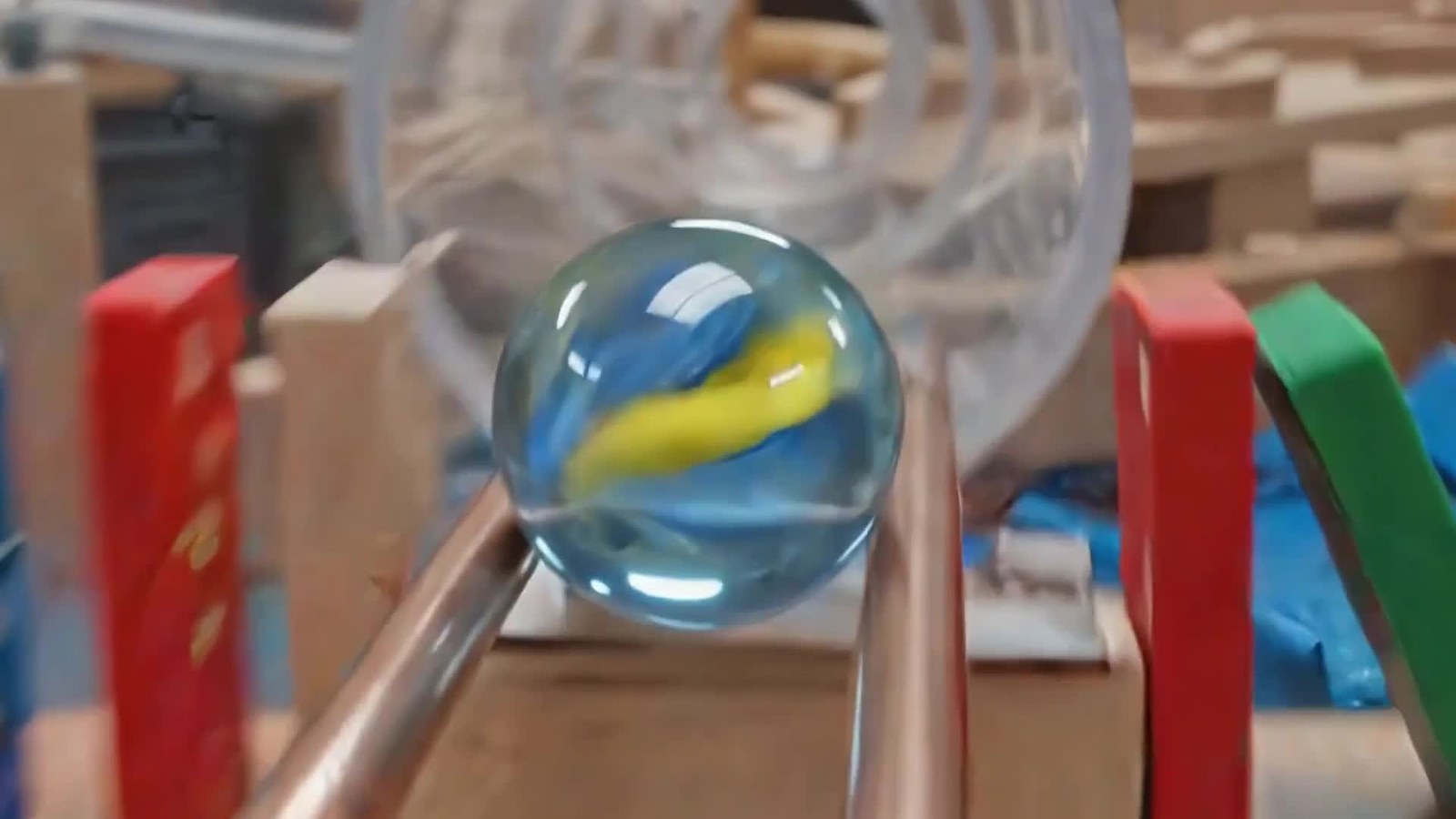
Google says Omni has a stronger feel for gravity, kinetic energy, and fluid dynamics, and that it can use Gemini's knowledge of history, science, and culture when it stages a scene. The marble on a track is the physics sample they lead with. It is a demonstration, not an error table.
How does the new piece work?
Bring media you already shot. An image can lock a product, a place, or a drawing. A video can supply the camera move. Text says what must stay and what must change. At this launch, an audio reference means a voice. Google says other kinds of audio are not in the first cut.
The post shows those pieces blended into one clip: a still for the look, a video for the motion, a voice file for timing. Google says a later turn can change the setting, the angle, the style, or one object while the thread holds. "Dim the shop lights" can be its own turn. "Keep the front-panel text readable" can be the next.
Every Omni video carries SynthID. SynthID is Google's digital watermark. It is imperceptible, so you cannot see it by eye, and it is embedded so a check can tell that Gemini made the file. Google says that check runs in the Gemini app, in Gemini in Chrome, and in Google Search.
Your own face is limited to Gemini's avatar feature. Google says an avatar is a digital version of you, so a clip can look and sound like you. Editing other video in order to change audio and speech is still in testing. For a product intro, use the avatar if you need a face. Leave customers and coworkers out of it.
What does this look like on a real project?
Say the object is a small bench supply, and the buyer needs to see the silkscreen. You have a phone and no plan to learn a timeline editor tonight.
I would record three plain assets. One locked-off clip of the supply, power off, hands out of frame at the start. One square still of the front panel, so the labels exist without motion blur. One voice note, in my own voice, naming the binding posts, because voice is the audio reference this launch accepts. A fan noise or a music bed is the wrong reference today. Google says that wider audio comes later.
In the Gemini app or in Flow, the first ask stays narrow. Use the still as the look of the product. Use the phone clip as the camera move. Keep every digit on the panel legible. Then take one change per turn, which is the loop the post describes. Dim the plywood background. Hold a beat when a hand points at the posts. If a digit warps, say so on the next turn, and keep the original photo. The generated clip is not the picture you sell from.
If the intro should include me, I would turn on the avatar feature, the digital version tied to the account. I would not upload the buyer. Before the file goes on a project page, I would run Google's SynthID check. A vertical cut can go through YouTube Shorts or YouTube Create, at no extra cost, starting this week. A meter reading, if the demo needs one, should be a real meter. The model is there to suggest camera and pacing.
How does it compare with the previous version?
There is no earlier Omni model. Flash is the first. The previous step the post names is Nano Banana, and that step was still images. A thumbnail workflow that ends in a still is not what this rollout exports. This rollout exports video. Google says image output and audio output will arrive in time. They are absent today.
The violinist sequence is Google showing a later sentence that moves the camera without discarding the player. I have not measured how often that holds, so I would budget a correction turn. The physics claim is about a generated scene. It does not replace the panel photo. I would keep a still camera for anything a customer orders from, and use Omni for motion or a rough narration.
Where does it sit next to other tools a maker already uses?
On May 19 the working doors are the Gemini app and Google Flow for Plus, Pro, and Ultra subscribers, with a global rollout. Starting this week, YouTube Shorts and YouTube Create are the no-extra-cost doors.
The API is closed on launch day. Developers and enterprise customers are told to wait for the coming weeks. A script on your render machine cannot call Omni Flash from this post. A desktop editor you already trust is still the place for a final cut: real footage, titles you typed, and audio from the device itself.
Nano Banana remains the stills chapter, not a product this post retires. A build log can carry a true photo of the panel and an Omni walkaround beside it, with SynthID on the generated file so a reader can check the source.
What does it cost, and who can use it today?
The launch post prints no per-second price, no per-clip price, and no token price. I will not fill one in. Access is the subscription and the surface.
Plus, Pro, and Ultra subscribers get the Gemini app and Flow rollout starting today. "Rolling out" means your account may lag the blog by some hours. YouTube Shorts and YouTube Create follow at no extra cost starting this week. API users are in the later group.
The blog does not state a maximum clip length. One example prompt asks for a short clip. A request inside a sample is not a product limit.
What is still unproven?
I did not generate an Omni Flash clip for this article. Consistency, physics, and scene memory are Google's claims, illustrated with frames and no published error rate. Legible silkscreen is the kind of detail a handsome demo can miss, which is why the original photo stays in the folder.
Voice-only audio will surprise anyone who arrives with a shop recording. Image output and audio output are later. Likeness stays on the avatar path. SynthID can show that Omni made the file. It cannot show that the posts in the clip match the box. Until an API launch actually lands, Omni Flash is a storyboard surface in Gemini, Flow, and YouTube.
Disclosure
Disclosure: The author is a paying subscriber to ChatGPT Plus, Claude Pro, and SuperGrok and uses all three services on a daily basis. The Makers Workbench is not affiliated with OpenAI, Anthropic, xAI, Google, or any of the other major AI companies covered in our reporting. No company receives favorable editorial treatment based on the author's personal subscriptions.
Sources and image credits
- Google announcement (blog.google)
- Images: published by Google with the announcement.


