Embedded code can fail for reasons that look tiny on a screen and become very real on a workbench. A wrong register value can stop a timer. A pin configured as an input cannot drive a relay. Code that builds for the wrong device may program successfully and still behave unpredictably.
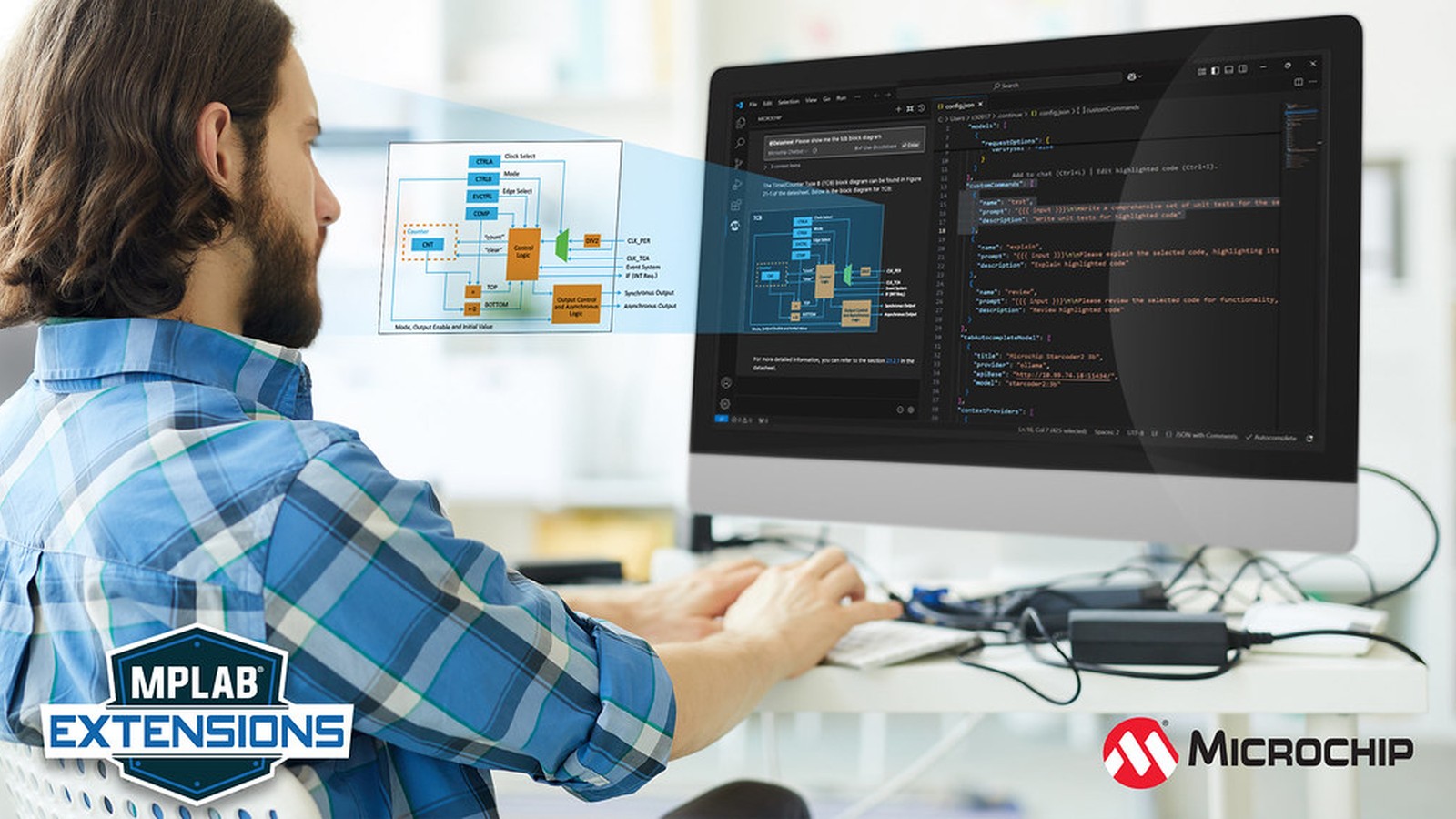
Microchip launched the MPLAB AI Coding Assistant on February 19, 2025, to bring artificial-intelligence help into that environment. The free Visual Studio Code extension offered chat, code completion, editing, error assistance, access to Microchip documentation, and the ability to return block diagrams inside the editor.
The assistant was based on Continue, an open-source platform for AI coding tools, and arrived preconfigured with Microchip's own chatbot. That combination was important. A general coding model can explain the C language, but embedded developers also need answers tied to a particular microcontroller, peripheral, toolchain, and data sheet.
What could the launch version do?
The sidebar chat let developers ask questions and refine code without leaving Visual Studio Code, commonly called VS Code. A sidebar is a panel beside the main editor. Keeping the conversation next to the source makes it easier to compare a suggestion with the code it is meant to change.
Autocomplete predicted code while the developer typed. An edit feature could help modify the current file, and error assistance could interpret problems. The extension also connected users to searchable Microchip documentation from inside the development environment.
Microchip highlighted block-diagram responses as a distinguishing feature. A block diagram explains a system with functional boxes and connections instead of showing every electronic component. For a timer or communication peripheral, a diagram can clarify how clock, control, and output stages relate before the user studies individual register bits.
The launch tool was available at no charge, although Microchip said some advanced features could require a subscription. That licensing language means teams should verify which functions, hosted services, and usage limits apply to the version they deploy.
Why is embedded assistance different from ordinary code completion?
A desktop application usually runs behind an operating system that manages memory, files, devices, and failures. Bare-metal firmware may control registers directly and interact with voltages, motors, heaters, batteries, or safety switches. Bare metal means the program runs without a general-purpose operating system between it and the hardware.
The same C statement can be correct or dangerous depending on the circuit. Setting a pin high might illuminate an LED, disable a motor driver, or short two outputs together. An assistant that sees only the source file cannot know every physical consequence.
Device context is equally important. Microchip sells 8-bit, 16-bit, and 32-bit controllers with different processor cores and peripherals. Two chips may both have a timer named TCA or a serial interface named USART while differing in registers and available modes. A plausible answer for one part can be wrong for another.
That is the case for documentation grounding. Grounding means connecting an AI response to trusted source material instead of relying only on patterns learned during model training. Searchable Microchip references can improve relevance, but the developer still needs to confirm that a cited data sheet and code example match the exact device and tool version.
What work can an assistant save?
The first benefit is finding the right starting point. A data sheet may contain hundreds or thousands of pages. Asking where a peripheral's clock is selected can lead a developer to the relevant chapter more quickly than scanning the whole document.
The second is explaining unfamiliar code. Generated initialization routines often set several registers with abbreviated names. An assistant can translate those operations into plain language, then the developer can compare the explanation with the official register description.
The third is drafting repetitive structure. It can create a function outline, suggest comments, turn a polling loop into a clearer state machine, or propose checks for an error path. A state machine organizes program behavior into named states and controlled transitions between them.
Autocomplete can also reduce typing for familiar patterns. The danger is accepting a long suggestion before understanding it. Embedded code tends to be compact, and one invented register name can hide inside an otherwise convincing block.
What should never be trusted without checking?
Pin assignments should always be checked against the schematic, board guide, and device data sheet. Development boards frequently connect LEDs, buttons, debuggers, or external memory to pins that appear free in a generic device description.
Clock calculations need independent verification. Communication rates, timer periods, and delays all depend on the actual clock source and prescaler. A prescaler divides a fast clock into a slower one before it reaches a peripheral. An answer using the wrong oscillator frequency may be mathematically tidy and electrically useless.
Configuration bits deserve special caution. These persistent settings can select clock behavior, memory protection, watchdog operation, or programming access. A poor suggestion may make the device difficult to reprogram or prevent it from starting.
Code involving mains voltage, batteries, motors, heaters, medical equipment, or machinery needs a full engineering review. AI output is not a safety certification. It cannot see probe measurements, thermal behavior, component tolerances, or every failure mode of the physical system.
Finally, never paste secrets, unreleased code, customer information, or export-controlled material into a hosted assistant without confirming the service's data policy. The extension interface being local does not prove that model processing is local.
How can a maker use it responsibly?
Begin with questions that have verifiable answers. Ask the assistant to identify the relevant data-sheet section, explain an error message, or compare two documented peripheral modes. Open the cited source and confirm the answer before changing hardware.
Request small changes rather than an entire application. A ten-line suggestion is easier to review than a complete firmware architecture. Build after each change, read every warning, and test one behavior at a time.
Use version control before accepting edits. Version control records file history so unwanted changes can be reviewed and reversed. Keep AI-assisted changes in a separate commit with a note describing what was requested and how the result was tested.
For hardware-facing code, validate signals with instruments. A logic analyzer records digital transitions and is useful for serial buses. An oscilloscope measures voltage over time and can expose ringing, incorrect levels, or unsafe overlap that source code cannot reveal.
Ask the assistant to state assumptions. The response should name the target device, clock frequency, compiler, board, and relevant library versions. If it cannot establish those details, treat the output as a general example rather than a ready-to-run solution.
How does this fit Microchip's tool strategy?
Microchip had already released early MPLAB extensions for VS Code in June 2024. Those extensions brought project import, compiling, programming, debugging, and Data Visualizer into the editor. The AI assistant extended that direction from tool integration into interactive guidance.
At launch, the assistant centers on chat, autocomplete, edits, errors, documentation, and diagrams. That is already a meaningful set of capabilities for a first release built on an open-source platform.
The strategic shift is clear. Microchip was building a workspace where a developer could write code, access device tools, consult documentation, and ask for help in one editor. That can make a broad product catalog less intimidating, especially for someone moving between AVR, PIC, SAM, and other Microchip families.
The quality of the workflow depends on trust that can be checked. An assistant is most useful when it points to the right primary source, makes its assumptions visible, and produces changes small enough to review. Used that way, it can reduce search and setup time without replacing the engineering judgment that physical hardware demands.
I'd use an assistant like this to find the right data-sheet section faster, then check the answer against the data sheet itself before touching any hardware.
Sources and image credits
- Microchip announcement: MPLAB AI Coding Assistant
- MPLAB AI Coding Assistant product information
- Continue open-source coding assistant
- Official application image supplied by Microchip Technology with explicit permission to publish.
- Square and vertical crops are edited from the same source image.