Arduino CLI has a long help tree. You do not need all of it to compile Blink. This is the short list I type on a Windows bench: see the board, install a core, install a library, compile, upload, watch serial. Part 3 of the Mastery Series is the sketch. This page is the commands around it.
Install the CLI first (the Windows install article in this folder). arduino-cli version must work in a new PowerShell.
FQBN means Fully Qualified Board Name: vendor:architecture:board. arduino:avr:uno is Arduino's AVR core, the Uno. It replaces Tools → Board.
See what is plugged in
# What boards are plugged in right now, and on which port?
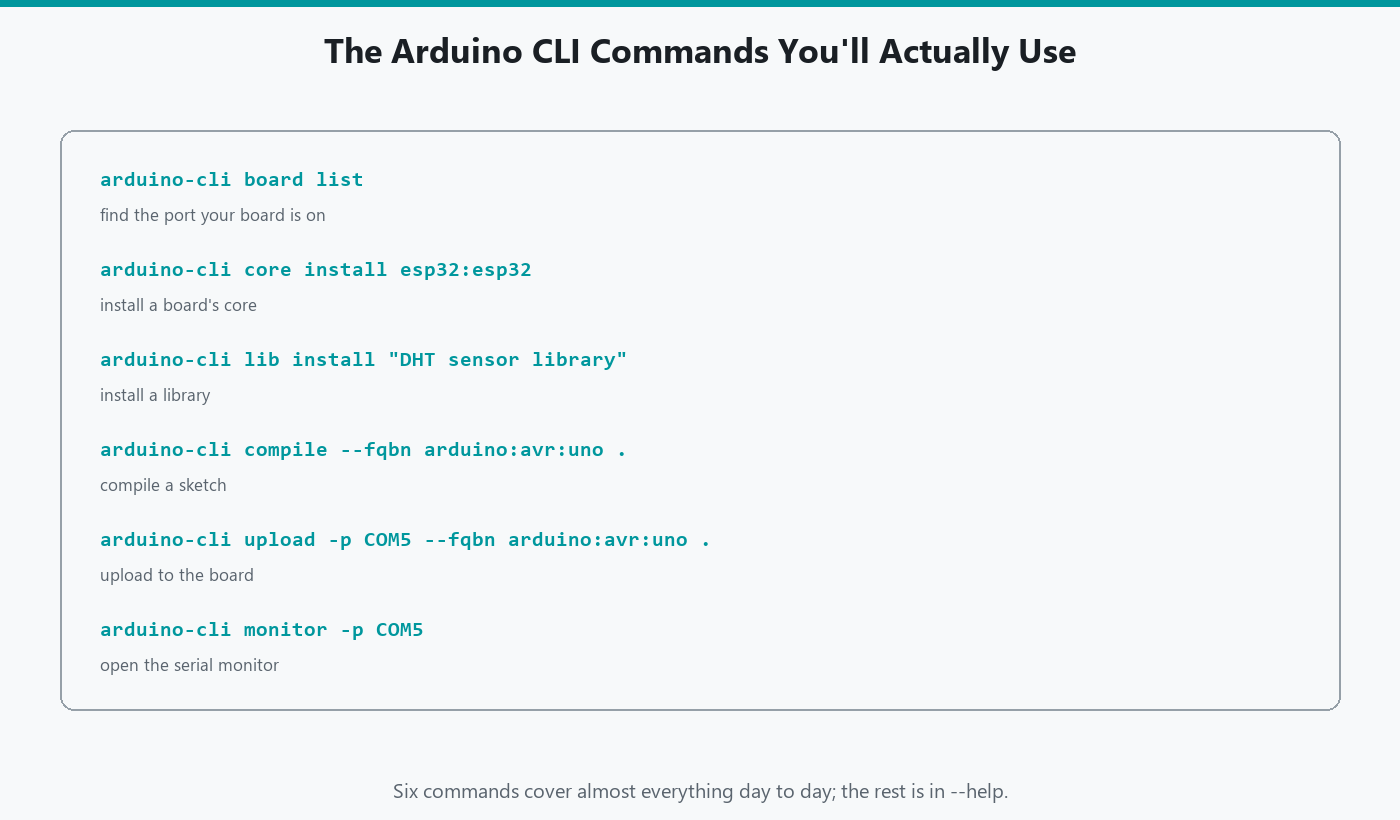
arduino-cli board list
Windows: a COM port such as COM7, and if the CLI can guess, a board name and FQBN. Empty list: cable or driver, not a bad command. Same USB story as the IDE.
# Search every board the installed cores know about for "uno"
arduino-cli board listall uno
list is "what is on USB right now." listall is "what FQBNs do I know about," with an optional search word. If list says Unknown but shows COM7, you still upload by passing --fqbn arduino:avr:uno yourself.
An Unknown board name is not the CLI failing to detect anything; it means the connected device answered with USB identifiers the CLI's currently installed cores do not have a matching entry for, often a clone board using a different USB-serial chip than an official Uno ships with. The port is still real, still usable, and still exactly where --port COM7 needs to point. What is missing is only the friendly name, not the functionality, which is why supplying the FQBN yourself is enough to keep going rather than a workaround for something broken.
Cores (board support)
arduino-cli core update-index        # Refresh the catalog of cores
arduino-cli core install arduino:avr # Install Uno / Mega / classic Nano support
arduino-cli core list                # Installed version vs latest version
arduino-cli core search mega         # Which core contains a board called "mega"?
update-index refreshes Arduino's catalog. install arduino:avr is Uno/Mega/classic Nano. core list shows installed vs latest. core upgrade updates installed cores.
ESP32 needs an extra index URL, then:
# Fetch Espressif's index in addition to Arduino's
arduino-cli core update-index --additional-urls https://espressif.github.io/arduino-esp32/package_esp32_index.json
# Install the ESP32 core from that index (large download)
arduino-cli core install esp32:esp32 --additional-urls https://espressif.github.io/arduino-esp32/package_esp32_index.json
Putting that URL in arduino-cli.yaml under board_manager.additional_urls saves you repeating the flag. The ESP32 IDE article in this cluster is the Board Manager version of the same URL.
To remove a core cleanly, arduino-cli core uninstall esp32:esp32 takes it back out, the same clean removal Board Manager's Remove button does in the IDE. Reinstalling later is just core install again, fetching a fresh copy rather than restoring anything, so uninstalling a core you might want back next month costs you a re-download, not anything permanent.
Sketch folder
cd $HOME\Documents\Arduino       # Go to your sketchbook folder
arduino-cli sketch new CliBlink  # Create CliBlink\CliBlink.ino with empty setup() and loop()
That creates CliBlink\CliBlink.ino. Compile wants the folder name, not CliBlink.ino.
Compile and upload
# Build the sketch for an Uno (no board needed for this step)
arduino-cli compile --fqbn arduino:avr:uno CliBlink
# Send it to the Uno on COM7
arduino-cli upload --fqbn arduino:avr:uno --port COM7 CliBlink
Replace COM7 with whatever board list showed. Or combine both steps:
# Compile, and upload only if the compile succeeded
arduino-cli compile --fqbn arduino:avr:uno --upload --port COM7 CliBlink
Useful flags:
arduino-cli compile --fqbn arduino:avr:uno --clean CliBlink            # Ignore cached pieces, rebuild everything
arduino-cli compile --fqbn arduino:avr:uno --warnings all CliBlink     # Show every compiler warning
arduino-cli compile --fqbn arduino:avr:uno --export-binaries CliBlink  # Save the finished firmware file
arduino-cli compile --fqbn arduino:avr:uno --verbose CliBlink          # Print every command the build runs
--clean rebuilds from scratch. --export-binaries writes the .hex (the finished firmware file that gets uploaded) under a build folder next to the sketch. --verbose is how you see the exact avrdude (the AVR upload program) command when upload is acting strange.
--verbose earns its keep specifically when upload fails with a vague message and compile did not. Normally the CLI hides avrdude's own command line entirely, because you rarely need to see it. When something about the upload step itself is wrong, wrong baud rate for the bootloader, wrong protocol, a driver quietly substituting a different port, seeing the exact command avrdude was actually given turns a mystery failure into something you can compare against a known-good example line by line.
Exit code 0 means success. In PowerShell, $LASTEXITCODE is that number. Scripts and GitHub Actions use it.
Serial monitor
# Open a serial monitor on COM7 at 115200 baud. Ctrl+C to quit.
arduino-cli monitor --port COM7 --config baudrate=115200
Baud must match Serial.begin. Ctrl+C to leave. Close this before upload if the port is busy. There is no Plotter here. Use IDE 2 for graphs.
Libraries
arduino-cli lib update-index                    # Refresh the library catalog
arduino-cli lib search DHT                      # Find libraries matching "DHT"
arduino-cli lib install "DHT sensor library"    # Install by exact name (quotes for spaces)
arduino-cli lib list                            # What is installed?
arduino-cli lib uninstall "DHT sensor library"  # Remove it again
Quotes matter when the Library Manager name has spaces. That DHT package is the one the DHT22 article uses. Zip:
# Install a library from a downloaded .zip instead of the catalog
arduino-cli lib install --zip-path C:\path\to\library.zip
Depending on your CLI version, installing from a zip may first require turning on library.enable_unsafe_install in the config (arduino-cli config set library.enable_unsafe_install true). The CLI will tell you if it wants that. It is a safety switch, because a zip has not been through Arduino's library index.
Two DHT libraries that both define DHT fail at compile, same as in the IDE, since the CLI and the IDE are compiling with the same underlying toolchain and hitting the same name collision either way.
Config: where everything lives
arduino-cli config dump              # Print every current setting
arduino-cli config init              # Create a config file with defaults (safe to run once)
arduino-cli config set library.enable_unsafe_install true   # Change one setting
config dump is the command I reach for whenever the CLI and IDE 2 disagree about what is installed. It prints directories.data (where cores and indexes live) and directories.user (your sketchbook), and those two paths are the whole story behind "it works in one tool and not the other." If they do not match IDE 2's Preferences, that is the actual bug, not a broken install.
config set changes one value without opening a text editor. Everything it can set is also sitting in plain text in arduino-cli.yaml (usually under %LOCALAPPDATA%\Arduino15\) if you would rather edit it directly.
Two boards in a row
Compile does not need the board plugged in. Upload does. I compile everything first, then plug in the Uno, then the Nano:
arduino-cli compile --fqbn arduino:avr:uno CliBlink   # Build for the Uno
arduino-cli compile --fqbn arduino:avr:nano CliBlink  # Same sketch, built for a classic Nano
If the second FQBN fails, the sketch used a pin or library that core does not have. Better to see that on your machine than after you mailed a hex.
board list again after you swap USB cables. Windows will hand out a new COM number. Put that number in --port before you wonder why upload hit COM7, which is now empty.
Finding a board before you own the core
board listall only searches cores you already installed. board search reaches further:
arduino-cli board search esp32 # Find matching boards even without the core installed yet
That is the command for "I am standing in a store deciding what to buy," not "I already have this board on the bench." It tells you which core a board needs before you commit to installing anything.
Sketch housekeeping
arduino-cli sketch archive CliBlink # Zip the sketch folder for sharing or backup
sketch archive bundles the .ino and everything next to it into a single zip, the same shape someone would send you if they wanted you to try their sketch. It is a smaller habit than Git, and a reasonable one for a folder you are not ready to version yet.
Help
arduino-cli help          # The list of top-level commands
arduino-cli help compile  # Every flag compile accepts
arduino-cli help upload   # Every flag upload accepts
--json on many commands prints machine-readable output for scripts. You do not need JSON to compile Blink. Where it earns its keep is a script that needs to make a decision based on the result, not just show it to a human: arduino-cli board list --json prints port and FQBN as structured data a script can parse directly, instead of screen-scraping columns of text that can shift between CLI versions. Reach for --json the moment you are piping CLI output into anything other than your own eyes.
arduino-cli lib deps "DHT sensor library" is worth knowing about before a library refuses to compile for a reason that has nothing to do with your code: it lists what that library itself depends on, so a missing dependency shows up as a name you can lib install, not a mystery compile error buried three headers deep.
Cheat sheet
arduino-cli version                                        # Installed and on PATH?
arduino-cli board list                                     # What is plugged in?
arduino-cli board listall uno                              # Look up an FQBN
arduino-cli core update-index                              # Refresh core catalog
arduino-cli core install arduino:avr                       # Uno / Nano / Mega support
arduino-cli core list                                      # Installed cores
arduino-cli sketch new CliBlink                            # New sketch folder
arduino-cli compile --fqbn arduino:avr:uno CliBlink        # Build
arduino-cli upload --fqbn arduino:avr:uno --port COM7 CliBlink   # Flash
arduino-cli monitor --port COM7 --config baudrate=115200   # Watch Serial
arduino-cli lib install "DHT sensor library"               # Add a library
Troubleshooting
| Symptom | Likely cause | Fix |
|---|---|---|
| Unknown FQBN | Core not installed, typo | core list, then board listall |
| Cannot open port | Monitor or IDE holding COM | Close Monitor. Unplug/replug |
| Missing header | Library not in this CLI's user dir | lib install. config dump vs IDE |
| Compile OK, LED dead | Wrong FQBN or wrong port | Match silkscreen. Confirm COM in Device Manager during upload |
Wrap-up
Weekly CLI is: board list, core install when needed, compile --fqbn, upload --port, monitor. FQBN is the board menu. The folder is the sketch. Help is arduino-cli help <command>. config dump is the command to reach for the moment IDE 2 and the CLI seem to disagree about what is installed, and --json is there the day a script needs to read the CLI's answer instead of a person.
Hack The World and Make Awesome.