What an Arduino IDE 2 nightly build is, how it differs from stable 2.3.x, who should install one, how to run it beside stable, how to back up configuration, and how to report a bug.
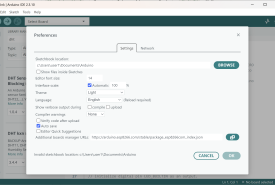
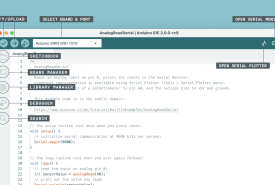
How to install Arduino IDE 2 beside 1.8.19, keep your sketchbook and libraries, reinstall cores if needed, find Serial Monitor and Board Manager in the new window, and only uninstall 1.8 when a project compiles and uploads in 2.
How Arduino IDE 2 differs from Legacy IDE 1.8.19 in interface, architecture, speed, autocomplete, debugging, Serial Monitor, board support, and library compatibility, and why 1.8.19 still exists.
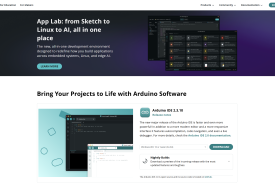
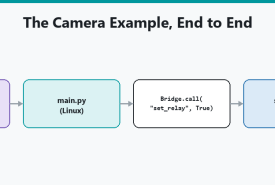
Arduino IDE 2 programs microcontroller firmware. Arduino App Lab orchestrates Linux, Python, MCU sketches, and Bricks on UNO Q and VENTUNO Q. This is a side-by-side of both tools, including when a UNO Q still wants the IDE.
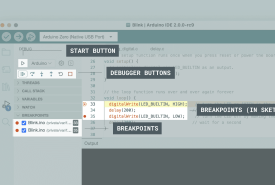
What live debugging in Arduino IDE 2 is, which boards can pause on a breakpoint, why a classic Uno cannot over its USB-serial chip, and when Serial prints are still the right tool.
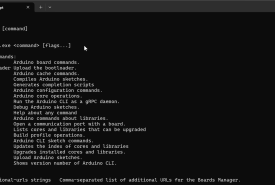
Arduino IDE 2 is a window on top of Arduino CLI. This compares when to click and when to type: Serial Plotter, autocomplete, scripts, VS Code, and shared cores.
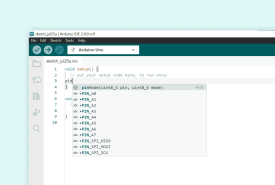
How Arduino IDE 2 suggests function names and jumps to definitions, why a board must be selected first, what to do when the language server is silent, and how this differs from IDE 1.8.