Arduino IDE 2 and Arduino CLI are not two compilers that happen to look similar. Arduino's docs say the CLI is the heart of official Arduino development software, including the IDE and the Web Editor. When you click Verify, you are asking that engine to compile. The standalone CLI is the same family of tool, run from a terminal.
So the question is not "which compiler is more correct." It is "do I want a window, or a command I can put in a script." Part 3 of the Mastery Series is the sketch either tool builds.
Think of IDE 2 as a dashboard bolted on top of the CLI, the same way a car's dashboard sits on top of an engine you never touch directly. Clicking Verify does not run a second, different compiler that happens to share a name; it shells out to the same arduino-cli compile call you could type yourself, then formats the result into a friendlier pane. That is worth knowing because it means nothing the IDE does is a mystery you cannot reproduce from a terminal, and nothing the CLI does is missing some IDE-only compilation step. They are the same engine wearing different amounts of chrome.
What you see
IDE 2: editor, Board Manager, Library Manager, Verify, Upload, Serial Monitor, Serial Plotter, autocomplete, and (on some boards) a debugger. Menus have names. Errors land in a pane.
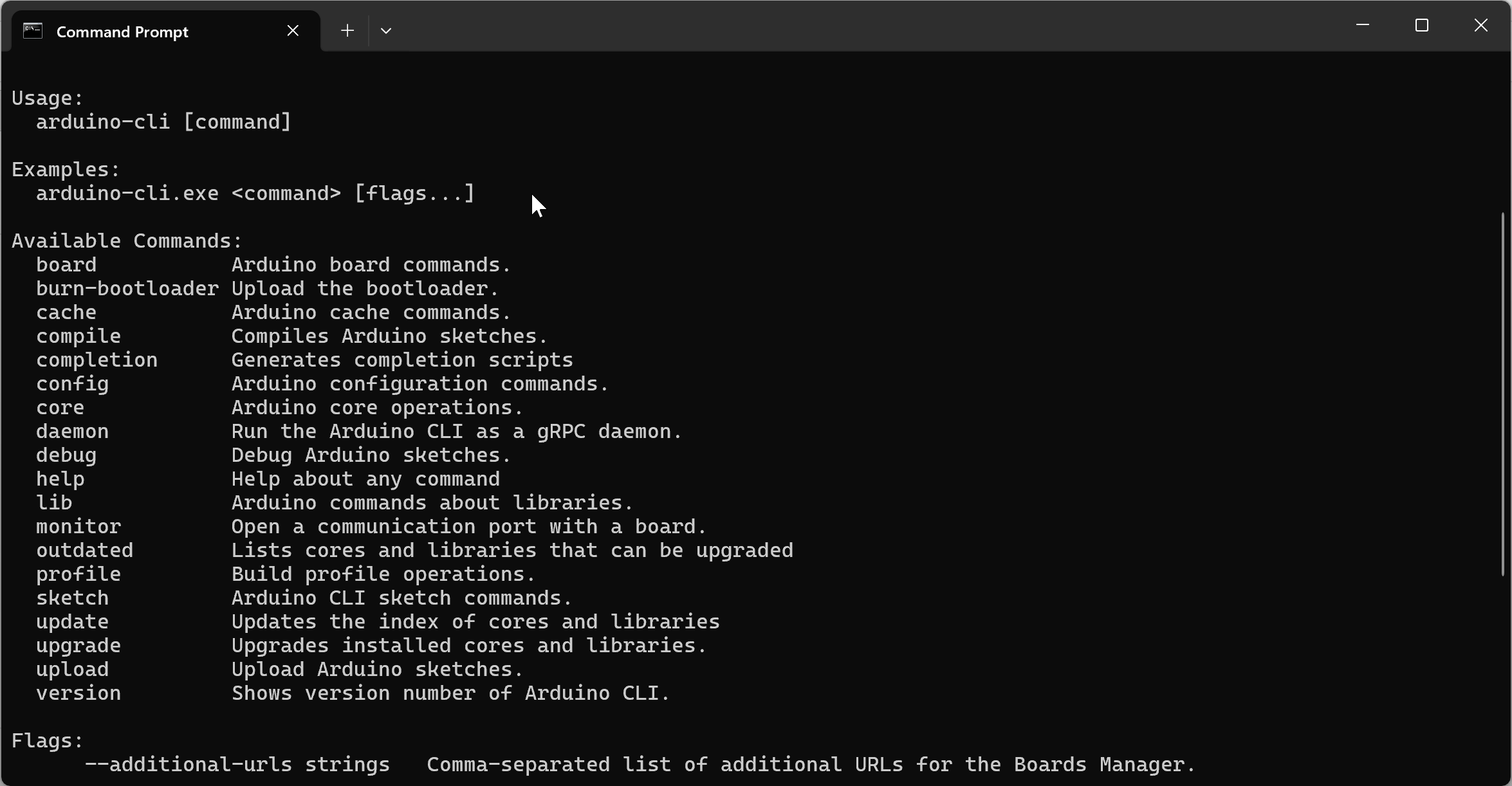
CLI: arduino-cli compile, upload, monitor, core, lib, board list. No Plotter. No gutter breakpoints. No jump-to-definition unless your editor provides it (VS Code, for example).
Both need a core (board-support package) and a port. Both choke on a charge-only USB cable, because a cable problem is a cable problem no matter which program is trying to use it.
Same machine, same cores
On Windows, cores and indexes usually live in %LOCALAPPDATA%\Arduino15. Sketches in Documents\Arduino. If IDE 2 and the CLI share those paths (arduino-cli config dump vs IDE Preferences), a Board Manager install in the IDE shows up in arduino-cli core list, and lib install in the CLI shows up under Sketch → Include Library.
If they do not share paths, you get "core not installed" in one tool and a fine compile in the other. Align directories.data and directories.user. Do not install everything twice as a lifestyle.
This split-paths problem is confusing precisely because both tools appear to be talking about the same board, using the same name, and one simply refuses to see what the other installed. The cause is almost always that the CLI was installed separately from the IDE and defaulted to its own data directory rather than the one IDE 2 already uses, so each tool has been quietly building its own private copy of Arduino15 without either one knowing the other exists. arduino-cli config dump prints exactly which folders the CLI is currently pointed at; compare that against IDE 2's own Preferences dialog, and whichever one is the odd path out is the one to fix.
They cannot both own the COM port. Close Serial Monitor before arduino-cli upload. Close arduino-cli monitor before Upload in the IDE.
When I use the IDE
- First weeks of Arduino, or teaching someone else.
- Serial Plotter.
- Autocomplete and jump-to-definition.
- Live debugger on a board that supports a probe.
- One-off board menu archaeology (which Nano variant is this).
- A day I want a window, not a terminal.
When I use the CLI
- The same sketch for Uno and Nano without clicking Tools → Board twice.
- VS Code, Vim, or any editor that is not IDE 2.
- A lab image:
core install arduino:avrinstead of twenty people clicking Board Manager. - A script or CI (continuous integration: a server that builds on every commit). GitHub Actions is a later article.
- Repeatable builds: the command is the record of what you ran.
The CLI does not produce better firmware. It is the same compiler. What you gain is repeatability. A typed command can be saved in a file, shared with someone else, and run again next month exactly the same way, which is hard to guarantee with a sequence of menu clicks.
A sequence of clicks is not written down anywhere by default, so "how did I get this to compile last time" often means retracing steps from memory, in whatever order you happen to remember them. A command in a text file is self-documenting: anyone reading it, including you in six months, can see exactly which board, which port, and which flags were used, without needing to reopen the IDE and hover over menus to reconstruct the same information.
Side-by-side
| Job | IDE 2 | CLI |
|---|---|---|
| Write a sketch with hints | Yes | No (use an editor) |
| Install a core | Board Manager | core install |
| Compile | Verify | compile --fqbn |
| Upload | Upload | upload --port |
| Serial text | Monitor | monitor |
| Serial graph | Plotter | No |
| Live debugger | Yes, supported boards | No |
| Script / CI | Awkward | Native |
| Offline after cores exist | Yes | Yes |
You can keep both. I do. IDE 2 for Plotter and for poking. CLI for the compile I want to run twice.
A concrete split
Blink on an Uno, once: IDE 2 is fewer moving parts.
Blink on an Uno and a Nano, every time you change a line:
arduino-cli compile --fqbn arduino:avr:uno CliBlink   # Check it builds for the Uno
arduino-cli compile --fqbn arduino:avr:nano CliBlink  # And for the classic Nano, no menu changes
That pair is why people leave the Board menu. The VS Code article in this folder hangs those commands on keyboard shortcuts.
What does not change
setup() and loop(). Library Manager names. FQBN vs Tools → Board is only a spelling. USB drivers. Serial.begin vs Monitor baud. A sketch that needs ESP32 still needs the ESP32 core, URL and all.
If a sketch fails in the CLI and builds in the IDE, compare FQBN, core version (core list), and library path (config dump). It is almost never "CLI is a different language."
If you are happier in the IDE every day, that is allowed. Install the CLI anyway so the day you need a script, PATH already works. If you are happier in the terminal, keep IDE 2 installed for Plotter. Neither tool is a loyalty test.
Switching mid-project is normal
Nothing about starting a sketch in one tool locks you into it. A sketch you began in IDE 2, clicking through Examples and leaning on autocomplete to learn the API, compiles exactly the same way from the CLI once you know what you are building. The reverse works too: a sketch built entirely from arduino-cli compile commands opens in IDE 2 like any other .ino, autocomplete and all, the moment you want a debugger or a graph. The file on disk does not know or care which tool last touched it.
The one thing worth carrying across deliberately is the FQBN and any --warnings or profile settings you have been using from the CLI. IDE 2 has no memory of flags you typed in a terminal; Tools → Board and a fresh Verify are the IDE's own record of the same choices.
Troubleshooting
| Symptom | Likely cause | Fix |
|---|---|---|
| CLI says a core is not installed, but Board Manager shows it | Separate Arduino15 data directories |
arduino-cli config dump vs IDE Preferences, align the paths |
| CLI compile fails, IDE Verify passes | Different FQBN, or a library only visible to one tool's sketchbook path | Match --fqbn exactly to the IDE's Tools → Board. Check directories.user |
| Upload works in IDE, port busy from CLI | IDE Serial Monitor still holding COM | Close Monitor before arduino-cli upload |
| Autocomplete or Plotter missing from a workflow | Using the CLI alone, by design | Open IDE 2 for that one task, keep CLI for the rest |
Wrap-up
IDE 2 is the window. CLI is the engine, which Arduino also gives away as a free standalone terminal tool. Use the window when you want Plotter, autocomplete, or a first lesson. Use the terminal when you want the same compile twice, another editor, or a script. Share Arduino15 and do not fight over the COM port.
Hack The World and Make Awesome.