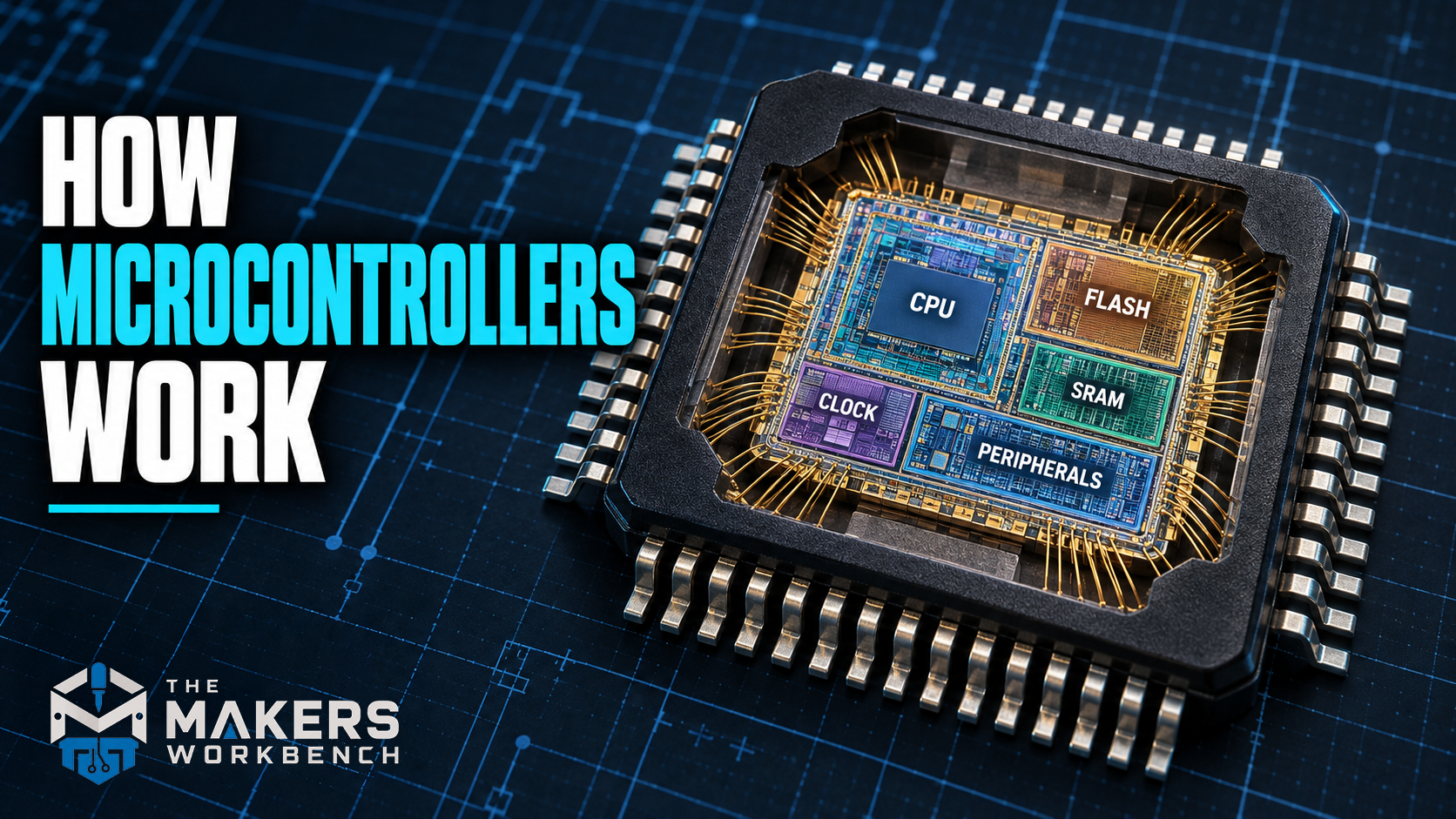
How Microcontrollers Work
Walk through your kitchen and count the computers. The microwave has one, reading the keypad and counting down the timer. The coffee maker has one. So does the dishwasher, the oven, the smoke detector, the digital thermometer in the drawer, and very likely the toaster. None of them look like computers, none of them run Windows, and you'll never install an app on any of them. But each one has a tiny, complete computer inside, sitting on a single chip, doing one job over and over for years.
That chip is a microcontroller, often shortened to MCU (for microcontroller unit). It's the brain of every Arduino, every ESP32, every Raspberry Pi Pico, and an enormous number of everyday products, from TV remotes to car door locks.
In this article I'll walk through what's inside one, how it actually runs your code, what its different kinds of memory are for, how a line of code turns into a voltage on a pin, and how microcontrollers differ from the processor in your laptop. If you've ever uploaded a sketch to an Arduino and wondered what's really happening on the other side of the USB cable, this is the article for you. No prior knowledge needed.
What a microcontroller is
A microcontroller is a whole small computer built onto a single chip. That one piece of silicon holds:
- a processor, the part that follows instructions one at a time
- memory to store the program, and separate memory to work in while it runs
- input and output pins that connect the chip to the outside world: buttons, sensors, LEDs, motors, and other chips
- a set of built-in helper circuits, called peripherals, that handle common jobs like keeping time, measuring voltages, and talking to other devices
Compare that with the processor in your laptop, which is called a microprocessor. A microprocessor is mostly the processing part on its own. It needs a whole board full of other chips around it, separate memory sticks, a storage drive, and a power system, to do anything at all. It's built to be enormously fast and flexible. A microcontroller is built to be cheap, small, low-power, and self-contained, so it can disappear inside a product and quietly do one job.
A good analogy is a home workshop versus a pocketknife. The workshop (the microprocessor and everything around it) can build almost anything, but it takes up a garage and needs a lot of support. The pocketknife (the microcontroller) has a handful of built-in tools, fits in your hand, and is always ready for the jobs it was designed for.
One thing that confuses a lot of beginners: an Arduino is not itself a microcontroller. An Arduino Uno is a circuit board built around a microcontroller, the ATmega328P, with a USB connection, a power regulator, and pin headers added to make it easy to use. The ATmega328P is the microcontroller. The same goes for "an ESP32 board," which is a development board built around an ESP32 chip.
A very short history
The first microcontrollers appeared in the early 1970s. Texas Instruments developed the TMS1000 family around 1971 and sold it from 1974, largely for calculators, toys, and appliances. Intel followed with the 8048 in 1976 and the hugely popular 8051 in 1980. Microchip's PIC chips and Atmel's AVR chips (the family the original Arduinos use) brought cheap, easy-to-program microcontrollers to hobbyists through the 1990s and 2000s. Today, most new designs use 32-bit chips built on ARM Cortex-M or RISC-V processor designs, like the ESP32-C series, the Raspberry Pi RP2040 and RP2350, and the STM32 family.
What's inside the chip
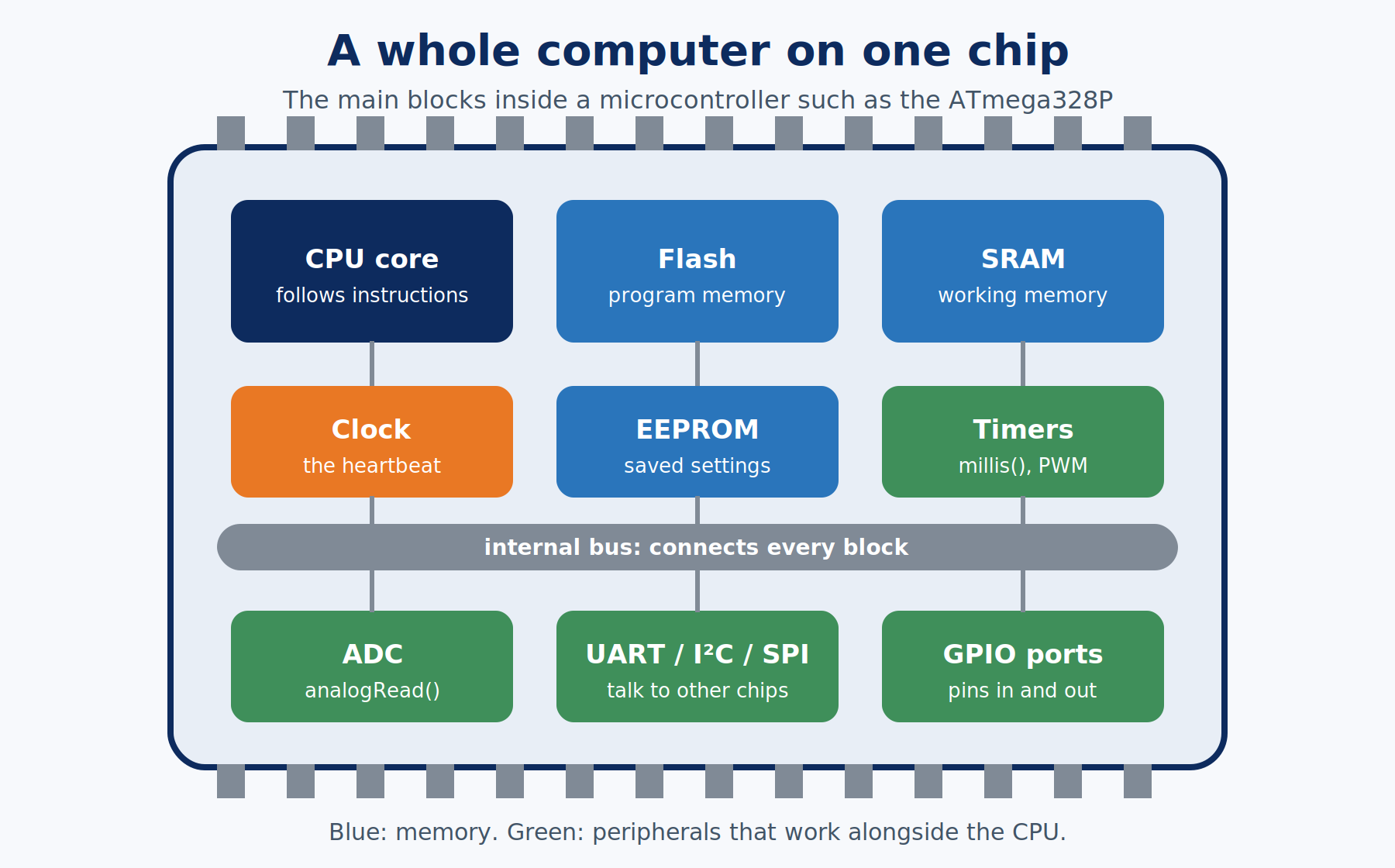
Let's open one up. I'll use the ATmega328P from the Arduino Uno as the example, because it's simple enough to understand completely, and then compare it with bigger chips later.
The CPU: the part that follows instructions
The CPU (central processing unit) is the part that actually does things. It reads one instruction at a time from memory and carries it out. Each instruction is tiny and very specific: "add these two numbers," "copy this value to that memory location," "if this value is zero, jump to a different instruction." Everything a microcontroller does, from blinking an LED to running a Wi-Fi connection, is built from millions of these small steps.
Inside the CPU are a small number of super-fast storage slots called registers, which hold the numbers it's working on right now. The ATmega328P has 32 of them, each 8 bits wide.
That "8 bits" is where the phrase 8-bit microcontroller comes from: the CPU naturally works on numbers 8 bits at a time, which means values from 0 to 255. It can handle bigger numbers, but it has to break them into 8-bit pieces, which takes extra steps. A 32-bit microcontroller like the ESP32 handles numbers up to about 4.29 billion in a single step, which is a big part of why it's so much faster at math.
The clock: the heartbeat
The CPU doesn't work continuously. It works in steps, one step per tick of a clock, a circuit that produces a steady on-off pulse, like a metronome. The speed of that metronome is measured in hertz (Hz), meaning ticks per second. 1 MHz (megahertz) is one million ticks per second.
The Arduino Uno's ATmega328P runs at 16 MHz, set by a small crystal on the board. That's 16 million ticks every second. Most of its instructions finish in a single tick, so it can carry out roughly 16 million simple instructions per second. An ESP32 runs at up to 240 MHz, and it has two processor cores working side by side.
Memory: three kinds, three jobs
Microcontrollers have several kinds of memory, and each one is good at a different thing. This is one of the most useful ideas in this whole article, because running out of the wrong kind of memory causes some very confusing bugs.
- Flash memory holds your program. It's non-volatile, meaning it keeps its contents when the power is off, which is why your Arduino still runs its sketch after you unplug it and plug it back in. It's slow to write and can only be rewritten a limited number of times (around 10,000 for the ATmega328P), so the chip mostly reads from it.
- SRAM (static random-access memory) is the working memory where your variables live while the program runs. It's fast, but volatile: it empties the moment power is lost. Every variable you create, every text string you build, and every function call uses some of it.
- EEPROM (electrically erasable programmable read-only memory) is a small amount of non-volatile memory meant for settings you want to survive a power cut, like a saved high score or a calibration value. Not every microcontroller has separate EEPROM; many, including the ESP32, store that kind of data in a reserved slice of flash instead.
Here's how much of each the Uno's ATmega328P has, and it's a real eye-opener the first time you see it:
| Memory | ATmega328P (Arduino Uno) | What it holds |
|---|---|---|
| Flash | 32 KB (0.5 KB used by the bootloader) | Your compiled program |
| SRAM | 2 KB | Variables while the program runs |
| EEPROM | 1 KB | Settings that survive power-off |
Two kilobytes of SRAM is 2,048 bytes, about enough to hold one short page of plain text. That's why the Arduino series keeps using the F() macro around text: it leaves the text in flash instead of copying it into SRAM. Run out of SRAM and a microcontroller doesn't show an error message. It starts behaving strangely, resetting, or freezing, because variables start overwriting each other.

Pins and ports: how the chip touches the world
The pins on the outside of the chip connect to the inside through GPIO (general-purpose input/output) circuits. Each GPIO pin can be set as an output, where the chip drives it HIGH (to its supply voltage) or LOW (to 0 V), or as an input, where the chip reads whether something outside is pulling it high or low.
Inside the chip, pins are grouped into ports, usually 8 pins per port on an 8-bit chip. Each port is controlled by a handful of special memory locations called registers. This is the key idea for the next section: on a microcontroller, controlling hardware means writing numbers into special memory locations.
Peripherals: helpers that work alongside the CPU
Peripherals are dedicated circuits built into the chip that handle specific jobs on their own, freeing the CPU to do other work. Common ones include:
- Timers that count clock ticks, used for keeping time and for producing precise pulses (the Arduino's
millis()comes from one) - an ADC (analog-to-digital converter) that measures a voltage on a pin and turns it into a number (
analogRead()) - PWM (pulse-width modulation) outputs that switch a pin on and off very fast to fake an in-between voltage, used for dimming LEDs and controlling motors (
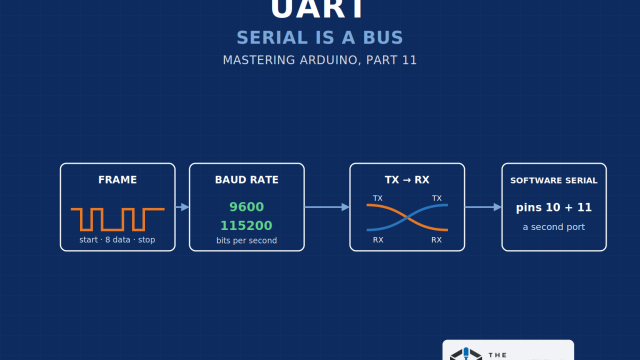
analogWrite()) - communication peripherals, such as UART, I²C, and SPI, that send and receive data with other chips (
Serial,Wire,SPI) - an interrupt controller that can pause the CPU the instant something important happens, like a button press, so it can respond right away
A good mental picture is a head chef (the CPU) with a team of kitchen assistants (the peripherals). The chef doesn't stand at the stove watching the timer. A timer assistant shouts when it's done. The UART assistant sends a whole message out the door while the chef keeps cooking.
How your code actually runs
From sketch to machine code
The CPU can't read C++. It only understands machine code, the chip's own set of numbered instructions. When you click Upload in the Arduino IDE, a program called a compiler translates your sketch into machine code for that specific chip. The result is uploaded into flash memory, usually by a small program already sitting in the chip called a bootloader, whose only job is to receive new code over the USB-serial connection and write it into flash.
Fetch, decode, execute
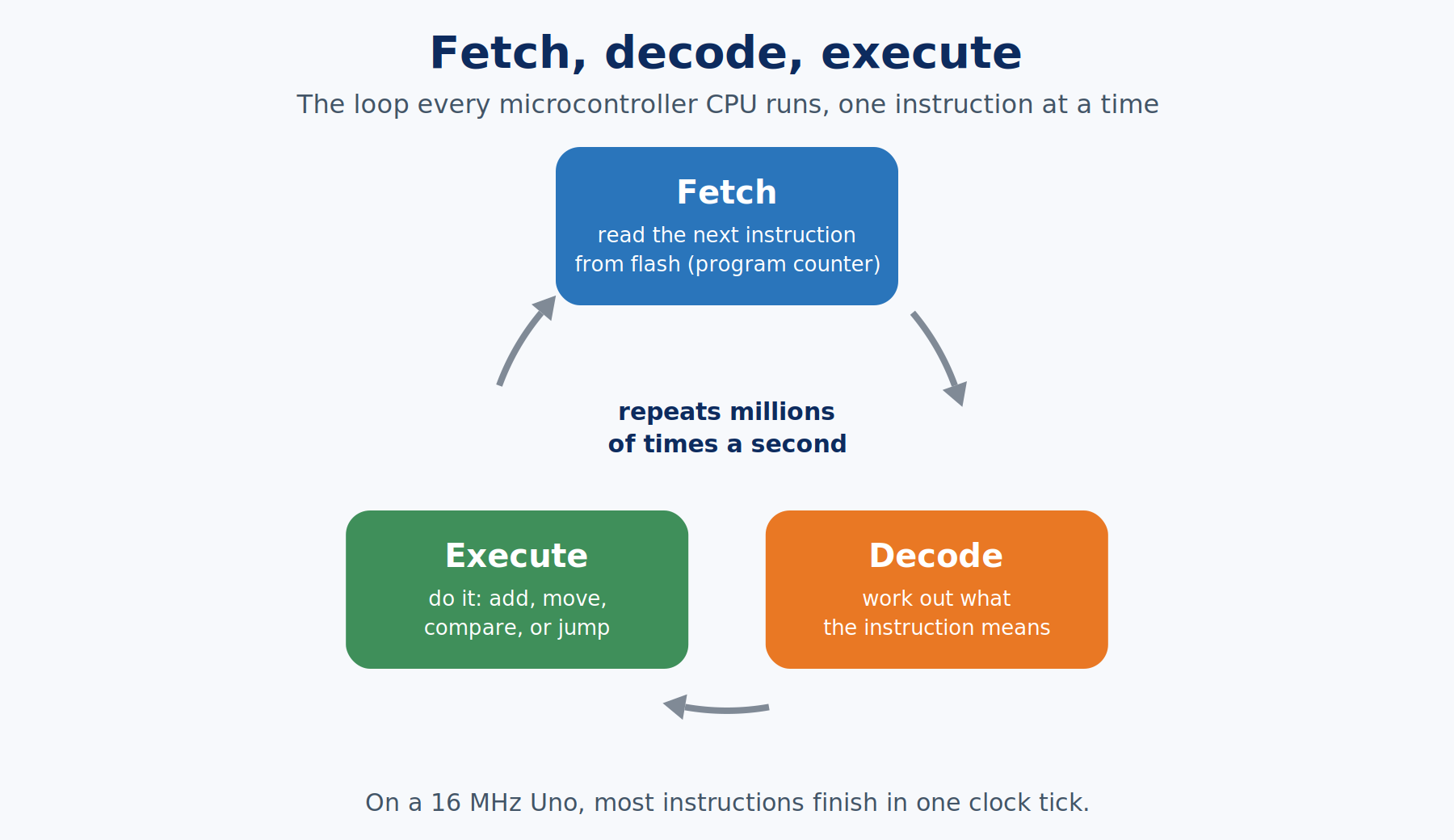
Once running, the CPU repeats the same three-step cycle for every instruction, millions of times per second:
- Fetch: read the next instruction from flash. A special register called the program counter keeps track of which instruction is next.
- Decode: work out what the instruction means and what it needs.
- Execute: do it, whether that's adding numbers, moving data, or jumping somewhere else in the program.
Then the program counter moves on and the cycle starts again. That's it. Every program ever run on a microcontroller is this loop, repeated.
Turning on an LED, the hard way and the easy way
Here's where it all comes together. On an Arduino Uno, digital pin 13 is wired to bit 5 of a port the ATmega328P calls Port B. Port B has a register named DDRB that sets each pin as input or output, and a register named PORTB that sets each output HIGH or LOW. Turning on the LED on pin 13, written directly against the registers, looks like this:
void setup() {
  DDRB |= (1 << 5);    // set bit 5 of the direction register: Port B pin 5 (Uno pin 13) becomes an output
  PORTB |= (1 << 5);   // set bit 5 of the output register: that pin goes HIGH, and the LED turns on
}

void loop() {}

The (1 << 5) part builds a number with only bit 5 set, and |= turns that one bit on without changing the other seven pins in the port. When the CPU executes that line, it writes a number into a memory location, and the circuitry wired to that location connects pin 13 to the supply voltage. Writing to memory makes something physical happen. That idea, called memory-mapped I/O, is how nearly every microcontroller controls its hardware.
Now the easy way, the version you've probably already written:
void setup() {
  pinMode(13, OUTPUT);       // the Arduino core works out that pin 13 means Port B, bit 5, and sets DDRB for you
  digitalWrite(13, HIGH);    // and this sets the matching bit in PORTB
}

void loop() {}
pinMode() and digitalWrite() do the same register writes underneath. They also look up which port and bit belong to each pin number, so the same sketch works on a different board where pin 13 lives somewhere else entirely. That convenience costs some extra microseconds per call, which almost never matters, and it's why the Arduino functions exist.
Power: why microcontrollers can run for years on batteries
Because a microcontroller only does a few jobs, it can spend most of its life asleep. Most MCUs offer several sleep modes that shut down the clock and parts of the chip, dropping power use from milliamps to a few millionths of an amp (microamps). A timer or a pin change can wake it up, it does its job in milliseconds, and it goes back to sleep. That's how a wireless thermometer or a smoke detector can run for months or years on small batteries.

Microcontroller families compared
The table below compares the Uno's chip with other popular microcontrollers you'll meet on this site:
| Chip | Found on | Core and width | Clock | SRAM | Flash | Notable |
|---|---|---|---|---|---|---|
| ATmega328P | Arduino Uno R3, Nano | AVR, 8-bit | 16 MHz on the Uno (20 MHz max) | 2 KB | 32 KB | Simple, 5 V, very well documented |
| ESP32 | ESP32 dev boards | 2 × Xtensa LX6, 32-bit | Up to 240 MHz | 520 KB | External, often 4 MB | Wi-Fi and Bluetooth built in |
| RP2040 | Raspberry Pi Pico | 2 × ARM Cortex-M0+, 32-bit | Up to 133 MHz | 264 KB | External, 2 MB on the Pico | Programmable I/O blocks |
| RP2350 | Raspberry Pi Pico 2 | 2 × Cortex-M33 or 2 × RISC-V, 32-bit | Up to 150 MHz | 520 KB | External, 4 MB on the Pico 2 | Choice of ARM or RISC-V cores |
| STM32F103C8 | "Blue Pill" boards | ARM Cortex-M3, 32-bit | 72 MHz | 20 KB | 64 KB | Huge professional family |
| Renesas RA4M1 | Arduino Uno R4 | ARM Cortex-M4, 32-bit | 48 MHz | 32 KB | 256 KB | 5 V-friendly, native USB |
Microcontroller vs microprocessor vs single-board computer
| Microcontroller | Microprocessor | Single-board computer | |
|---|---|---|---|
| Example | ATmega328P, ESP32 | Intel Core, AMD Ryzen | Raspberry Pi 5 |
| Memory and storage | Built into the chip, kilobytes | External, gigabytes | External, gigabytes |
| Operating system | Usually none; your program is the only thing running | Windows, Linux, macOS | Usually Linux |
| Start-up time | Milliseconds | Many seconds | Many seconds |
| Power | Microamps asleep, milliamps running | Watts to hundreds of watts | A few watts |
| Best at | One job, reliably, in real time, on little power | Running lots of software at once | Linux software plus some hardware control |
Running with no operating system is called bare metal. Your program is in complete control, nothing else competes for the CPU, and timing is predictable down to the clock tick. Some bigger microcontrollers, including the ESP32, run a small RTOS (real-time operating system) underneath so they can juggle tasks like Wi-Fi in the background, but it's still nothing like a desktop operating system.
Common mistakes and misconceptions
- "The Arduino is the microcontroller." The board is a carrier for the microcontroller. Knowing the difference matters when you read datasheets or move to a custom circuit.
- Pulling too much current from a pin. A GPIO pin is a signal, not a power supply. The ATmega328P's absolute maximum is 40 mA per pin (20 mA is the comfortable working figure), and the ESP32's datasheet rates its pins at up to 40 mA sourcing and 28 mA sinking. Drive motors, relays, and long LED strips through a transistor or driver, never straight from a pin.
- Mixing voltages. A 5 V microcontroller can damage a 3.3 V one if you connect their pins directly. Check the logic voltage of both sides first.
- Running out of SRAM without realizing it. There's no warning, just odd behavior. Watch the memory report the Arduino IDE prints after compiling.
- Expecting a desktop computer. A microcontroller does one thing at a time, quickly. Doing several things "at once" takes planning, like the non-blocking timing in the Mastering Arduino series.
Related articles
- How UART Communication Works (Reference Article #158), the simplest way microcontrollers talk to each other
- How Microprocessors Work (Reference Article #162), the other side of the comparison above
- How GPIO Pins Work (Reference Article #163) and How Microcontroller Interrupts Work (Reference Article #164) go deeper into two of the blocks covered here
- Mastering ESP32 Part 1: Getting Started with the ESP32, a hands-on tour of a powerful modern microcontroller
- Mastering Arduino Part 1: What is Arduino?, the start of the Arduino series
Wrapping up
A microcontroller is a complete computer on one chip: a CPU that fetches, decodes, and executes one tiny instruction at a time, a clock that sets the pace, flash memory for the program, SRAM for working data, a little EEPROM for settings, and a set of peripherals and GPIO pins that let it sense and control the world. Controlling hardware is just writing numbers into special memory locations, and functions like digitalWrite() do exactly that on your behalf. Once that picture clicks, every Arduino, ESP32, and Pico you pick up is the same idea in a different size.
Hack The World and Make Awesome.