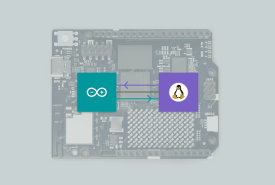
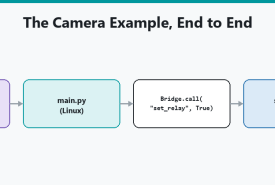
How App Lab runs AI on the UNO Q Linux side as Bricks or Python, why the microcontroller never executes the model, and how to send a small result over the Bridge to a pin.
Duplicate an official Blink example in Arduino App Lab, read main.py and sketch.ino, change the Bridge call, Run, and know how to get back if IDE 2 overwrote the microcontroller.
How to split an App Lab project so Python on Linux handles slow work and Arduino C++ on the microcontroller handles pins, using the App folder layout and the Bridge.
What an App Lab Brick is, how it differs from an Arduino library, how Bricks run beside Python on Linux, and how to add one from the catalog without treating it as magic.
How the UNO Q Bridge lets Linux Python and the STM32 sketch call each other's functions, including provide/call, the 256-byte limit, and the Arduino Router service underneath.
Arduino IDE 2 programs microcontroller firmware. Arduino App Lab orchestrates Linux, Python, MCU sketches, and Bricks on UNO Q and VENTUNO Q. This is a side-by-side of both tools, including when a UNO Q still wants the IDE.
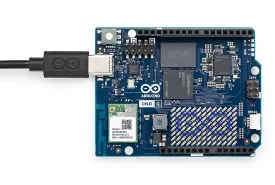
Install Arduino App Lab, connect a UNO Q or VENTUNO Q, run a Blink example, and know what USB-C power, discovery, and first-run setup actually involve.