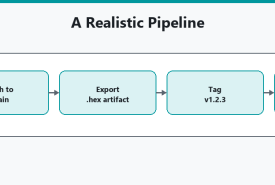
How to turn Arduino CLI compile checks into a small pipeline: compile on pull requests, save hex artifacts, optionally lint, and keep flashing boards as a local or tagged-release step, not something GitHub-hosted runners can do without hardware.
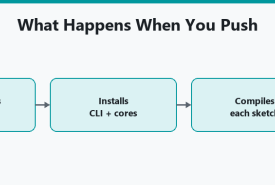
How to compile Arduino sketches on every GitHub push or pull request using Arduino's official Actions (setup-arduino-cli and compile-sketches), including a matrix of board FQBNs.
How to compile one or more Arduino sketches from a script using Arduino CLI, fail on a non-zero exit code, cover more than one board FQBN, and use a sketch.yaml profile so the compile line stays short.
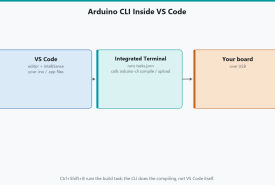
Edit Arduino sketches in Visual Studio Code, compile and upload with Arduino CLI via tasks.json, watch serial in the terminal, and keep IDE 2 for Plotter if you want it.
Arduino IDE 2 is a window on top of Arduino CLI. This compares when to click and when to type: Serial Plotter, autocomplete, scripts, VS Code, and shared cores.
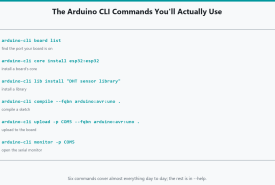
The Arduino CLI commands used every week: board list, cores, libraries, compile, upload, and serial monitor, with FQBN and Windows COM ports spelled out.