DIY Electronics

Three vintage dials labeled V, I, and R linked by brass levers and gears around the equation V = I × R, beside the title How Electronics Work, How Ohm's Law Works
How Ohm's Law Works: Mastering Fundamental Electronics Part 04
Learn how Ohm's law works: the V = IR relationship, how to solve for voltage, current, or resistance with real units, when the law applies, and how to check your answers with power.
A vintage ohmmeter dial marked with the omega symbol above a wire that narrows to a glowing, heat-shimmering constriction as charge carriers squeeze through, beside the title How Electronics Work, How Electrical Resistance Works
How Electrical Resistance Works: Mastering Fundamental Electronics Part 03
Learn how electrical resistance works: why materials oppose current, how length and thickness change it, why heat changes it, and how to measure it correctly on an unpowered circuit.
A vintage ammeter dial marked A with a glowing tube of drifting charge carriers curving beneath it, beside the title How Electronics Work, How Electric Current Works
How Electric Current Works: Mastering Fundamental Electronics Part 02
Learn how electric current works: what an ampere counts, what actually moves inside a wire, why conventional current flows backward from the electrons, and how to measure current without blowing a fuse.
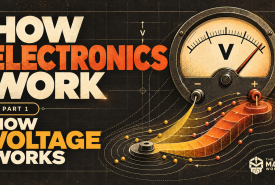
A vintage voltmeter dial marked V, with a glowing ribbon of energy and charge carriers rising from its negative terminal to its positive terminal, beside the title How Electronics Work, How Voltage Works
How Voltage Works: Mastering Fundamental Electronics Part 01
Learn how voltage works: what a volt really measures, why it always exists between two points, how a battery creates it, and how to measure it safely with a multimeter.
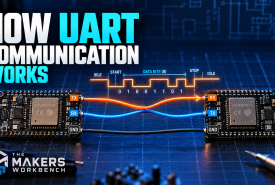
How UART Communication Works card (horizontal)
How UART Communication Works
Learn how UART serial communication works, from start bits, stop bits, and baud rates to TX/RX wiring, voltage levels, and the mistakes that turn data into garbage.
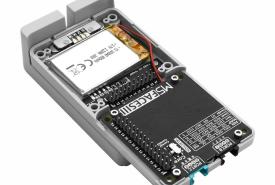
M5Stack Faces 3 Bottom Board shown at an angle
M5Stack Brings Back Faces With a Third-Generation Bottom Board for Core Handhelds
M5Stack's Faces 3 Bottom Board adds a 600 mAh battery, RGB strips, and a panel bus under a Core controller, with keyboard, gamepad, and calculator panels, from $22.50.
Line drawing of Muse gadget devices with the Muse logo
Meta Releases the Muse Gadgets SDK for ESP32 and Raspberry Pi
Meta's open-source Muse Gadgets SDK lets makers connect an ESP32 board or a Raspberry Pi to the Muse personal AI agent, with screens, audio, sensors, and buttons.